Have you ever scrolled through your Instagram DMs or comments only to see a message from someone labeled as “Instagram User” instead of their usual username? If you’ve been puzzled by this generic name appearing in your inbox, you’re not alone.
Do you know that nearly 30% of all Instagram accounts are either inactive or show minimal activity on the platform?
The label doesn’t pop up randomly — it signals something important about that person’s Instagram account. From deactivated accounts to user blocks, this article dives deep into what the term really means and how you can decode its appearance like a pro.
Looking to enhance your Instagram game beyond just likes and followers? Try to get Instagram Comments, Impressions, and Automatic Likes services to maximize visibility and engagement. Want to test it first? Claim your Free Instagram Followers and see the impact for yourself — no strings attached.
The Purpose Behind the “Instagram User” Label
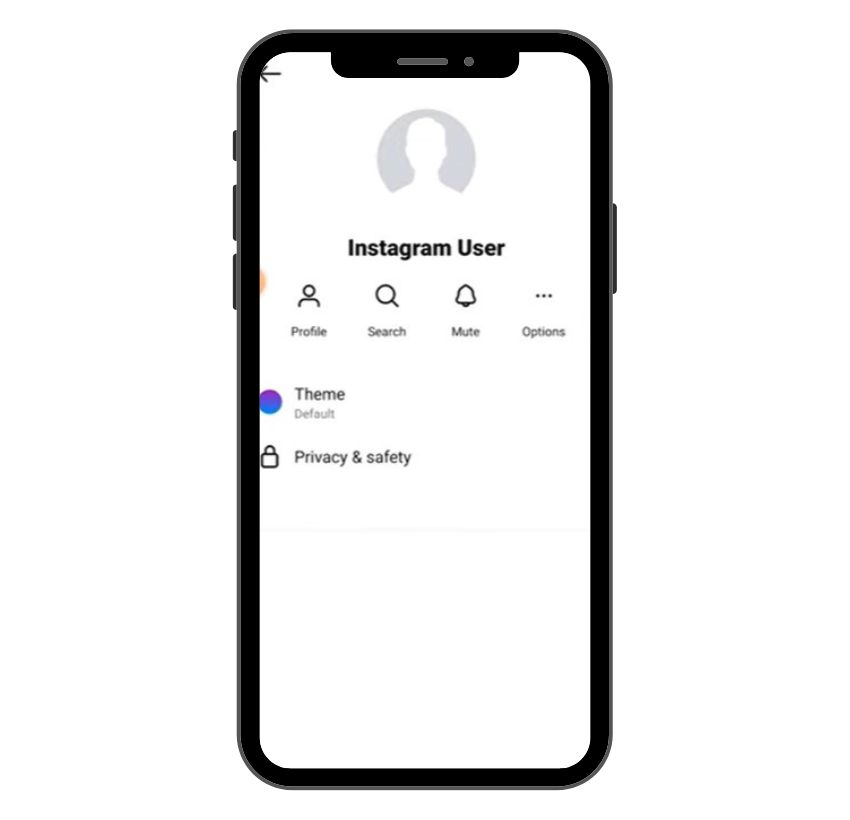
The label “Instagram User” serves as a placeholder for accounts that are no longer active or visible to you. Instead of displaying the person’s original username, profile picture, or bio, Instagram replaces all of it with a blank picture and the generic label.
This usually happens when a person’s account has been temporarily deactivated, permanently deleted, banned, or when they’ve blocked you. In short, it’s Instagram’s way of saying the user’s profile is no longer accessible through conventional means.
Top 4 Reasons Why You See “Instagram User” on Instagram
There are a few reasons you might encounter this label in your Instagram DMs, comments, or past conversations. Each reason points to a different status of the account in question.
1. The User Has Temporarily Deactivated Their Account
When someone chooses to temporarily deactivate their Instagram account, their profile disappears from search results, and their username is hidden across the platform. Their profile image is replaced with a blank picture, and “Instagram User” takes its place in conversations.
This temporary deactivation doesn’t mean the account is gone forever. Once reactivated, everything — including previous posts, comments, and messages — comes back.
2. The User Has Permanently Deleted Their Account
A permanently deleted or deleted account results in a total loss of the user’s digital footprint. The account, posts, followers, direct messages, and bio are erased from the platform. If you had prior interactions with them, their name will now appear as Instagram User in your chat history.
Unlike temporarily deactivated accounts, a permanent deletion is irreversible. This is why it’s often considered a significant break from social media platforms like Instagram.
3. The User Has Blocked You
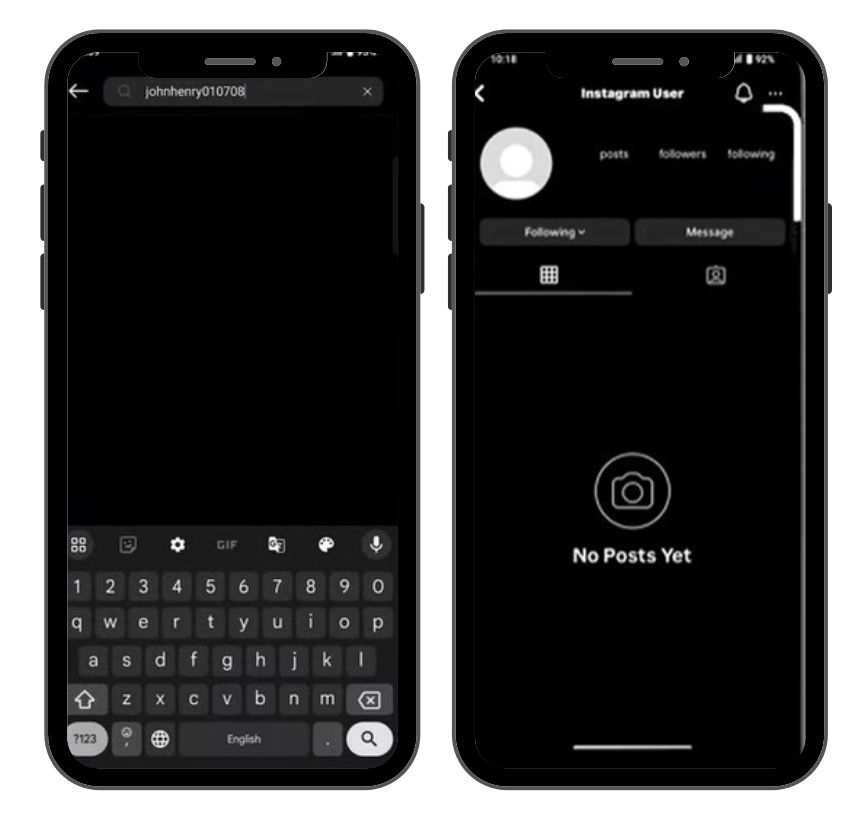
If a person has chosen to block you, you will no longer be able to view their Instagram profile, posts, or stories. In many cases, the app displays them as “Instagram User” in your DMs. While this is sometimes confused with account deletion or deactivation, user blocks can be confirmed using a friend’s account to search for the profile.
4. The User Has Been Banned by Instagram
Instagram may ban users for violating community guidelines, including spammy behavior, impersonation, or repeated offenses. A banned account is either temporarily disabled or permanently removed depending on the severity of the violation. When this happens, all traces of the person vanish — except where they may still appear in your past interactions as “Instagram User.”
Related: What Does “Restrict” Mean on Instagram?
How to Identify an Account is Deactivated, Deleted, Blocked, or Banned?
To figure out the actual reason why someone appears as “Instagram User,” you may need to do a bit of detective work. Let’s break down the steps to identify what’s really going on.
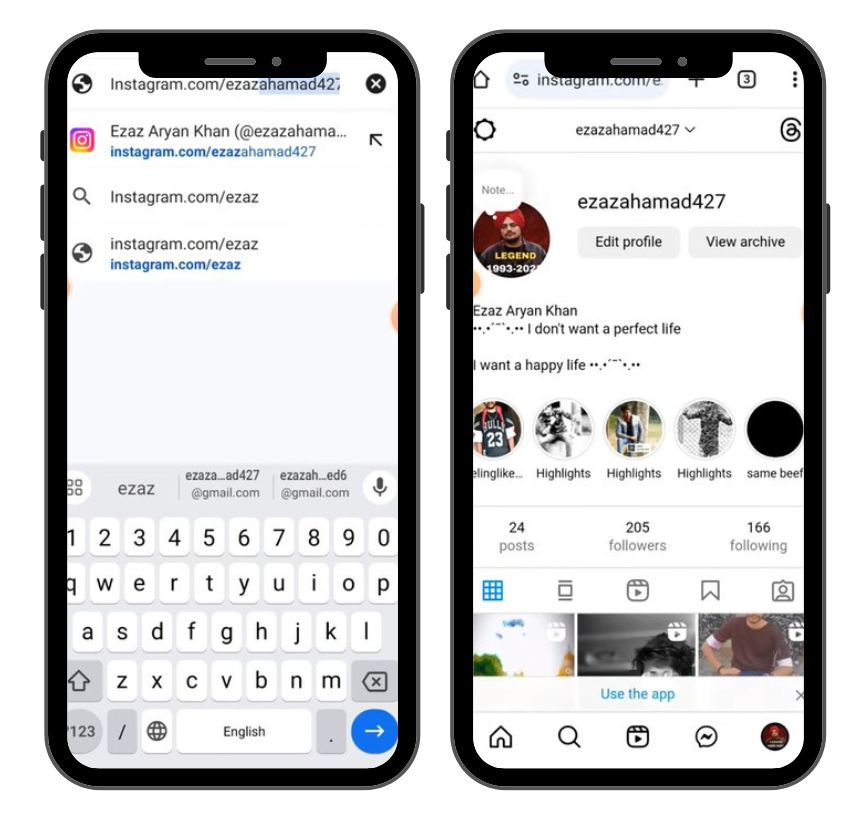
1. Checking Search Results
Open Instagram and search for the username of the person. If their profile doesn’t appear in the search results, it could mean they’ve deactivated, deleted, or blocked you. If you still remember their exact account name, this method can be useful.
2. Checking Past Conversations
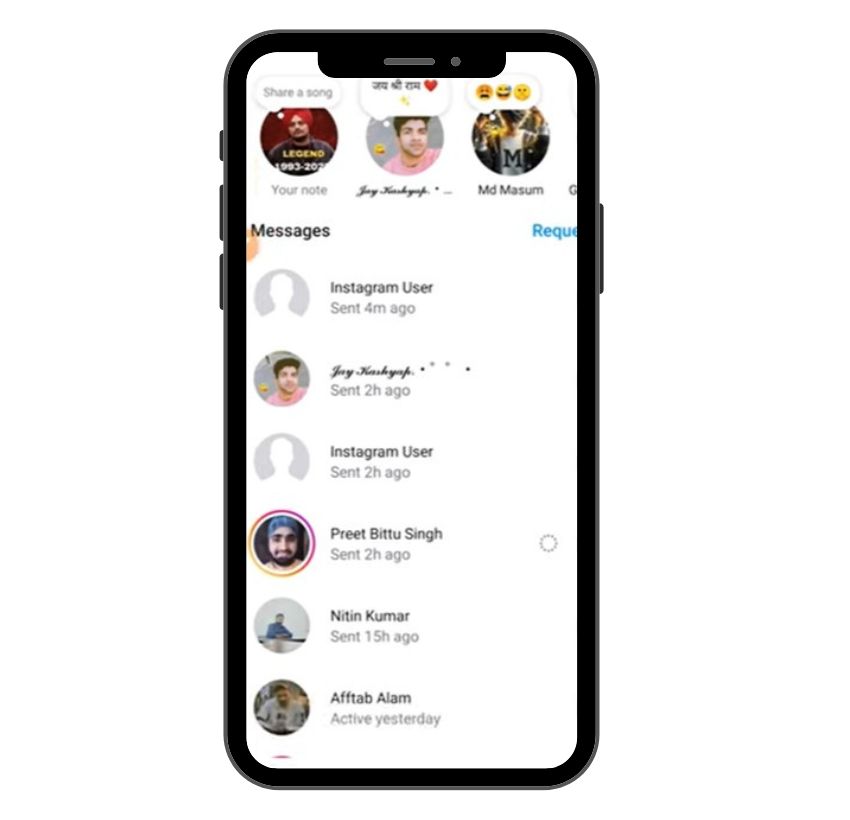
Visit your Instagram DMs and scroll through any past messages with that user. If the conversation thread still exists but the name shows up as Instagram User, take note of what else is missing — profile picture, bio, and activity status are usually gone.
3. Use Mutual Friends to Check Their Profile
A clever trick involves using a friend’s account to search for the user. If the profile is visible to others but not to you, it’s highly likely you’ve been blocked. If no one can find the profile, the account might be deleted, deactivated, or banned.
4. Testing with a Different Instagram Account
Log into another account or create a new account to search for the person. This can help you determine if the user has blocked you specifically or if their profile no longer exists for anyone.
Don’t Use Third-Party Apps — It’s Not Worth the Risk
Some people might suggest using third-party apps to find out why someone appears as “Instagram User,” but avoid them. These tools often violate Instagram’s Terms of Service, risk your account’s safety, and are rarely accurate. Don’t fall for shortcuts that could lead to losing access to your own account.
How To Reactivate a Deactivated Account?
If you’ve temporarily deactivated your Instagram account and are ready to return, here’s how to do it — step by step:
1. Open the Instagram App or Visit the Website
Simply launch the Instagram app or go to instagram.com in your browser. Use the same device you usually use, if possible.
2. Log In with Your Original Credentials
Enter your username or email and password. Once you log in successfully, your account will be automatically reactivated.
3. Confirm Access to Your Profile
After login, you’ll be redirected to your Instagram profile. Your posts, followers, and messages should all be restored just as they were before.
4. Update Your Profile If Needed
You might want to refresh your profile picture, bio, or links — especially if you’ve been away for a while.
5. Review Privacy and Security Settings
Take a moment to check your privacy, login activity, and connected apps. This helps ensure your account remains secure.
6. Resume Posting and Engagement
Once you’re back in, you can start sharing posts, replying to comments, and sending DMs like before.
Note: If your account has been permanently deleted instead of temporarily deactivated, this method won’t work — you’ll need to create a new account from scratch.
What Happens to My Data?
Instagram stores your data during temporary deactivation — this includes your bio, previous interactions, comments, likes, and saved photos. However, with permanent deletion, that data is completely erased from the platform.
The Breakdown of Instagram Bans
Not all bans are the same — Instagram distinguishes between temporary and permanent bans.
Temporary vs. Permanent Bans
A temporary ban usually lasts for a few hours to a few days and may limit your ability to post, comment, or use third party apps. A permanent ban, on the other hand, removes your account and all content entirely. In both cases, others might see you as an Instagram User in their inbox.
Can You Appeal an Instagram Ban?
Yes, Instagram allows users to appeal bans. If you believe your account was banned in error, use the in-app support form or reach out via the Help Center. Success isn’t guaranteed, but many users have had their accounts reinstated after an appeal.
Understanding Instagram’s Privacy Settings
Some privacy settings can also affect how people see your profile or interactions.
Adjusting Visibility and Interactions
You can control who sees your posts, who can comment, and who can send direct messages through Instagram’s privacy panel. Settings like activity status and story visibility help manage how your identity appears on the platform.
The Role of Privacy in the “Instagram User” Phenomenon
When users choose extreme privacy — like disabling their account or removing all activity — Instagram fills in the blanks with the generic name “Instagram User.” It’s a safety buffer that protects the user’s identity while maintaining continuity in your inbox or comments.
Troubleshooting Common Instagram Issues
If you’re facing strange issues like seeing “Instagram User,” failed DMs, or disappearing profiles, here are five effective ways to troubleshoot and resolve them:
- Clear App Cache and Restart: Sometimes the issue is just a temporary glitch. Clear your Instagram app cache (on Android) or reinstall the app (on iOS) to refresh your session and clear corrupted data.
- Check for App Updates: Running an outdated version of Instagram can cause bugs. Go to the App Store or Google Play, and update Instagram to the latest version to fix performance issues and improve security.
- Test Your Internet Connection: Weak or unstable Wi-Fi can cause failed message deliveries, slow profile loading, or missing comments. Switch to mobile data or connect to a more stable network.
- Log In from a Different Account or Device: Use another Instagram account or borrow a friend’s account to check if a user really blocked you, or if their account is deleted, deactivated, or banned.
- Report the Problem to Instagram Support: Still stuck? Use the in-app Help Center to report issues with messages, profile visibility, or other glitches. Include screenshots to help Instagram understand and resolve your problem faster.
Final Thoughts
Seeing “Instagram User” instead of a familiar name may feel like falling down a rabbit hole, but with the right tools and understanding, you can figure out what’s happened. Whether it’s a temporary deactivation, permanent deletion, ban, or block, the platform uses this label to maintain privacy and signal a change in the user’s profile status.
If you’re troubleshooting, try checking with friends, using another account, or diving into your past interactions to find clues. And if you’re the one disappearing, remember: deactivating your account is reversible, but account deletion is final.
FAQs
Can an “Instagram User” account ever return to normal?
Yes, if the account was temporarily deactivated. Logging back in restores everything. But if it was permanently deleted or banned, the account and all data are gone for good.
What does “Instagram User” mean when I see it in my messages?
It means the account is no longer accessible due to deletion, deactivation, a ban, or a block. Instagram replaces the username with “Instagram User” to protect privacy while keeping your message history.
How can I tell if someone has blocked me on Instagram?
Try searching their profile or checking from a mutual friend’s account. If they can see the profile and you can’t, chances are you’ve been blocked.
Why does it say “Instagram User” but still shows as following?
This can happen due to app glitches or delayed updates after the account is deactivated or deleted. Your following list may temporarily show the ghost profile until Instagram refreshes the data.
What does it mean when it says “Instagram User” in DMs?
It means the account is unavailable. This happens if the person blocked you, deactivated, deleted their account, or got banned — Instagram shows “Instagram User” instead of their real username.