You opened your Instagram inbox, spotted a small triangular icon in the corner of a chat, and wondered what it actually does. That little mark is the flag. It is one of the quietest and most useful tools Instagram offers for managing direct messages, and almost nobody outside business accounts knows how it works.
The Short Version, In Plain Words
Before going deeper, here is what the flag actually is and what it is not:
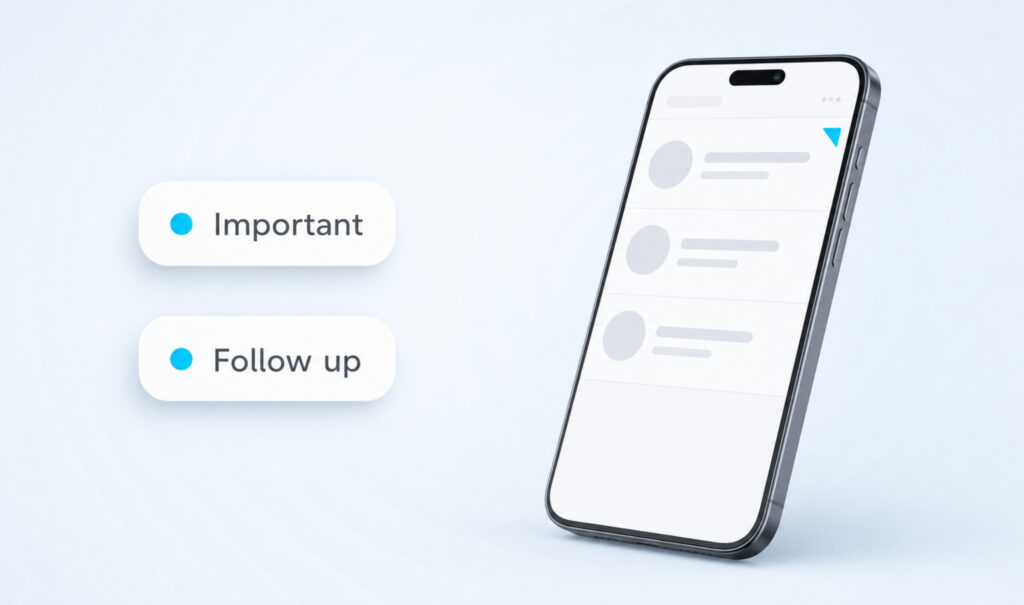
- The flag is a private bookmark you place on a Direct Message conversation.
- It looks like a small orange triangle in the corner of the chat.
- It is only available on Professional accounts (Creator or Business).
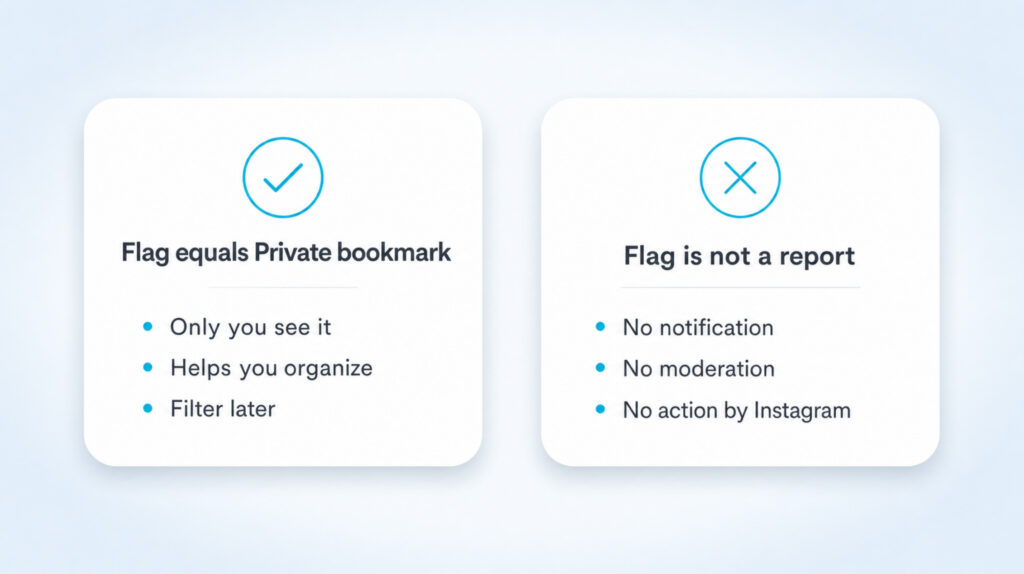
- It does not notify the other person and it does not report them.
- You use it to mark important chats and filter them later.
What the Flag Actually Does
The flag is a personal organizing tool inside Instagram Direct. Think of it as a sticky note you place on a conversation so it stops drowning in the rest of your inbox. When you flag a chat, an orange triangle appears in the upper-right corner of that thread in your chat list. The thread itself looks the same to the person on the other side. They see nothing, hear nothing, and Instagram sends no notification.
That distinction matters. People often confuse flagging with reporting. They are not the same. Reporting tells Instagram a post or message broke the community guidelines. Flagging tells nobody anything. It is a label only you can see.
Who Can Actually See This Feature
Here is the part most articles bury. The flag is not available on personal Instagram accounts. If you tap around your DMs and cannot find the label icon or the flag option, your account type is the reason.
To use the flag, you need a Professional account, which Instagram splits into two flavors: Creator and Business. Both unlock the same set of inbox tools, including flagging, filters, saved replies, and the Business chat label on threads. Switching is free and takes about a minute. You can switch back to personal at any time without losing followers or content.
Get More Eyes On Your Instagram
Add followers, likes, and comments to give your profile a stronger first impression.
See our Instagram services| Quick check: Open any DM thread. If you see a small label tag icon in the top-right corner of the conversation, your account supports flagging. If you do not, you are on a personal account. |
How to Flag a Conversation
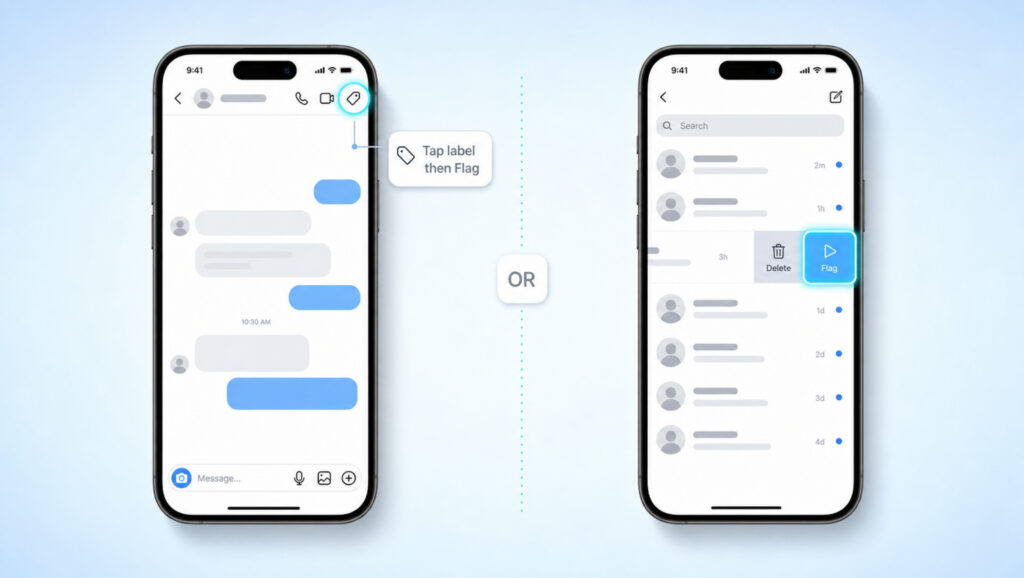
There are two ways to add a flag. Both end with the same orange triangle on the same chat. Pick whichever feels faster.
Method 1: From inside the chat
- Open Instagram and tap the paper plane icon to enter your DM inbox.
- Tap the conversation you want to mark to open it.
- Look at the top-right of the screen for a small label tag icon. Tap it.
- Select Flag from the menu that appears.
- Tap Save. The orange flag now sits in the corner of that chat in your inbox.
Method 2: From the inbox list
- Open your DM inbox.
- Find the chat you want to mark and swipe left on it.
- Tap More on the action bar that slides out.
- Tap Flag and confirm. The orange triangle appears immediately.
How to Remove a Flag
Unflagging works exactly like flagging, in reverse:
- Open the flagged chat.
- Tap the label tag icon in the top-right corner.
- Uncheck Flag from the list.
- Tap Save. The orange triangle disappears and the chat returns to normal.
You can also swipe left on the chat from the inbox list and tap Flag a second time to toggle it off. There is no limit on how often you can flag and unflag, so use it like a working tray, not a permanent archive.
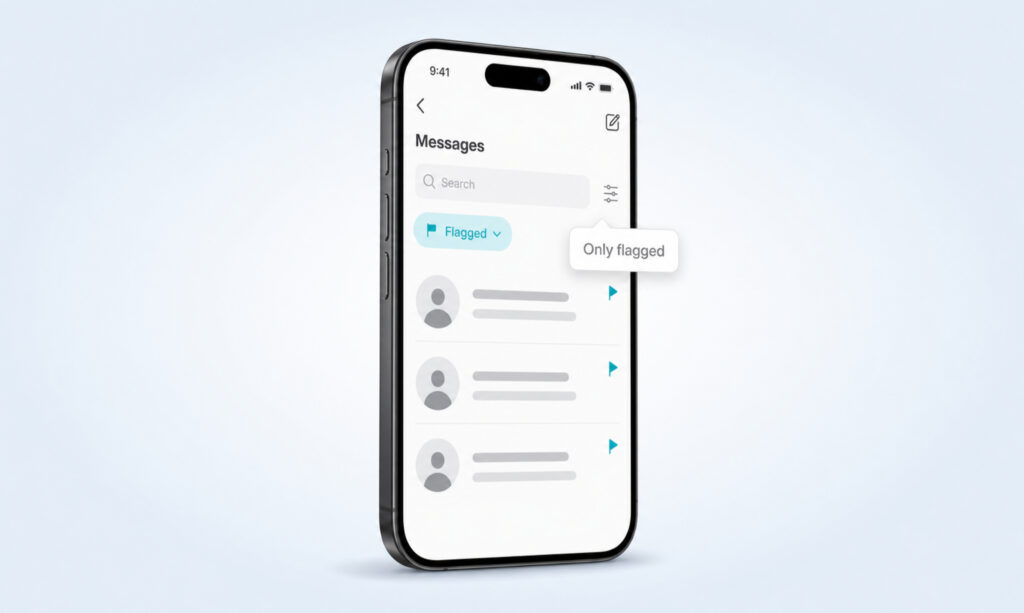
How to Filter and See Only Flagged Chats
Flagging on its own is only half the value. The other half is the filter. Once you have a few flagged chats, you can hide everything else and look at just the ones that matter.
- Open your DM inbox.
- Look for the filter icon near the search bar at the top. It usually looks like a funnel or a set of small lines.
- Tap it and pick Flagged.
- Your inbox now shows only flagged conversations.
- To return to the full inbox, tap the filter again and choose Inbox or All.
Some users build a habit of opening the filter first thing in the morning. It works well for customer support, brand deals, and anything that needs a same-day reply.
Not Every Orange Triangle Is a Flag
This is where confusion creeps in. Instagram uses small orange or amber icons for several different things in chat, and they all sit in roughly the same place on screen. If you see a triangle and you did not put it there, check what kind it is before assuming it means anything serious.
| Icon you see | Where it appears | What it actually means |
| Orange triangle in chat list corner | Your inbox, top-right of a chat row | You (or a teammate on the same Pro account) flagged the chat. Private to you. |
| Orange triangle on a message bubble | Inside a thread, next to a single message | The message failed to send. Tap it to retry. |
| Small triangle on a request | Message Requests folder | The sender does not follow you. Not a flag. |
| Triangle with warning text | Inside a thread, on a link or media | Instagram flagged the content as potentially unsafe or sensitive. Different system, not your flag. |
Real Reasons to Use the Flag
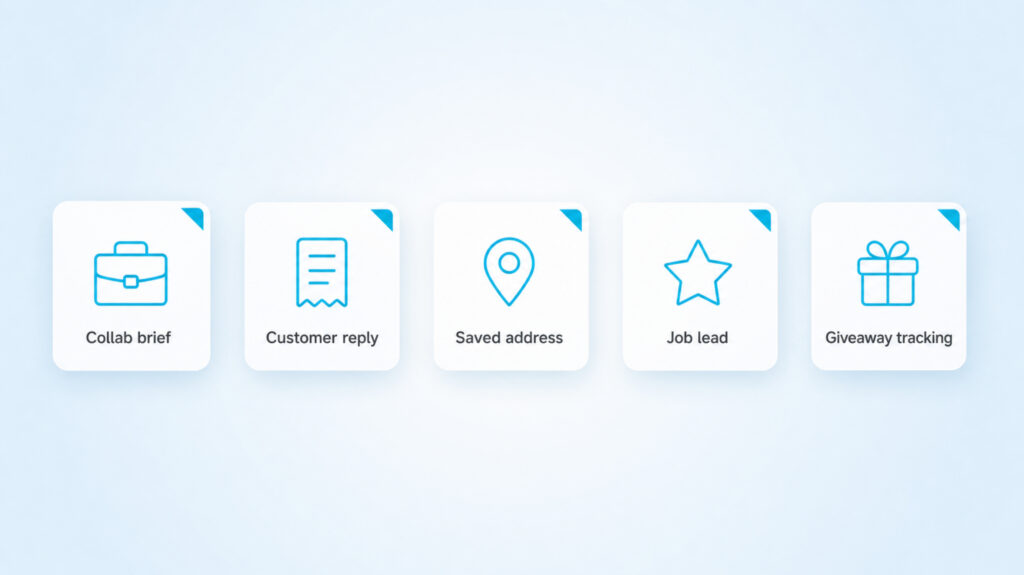
A short list of moments where the flag earns its place:
- A brand sent you a collab brief and you need to read it tonight.
- A customer asked about a refund and you need to check before replying.
- A friend dropped an address or a recipe and you do not want to scroll for it later.
- Someone offered a job lead and you want it visible above the noise.
- You are running a giveaway and need to track the winners in one place.
The flag does not move the chat, change order, or alert anyone. It just keeps a small visual marker on the thread and lets the filter do the rest.
When the Flag Will Not Work
A few common reasons the feature seems broken:
- Personal account. Switch to Creator or Business under Settings, Account type and tools, Switch to Professional Account.
- Old app version. Update Instagram from the App Store or Play Store. The chat tools quietly change every few months.
- Group chats. Some inbox tools, including parts of the label menu, behave differently in group threads. The flag usually works, but the filter may not always pick it up cleanly.
- You accidentally cleared the label. Open the chat, tap the label tag icon, and add Flag again.
- You see the triangle but did not add it. Look at where it is. If it is on a single message bubble, that message failed to send and is not a flag.
Flagging a DM Is Not the Same as Reporting
Worth repeating in one place. If you have actually received hateful, abusive, or spam content, do not flag it. Reporting is what you want.
- Open the message or post in question.
- Tap the three dots or the message bubble itself to open options.
- Choose Report.
- Pick the closest reason (spam, harassment, hate speech, scam, and so on).
- Submit. Instagram reviews it. The sender is not told who reported.
Reporting is a moderation action. Flagging is a personal label. Same color, very different result.
A Light Workflow for Busy Inboxes
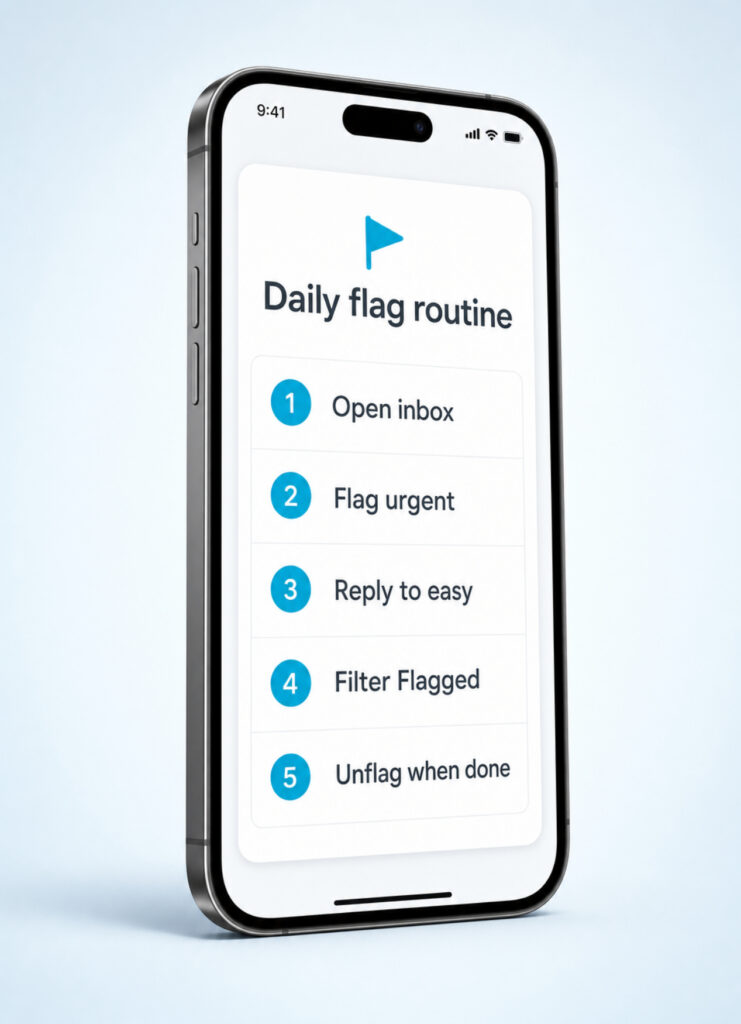
If your inbox has more than thirty unread threads, the flag stops being a nice-to-have and starts saving real time. A simple loop that works:
- Open the inbox once in the morning and once in the evening.
- Flag anything that needs a real reply or a decision.
- Reply to the easy ones on the spot.
- Switch the filter to Flagged and clear the marked ones one by one.
- Unflag each chat as you finish it so the next session is clean.
Two filtered sweeps a day handle a surprisingly large inbox without any external tool.
FAQs
Does flagging a chat notify the other person?
No. Flagging is fully private. The other user will not see anything different on their side and Instagram does not send a notification.
Why do I not have a flag option in my DMs?
Your account is set to personal. Only Creator and Business (Professional) accounts have the label tag icon and the flag option. Switch your account type in Settings to use it.
What does a white flag mean?
A white or empty flag outline means the chat is not flagged. Some app versions show an outline state when you open the label menu. Tap it to fill it in and turn the flag on.
Can I flag multiple chats at once?
Not in the official app. Each chat has to be flagged or unflagged individually. The filter lets you view all flagged chats together, but the action itself is per thread.
Is there a limit on how many chats I can flag?
There is no hard cap. That said, if you flag dozens of chats they stop standing out, so treat it like a working pile rather than a permanent archive.
Does the flag follow the chat if I archive or move it?
Yes. The flag stays attached to the thread. If you move a chat between Primary and General folders, the flag travels with it.
Can my teammate see the flags if we both manage the same Business account?
Yes. Flags live on the account, not on the device. Anyone who logs in to the same Business account or accesses it through Meta Business Suite will see the same flagged threads.
What is the difference between flagging a DM and reporting a post?
Flagging is a private bookmark you place on a Direct Message to find it later. Reporting is a formal action that asks Instagram to review a post, account, or message for breaking the rules. They share a color but do completely different things.
Will the orange flag ever go away on its own?
No. The flag stays until you remove it manually. Reading the chat, replying to it, or scrolling past it does not clear it.
Treat the Flag Like a Sticky Note, Not a Filing Cabinet
The flag is not glamorous and Instagram barely promotes it. That is exactly why it works. It costs nothing to use, the other person never knows, and it turns a chaotic inbox into a short, focused list of things that actually need you. Switch to a Professional account if you have not already, flag five chats today, and run the filter once before you close the app. After a week of doing that, you will wonder how you ever managed a busy inbox without it.