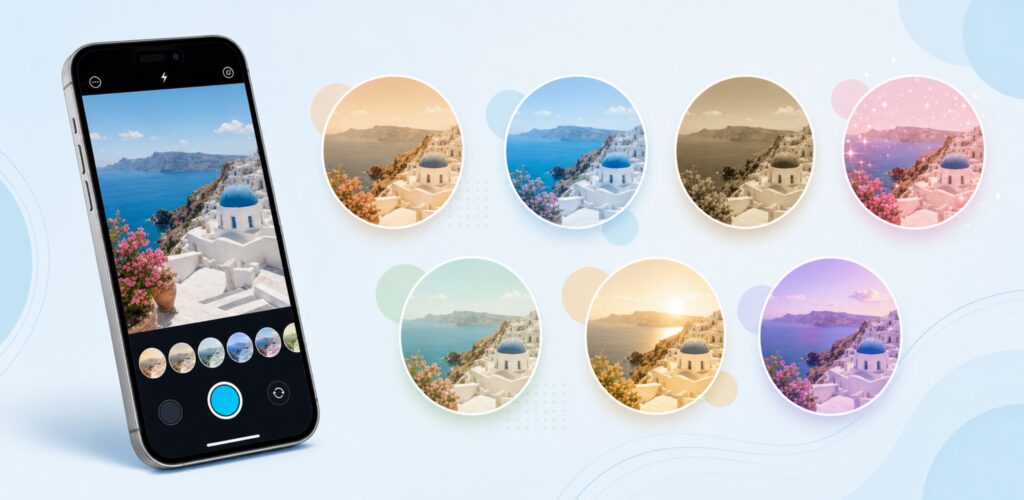
Instagram filters are the fastest way to make ordinary photos and videos look like they belong on someone’s explore page. The right filter sets the mood, hides imperfections, fits the trend and quietly boosts engagement. The wrong one makes your content look like it is from a 2015 Snapchat feed.
This guide ranks the 30 best Instagram filters and effects for Stories and Reels, grouped by category so you can find what you need fast. You will also learn how to find any filter, save the ones you love, fix filters that are not showing up, and use them to actually grow your account.
Quick Answers
- What are the best Instagram filters right now?
The most-used Instagram filters right now are Paris (skin smoothing), Clarendon (color punch), Lark (washed-out cool look), Good Skin V.2 (beauty) and Old Film (vintage). The full list of 30 is below, sorted by category. - How do I find Instagram filters?
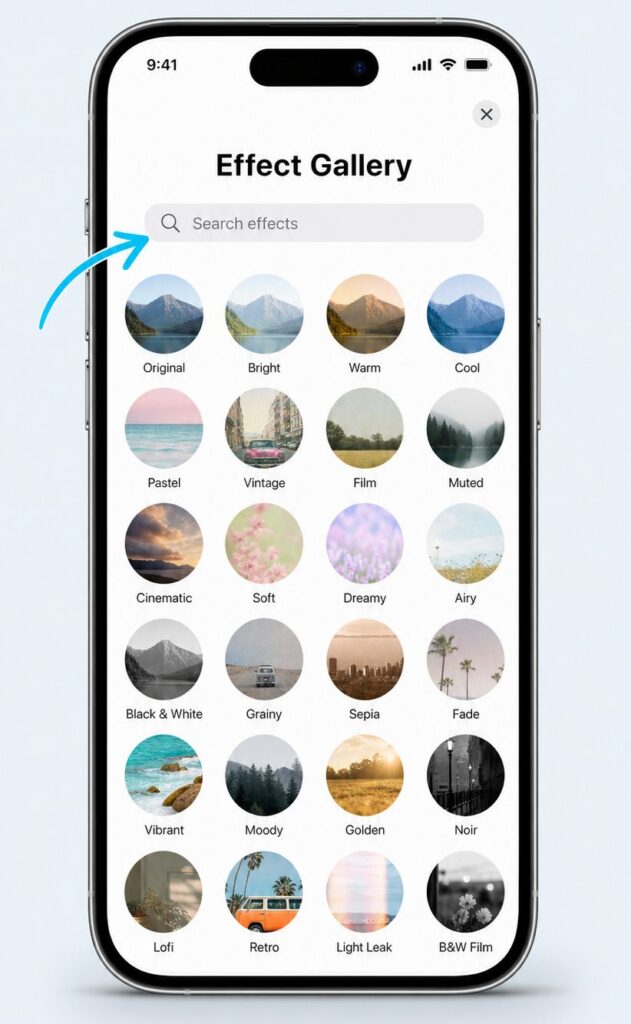
Open the Instagram camera by swiping right from your feed. Scroll the filter tray to the far right and tap the magnifying glass icon. This opens the Effect Gallery, where you can browse trending filters or search by name. - How do I save an Instagram filter to use later?
When you tap a filter to preview it, you will see the creator name at the bottom of the screen. Tap the creator name, then tap Save Effect. The filter is now in your default filter tray and you can use it anytime without searching. - Why are my Instagram filters not showing?
The most common reasons are an outdated app, missing camera permissions, full cache, regional restrictions or filters being temporarily disabled by Meta. The troubleshooting section below covers all 6 fixes. - Can I use Instagram filters on Reels too?
Yes. Most filters work on both Stories and Reels. A few interactive filters and games only work on Stories because they need touch input. The comparison table below shows which filters work where. - Are Instagram filters free?
Yes. Every filter in the Effect Gallery is free to use, including the ones built by independent creators. Instagram does not charge for filter access at any tier of the app.
Boost Your Instagram Presence
Make your Reels go viral. Get premium followers, likes, and comments in minutes.
Quick Comparison: All 30 Filters at a Glance
Skim this table to find the right filter for your content. Full details on each one follow in the sections below.
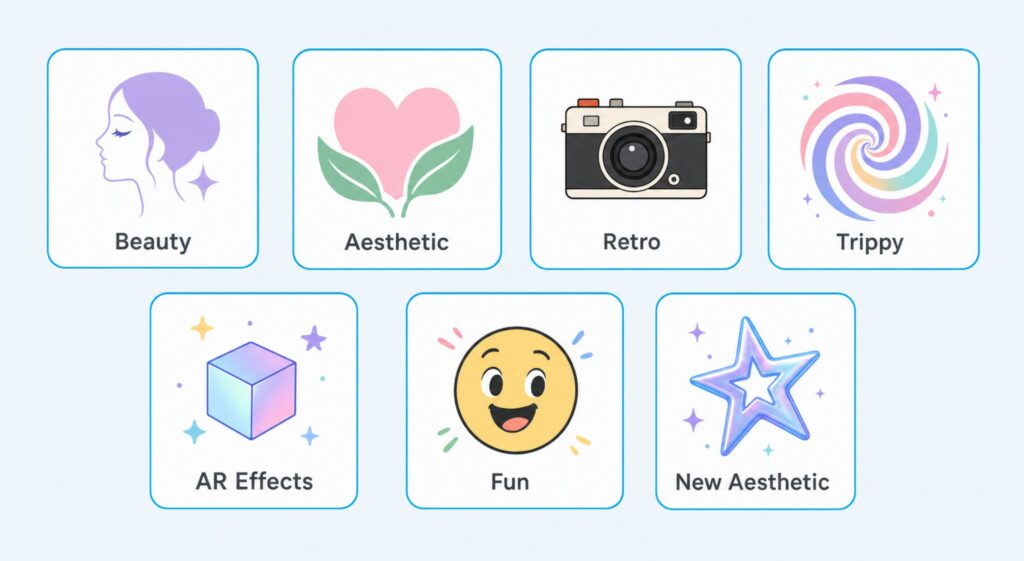
| # | Filter Name | Category | Best For | Works on Reels |
| 1 | Good Skin V.2 | Beauty | Soft radiant skin | Yes |
| 2 | Lolita v.2 | Beauty | Subtle natural makeup | Yes |
| 3 | Minimalis | Beauty | Light skin softening | Yes |
| 4 | Luminous | Beauty | Glowing complexion | Yes |
| 5 | Basiquinho | Beauty | Glam transformation | Yes |
| 6 | Paris | Aesthetic | Instant smoothing | Yes |
| 7 | Clarendon | Aesthetic | Color punch | Yes |
| 8 | Lark | Aesthetic | Cool washed-out tone | Yes |
| 9 | The Glow | Aesthetic | Warm sunkissed look | Yes |
| 10 | Glitter on White | Aesthetic | Elegant sparkle | Yes |
| 11 | Soft-blur | Aesthetic | Dreamy defocus | Yes |
| 12 | Old Film | Retro | Black-and-white vintage | Yes |
| 13 | That 90s Film | Retro | 90s VHS vibe | Yes |
| 14 | VHS | Retro | Old camcorder look | Yes |
| 15 | Gingham | Retro | Faded retro aesthetic | Yes |
| 16 | Waves | Trippy | Dynamic motion effect | Yes |
| 17 | UnderWater | Trippy | Virtual pool effect | Yes |
| 18 | Lenticular | Trippy | Psychedelic mirror | Yes |
| 19 | Space Warp | Trippy | Cosmic adventure | Stories only |
| 20 | Lo-Fi | AR | Saturated dramatic look | Yes |
| 21 | Corpse BLCK | AR | Dark gritty mood | Yes |
| 22 | Butterfly | AR | Cute fluttering effect | Yes |
| 23 | Go Inside Drawing | AR | Sketch art world | Stories only |
| 24 | T E X T | AR | Two-mode color switch | Yes |
| 25 | Cartoon Face | Fun | Animated cartoon you | Yes |
| 26 | Toonface | Fun | Expressive cartoon face | Yes |
| 27 | Menangis | Fun | Playful crying effect | Yes |
| 28 | Infinite Zoom | Fun | Endless zoom illusion | Stories only |
| 29 | Y2K Core | Aesthetic | Early 2000s nostalgia | Yes |
| 30 | Aesthetic Mood | Aesthetic | Soft girl vibe | Yes |
How Instagram Filters Work Today
Before diving into the list, a few quick basics worth understanding.
Filter vs effect: what is the difference?
Instagram uses the words filter and effect almost interchangeably, but there is a small distinction. A filter is usually a static look applied to your shot, like Clarendon adding color and contrast. An effect is more interactive, like Space Warp or a face-changing AR layer that responds to movement. Both live in the same Effect Gallery, so for practical purposes the two words mean the same thing.
Stories vs Reels: what works where?
Most filters work on both, but interactive games and certain AR experiences only run on Stories because they need real-time input from you. If a filter does not appear in your Reels filter tray, that is the reason. The comparison table above shows which is which.
Are Instagram filters really free?
Yes. Every filter on Instagram, whether made by Instagram itself or by an independent creator, is free. Creators do not charge for downloads or saves. If a third-party site asks you to pay for Instagram filters, that is a scam, not a real Instagram product.
Beauty Filters for Perfect Selfies
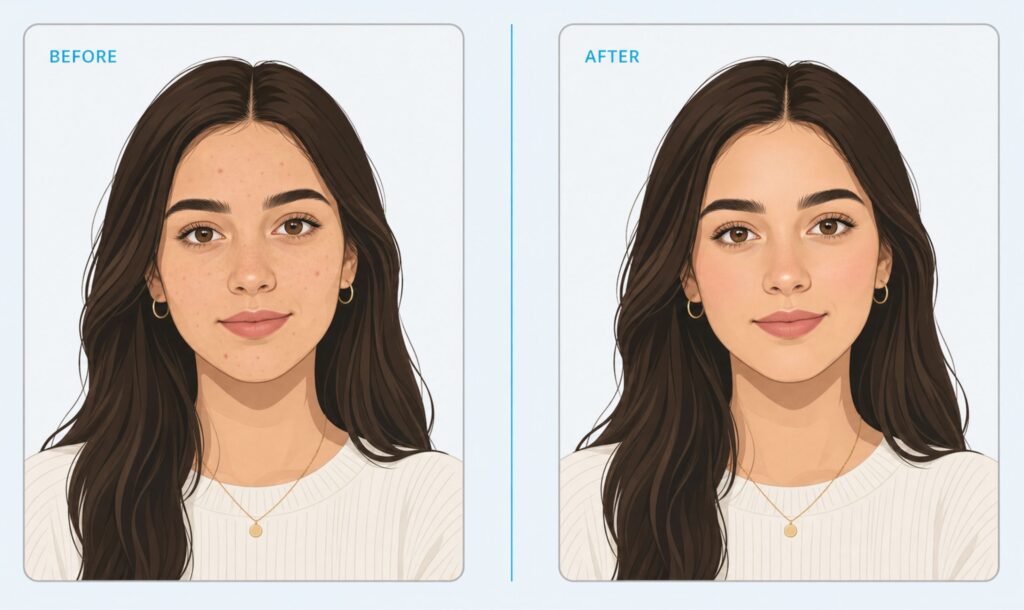
These five filters smooth skin, even tone and add subtle glow without making you look unrecognizable. Great for selfie days, vlogs and any close-up shot where you want to look your best without overdoing it.
| 1. Good Skin V.2 by dingmintt Category: Beauty A reliable beauty filter that gives radiant, soft skin and includes four built-in variations for different eyebrow and eyeshadow looks. The intensity slider on the right lets you dial the effect up or down so you do not end up with the over-airbrushed look that ruins so many filters. |
| 2. Lolita v.2 by benjamin30323 Category: Beauty Best for people who want natural-looking makeup that does not scream filter. The skin smoothing is exceptional and a charming little mole is added under the eye for personality. Perfect when you want to look polished without looking edited. |
| 3. Minimalis by nadianraulya Category: Beauty The lightest touch in the beauty category. Softens skin, adds a faint shimmer and keeps your features looking like you on a good lighting day. Works well for men too, where heavier makeup filters can look obvious. |
| 4. Luminous by paolaalberdi Category: Beauty The filter to reach for when you want to look like you just stepped out of golden hour. Blurs fine lines, smooths texture and adds a creamy sun-kissed glow. Works whether you are wearing real makeup or none at all. |
| 5. Basiquinho by myrellamoreiral Category: Beauty A glam transformation filter that smooths skin and changes your eye color while still looking somewhat believable. Best for fun nights out and content where a more polished, made-up vibe matches the mood. |
Trendy Aesthetic Filters for Instagram
Aesthetic filters set the visual tone of your feed. These six are the ones currently trending across Stories and Reels, used by everyone from food bloggers to travel creators.
| 6. Paris by Instagram Category: Aesthetic The skin-smoothing filter that took over Stories in the last two years. Instantly softens the entire frame, lifts the mood and works on people, food, landscapes, almost anything. It is the closest thing Instagram has to a one-tap glow-up. |
| 7. Clarendon by mrnisfatimah Category: Aesthetic Still the classic for a reason. Boosts saturation and contrast, gives your shot a cool, polished look without altering skin tones. Works on sunsets, food shots, fashion content and pretty much any scene where you want colors to pop. |
| 8. Lark by Instagram Category: Aesthetic Brightens shadows and adds a cool washed-out tone. Made for landscapes, especially anything with greens, blues or water. Travel creators use Lark constantly because it gives that effortless overcast-day editorial vibe. |
| 9. The Glow by Instagram Category: Aesthetic Warms up the whole frame, brightens eyes and smooths skin with a subtle hand. Ideal for portrait Stories where you want a sunkissed look without going full beauty filter. A favorite among creators for daily life content. |
| 10. Glitter on White by Janmahavan Category: Aesthetic Adds delicate glitter to the bright and white parts of your photo, creating a high-contrast sparkle that looks classy rather than over the top. Perfect for celebration content, birthday Stories and product flat lays. |
| 11. Soft-blur by Smitevedia Category: Aesthetic Adds a gentle defocus across the entire shot while keeping the subject clear. Creates a dreamy, romantic look that works for couple content, quiet landscapes, candle-lit dinners and anything that benefits from a slightly cinematic mood. |
Want your Instagram to actually take off?
Real accounts. Real engagement. No bots, no shadowbans, ever.
See our Instagram servicesRetro and Vintage Instagram Filters
Vintage looks are back and stronger than ever. These filters add the nostalgic textures that make your Stories feel like they were pulled from an old film camera or VHS tape.
| 12. Old Film by Ghosh Category: Retro Transforms photos and videos into grayscale shots with authentic-looking scratches, dust spots and reel glitches. Perfect for nostalgic moments, throwback Stories or content where you want a black-and-white silent-film vibe. |
| 13. That 90s Film by ernestnathaniiel Category: Retro Soft muted tones with nostalgic camera details framing the edge. Three style variations to pick from, and the borders can be tapped away if you want just the color treatment. Made for vintage flat-lay content and lazy Sunday Stories. |
| 14. VHS by filipester Category: Retro Turns videos into 80s-style camcorder footage with tracking lines, color bleed and that unmistakable VHS texture. Works best on movement-heavy clips where the analog feel really sells the effect. |
| 15. Gingham by InstagramCategory: RetroTones down highlights, lowers saturation slightly and adds a soft white vignette. The result is a faded retro look that feels like it was printed and left in a sunny window for a few years. Great for product shots and lifestyle content. |
Trippy and Mind-Bending Filters
Want to make people stop scrolling? These filters are weird in the best way. Use sparingly for the maximum effect.
| 16. Waves by Kar.ina_ Category: Trippy Creates a continuous wave effect across your video, making the whole frame feel like it is breathing. Not great for still photos but excellent for videos where you want a hypnotic, dreamy energy. |
| 17. UnderWater by korobov_denis Category: Trippy Submerges your scene in a virtual pool, adding water distortion, light caustics and a blue cast. Lets you shoot creative underwater-style content without getting wet. Popular for fashion and aesthetic Stories. |
| 18. Lenticular by Instagram Category: Trippy Mirrors your image and overlays two shifting colored lines, creating a psychedelic distortion that looks like a glitching CD case. Four variations available. Great for music content and high-energy Reels. |
| 19. Space Warp by eddyin3d Category: Trippy Drops you into a moving cosmic scene that responds to your head movement. Open your mouth and the camera warps into hyperspace. Works on Stories only because it needs real-time movement to trigger. |
Top AR Effects for Instagram
Augmented reality filters layer digital elements onto the real world. These five blend art, mood and personality into your Stories.
| 20. Lo-Fi by Instagram Category: AR Saturates colors aggressively and deepens shadows, giving everything a moody dramatic look. Works great for night-out content, food photography and any shot where you want maximum visual impact. |
| 21. Corpse BLCK by navs.navs Category: AR Dark and edgy without being scary. Adds a gritty filter and subtle horror elements that work for moody Stories, music content or anything with attitude. Use it when your mood is more black coffee than oat latte. |
| 22. Butterfly by batalova_v Category: AR Adds cute fluttering butterflies around your face and frame. A guaranteed engagement boost from younger followers and great for spring or wellness content. |
| 23. Go Inside Drawing by karenxcheng Category: AR Transforms your world into a hand-sketched drawing. You can zoom in or out to explore the layered detail. A unique creative filter that makes ordinary scenes look like illustrations. |
| 24. T E X T by 5ad_machin3.jpg Category: AR Switches between two distinct looks every second: a vibrant colorful style and a striking high-contrast effect. The constant change makes it perfect for music videos and energetic Reels. |
Fun and Hilarious Instagram Filters
Sometimes you do not want to look polished, you want to look ridiculous. These filters are made for that.
| 25. Cartoon Face by Mikeblackhat Category: Fun Turns your face into a playful animated cartoon with vibrant colors and exaggerated features. Tap to change eye color. Great for kid-friendly content and lighthearted Stories. |
| 26. Toonface by chmnda Category: Fun A different cartoon style with more expressive lines and tap-to-change facial expressions. Works for storytelling content and reaction videos. |
| 27. Menangis by hansraii Category: Fun The playful tears filter. Adds anime-style streaming tears to your face for dramatic, funny reactions. Used heavily for relatable life-update Stories. |
| 28. Infinite Zoom by Instagram Category: Fun Open your mouth and the camera zooms endlessly into the dark. A simple but visually mesmerizing effect that screenshots cannot capture. Stories only because it needs your live input. |
Newest Aesthetic Filters to Try
Two of the most-saved filters of the past year, both leaning into the soft and nostalgic aesthetic that is currently winning.
| 29. Y2K Core by thepookiepalette Category: Aesthetic Brings back the early 2000s with chrome highlights, slight color grading and a soft pink-blue tint. Perfect for fashion content, throwback Stories and anything with a playful nostalgic mood. |
| 30. Aesthetic Mood by softgirlfilters Category: Aesthetic The soft girl filter that took over Stories and stayed. Adds a creamy, warm tone with subtle vignette and pastel highlights. Works for selfies, lifestyle content and slow-living vibes. |
How to Find Instagram Filters: Step-by-Step
Once you know where to look, finding any filter takes about 10 seconds.
Method 1: The Effect Gallery (the cleanest way)
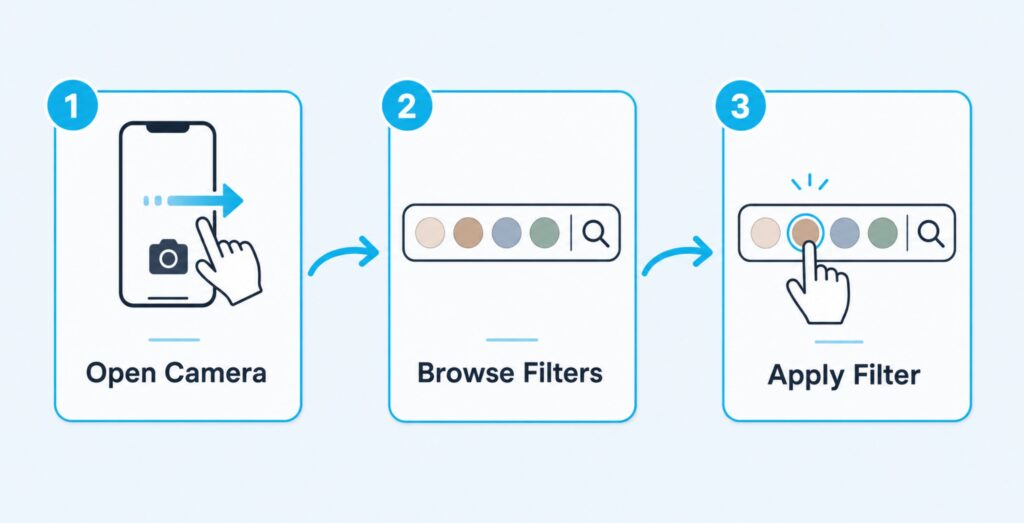
- Open the Instagram app and swipe right from your feed (or tap the plus icon and choose Story).
- At the bottom of the camera screen, scroll the filter circles all the way to the right.
- Tap the magnifying glass icon labeled Browse Effects.
- Browse trending filters on the main page or tap the search icon in the top right to find a specific filter by name.
- Tap any filter to preview it on your camera before saving.
Method 2: From a creator’s profile
Some creators build their whole brand around Instagram filters. Going directly to their profile is the fastest way to see everything they have made.
- Open the creator’s profile (for example, @thepookiepalette).
- Look for the smiley face icon between their bio and the post grid.
- Tap it to see all of that creator’s filters in one place.
- Tap any filter, then tap Try It to test or the save icon to add it to your tray.
Method 3: From someone’s Story (the easy steal)
See a filter on someone’s Story that you want? You can grab it directly without searching.
- Watch the Story and look at the top left, just under the username. The filter name will be there.
- Tap the filter name.
- Tap Try It to preview or Save Effect to add it to your filter tray.
Method 4: Search by name
If you already know the filter name (from this article, for example), you can jump straight to it.
- Open the Effect Gallery as in Method 1.
- Tap the search icon in the top right.
- Type the filter name and tap search.
- Tap the matching result to preview or save.
How to Save and Reuse Instagram Filters
You do not want to search for the same filter every time. Save it once and it stays in your filter tray.
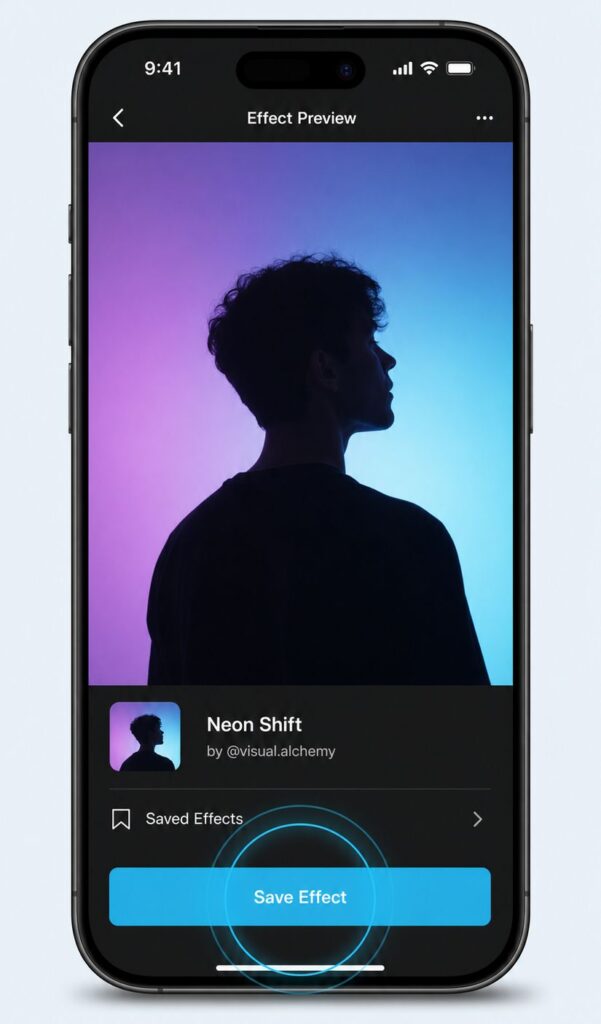
- Open or preview the filter you want to keep.
- Tap the filter name shown at the bottom of the camera screen.
- In the panel that opens, tap Save Effect (sometimes shown as a bookmark icon).
- The filter is now in your default filter tray, right after the built-in options.
To remove a saved filter, tap and hold its bubble in the tray and choose Remove. Saved filters sync across devices when you log into the same Instagram account.
Instagram Filters Not Showing? 6 Fixes
Filters disappearing or refusing to load is one of the most common Instagram issues. Try these fixes in order.
1. Update Instagram to the latest version
Open the App Store on iPhone or Google Play on Android, search for Instagram and tap Update if available. Most filter issues come from older app versions that lost compatibility with newer effects.
2. Check camera and storage permissions
On iPhone: Settings, then Instagram, then make sure Camera, Microphone and Photos are all turned on. On Android: long-press the Instagram icon, App Info, Permissions, and enable Camera, Microphone, Photos and videos.
3. Clear the cache (Android)
Long-press the Instagram icon, App Info, Storage and tap Clear Cache. Do not tap Clear Data because that will log you out and may lock you out temporarily. iPhone users can offload the app via Settings, General, iPhone Storage, Instagram, Offload App.
4. Check for region restrictions
Some filters are limited by country due to local content rules or Meta policy. If a filter you saw on a creator’s Story is not showing for you, try connecting to a different region via a reputable VPN. Switch back once you have saved the filter.
5. Sign out and sign back in
Open Instagram, tap your profile icon, then the hamburger menu (top right), scroll to the bottom and tap Log Out. Wait 30 seconds, then log back in. This refreshes your session and often restores missing filters.
6. Reinstall as a last resort
If nothing else works, uninstall Instagram, restart your phone and install it again. A clean install fixes corrupted local data that can hide filters even when your account is fine. Your saved filters will return as soon as you log back in.
Can You Still Create Your Own Instagram Filter?
This is the section where most articles on the internet are now out of date. Here is the current truth.
Meta Spark Studio, the tool that let anyone create custom AR filters for Instagram and Facebook, was officially retired by Meta in early 2025. New filter creation by third-party creators is no longer supported, and most user-made filters released before the shutdown will continue working but cannot be updated.
If you want to create custom visual effects for your Instagram content today, your options are:
- Edit videos in apps like CapCut, VN or InShot, then upload the finished video to Instagram
- Use a desktop editing tool like Adobe Premiere or DaVinci Resolve for more advanced effects
- Use AI video tools that apply filter-style effects before you upload
For now, the Effect Gallery remains the only place to use real interactive AR filters inside Instagram itself.
How to Use Filters to Grow on Instagram
Filters are not just decoration. Used well, they can push the algorithm in your favor.
Use trending filters for reach
Instagram rewards content that uses currently popular effects because it keeps users engaged with native tools. When a filter is trending (like Paris over the last two years), Stories and Reels that use it tend to get a small visibility boost.
Stay consistent for brand recognition
If you are growing a personal or business account, pick two or three filters that match your aesthetic and use them consistently. Repeat visuals make your feed feel polished and instantly recognizable in the scroll.
Combine filters with strong content
A great filter will not save a weak post, but it can make a strong post even stronger. Use filters to amplify the mood of content that already has a clear hook, a useful message or a memorable visual.
If you want to turn that strong content into real Instagram growth, real Instagram followers from $2.97 adds the social proof that makes new visitors hit Follow on the first visit. Combine that with a clean aesthetic and the right filters, and your growth becomes a system instead of guesswork.
Frequently Asked Questions
Can I use Instagram filters on both photos and videos?
Yes. Most filters work on both static photos and videos. A few interactive AR effects only work on videos because they need real-time movement to trigger.
Can I save my favorite Instagram filters?
Yes. When previewing a filter, tap the filter name at the bottom of the screen, then tap Save Effect. Saved filters live in your default filter tray on the camera screen.
Can Instagram filters be used on other social media platforms?
Not directly. Filters only exist inside the Instagram app. But you can record content with an Instagram filter, save the result to your camera roll, then upload that finished video to TikTok, Facebook or anywhere else.
Are Instagram filters really free?
Yes. Every filter in the Effect Gallery is free, including filters made by independent creators. Instagram does not charge for any filter at any tier.
Can I still create my own Instagram filter?
No. Meta Spark Studio, the official tool for creating custom Instagram filters, was retired in early 2025. New custom filters cannot be made or uploaded. Existing filters from before the shutdown still work.
Why do some filters only work on Stories and not on Reels?
Interactive filters that need touch or movement input (like games or “open your mouth” effects) require Stories’ real-time camera. Reels does not support that interaction during the recording flow, so those filters are hidden from the Reels filter tray.
How do I remove a filter I already applied to a Story?
Tap the filter name at the bottom of the screen, then swipe left through the filter tray until you reach the No Filter option (a circle with a line through it). Tap it to remove the effect.
Do Instagram filters work on already-recorded videos?
No. Instagram filters only apply during live recording. If you want to add a filter to an existing video, you need to edit it in another app first, then upload the edited file to Instagram.
Why does my friend have a filter that I cannot find?
Either the filter is restricted in your region, or your friend saved it from a creator who is not yet showing up in your Effect Gallery search. Open your friend’s Story, tap the filter name at the top and save it directly from there.
Do filters affect Instagram engagement?
Indirectly. Posts that use trending filters can get a small visibility boost because Instagram rewards native tool usage. More importantly, consistent filters build a recognizable aesthetic that increases follow-throughs from new viewers.
Make Filters Work for You, Not the Other Way Around
Filters are a creative shortcut, not a substitute for good content. Use them to enhance what you already have: a strong hook, a clear message, a moment worth sharing. The right filter sets the mood, the wrong filter buries the point.
Save three or four favorites from this list, stay close to what is currently trending and keep your feed visually consistent. That is the real shortcut to a profile people want to follow.