Instagram has emerged to be among the leading social media websites globally with many people using it daily. Instagram was originally designed for sharing digital photos and videos and for viewing content shared by others, stories, reels, etc.
With the update, the creators add features that are supposed to improve user experience and convenience in the app. One of them is the function “Sort by Default.” Which has a crucial importance in sorting out the contents in various areas of the platform.
What Does Sort by Default Mean?
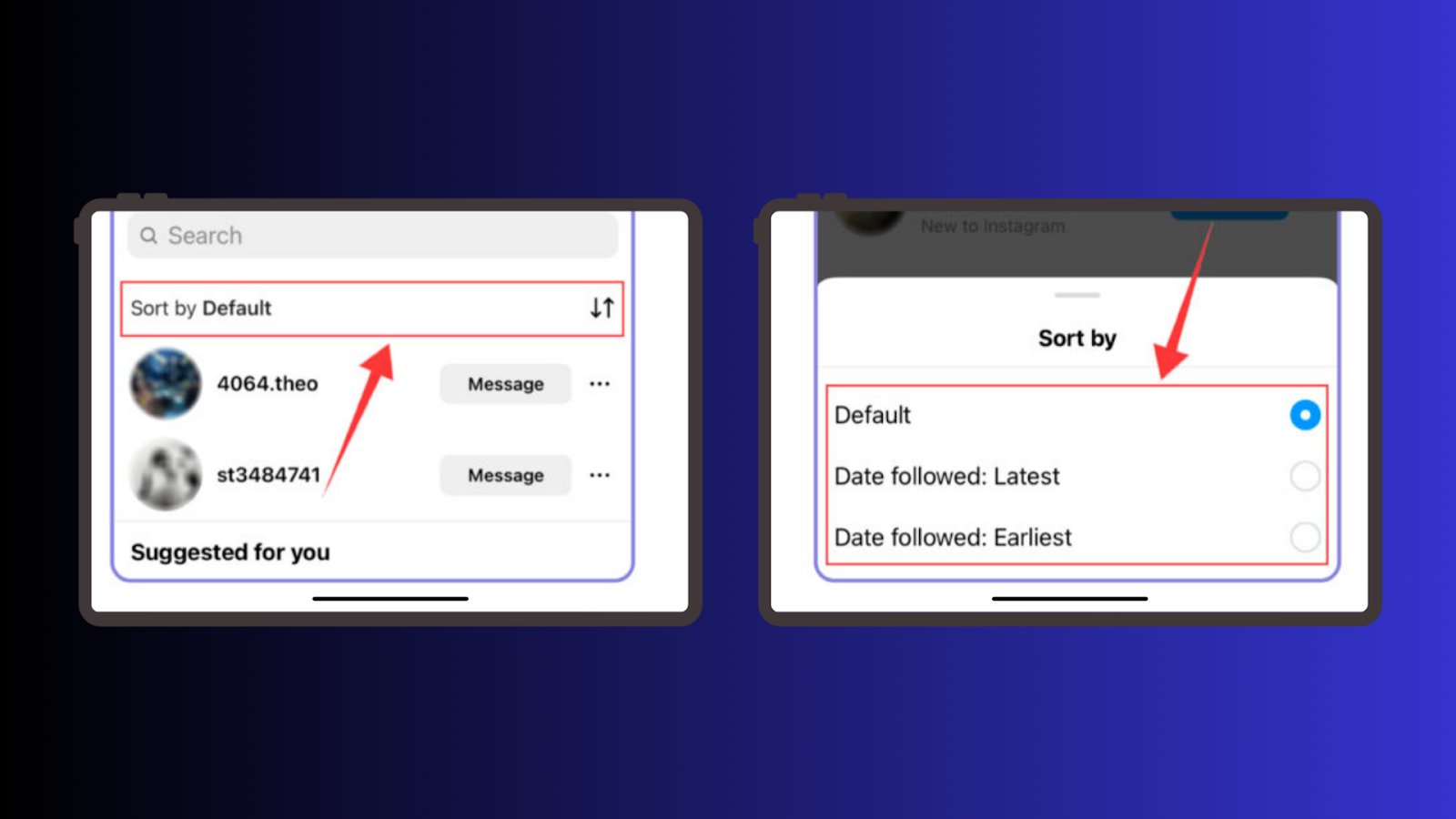
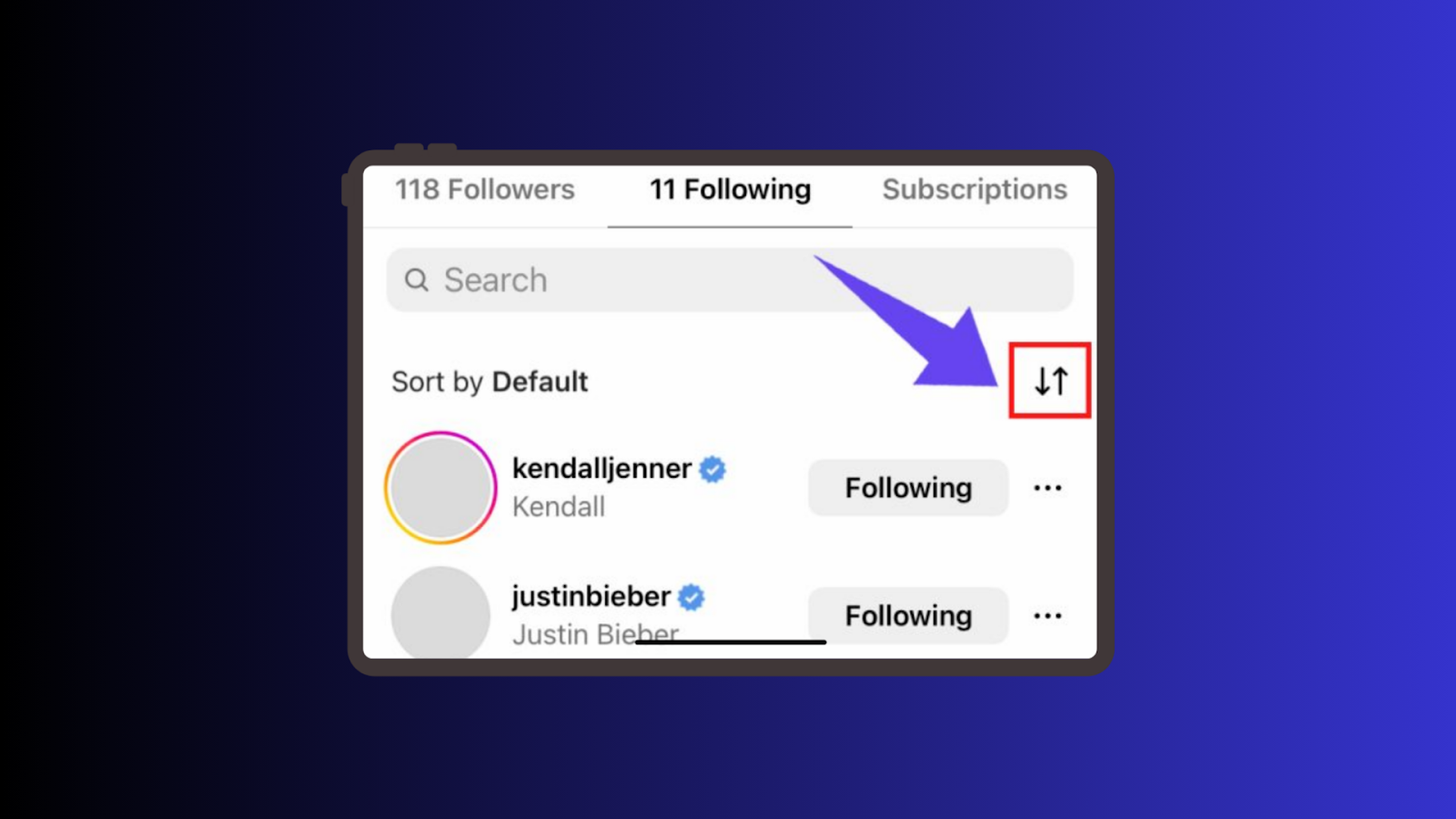
“Sort by Default” means the Instagram default sorting feature that arranges content based on powerful algorithm. This sorting is applied to your feed, comments section and even a search bar. Because Instagram needs to show you the content which it thinks you would find most interesting.
Unlike most media platforms, Instagram does not arrange content in real-time but uses an algorithm for each individual account. It takes into account various factors, such as:
- Your Engagement Patterns: Accounts with which a user communicates most often take the primary place.
- Content Popularity: Every post and comment with more likes or replies may be on the top.
- Relevance to Your Interests: The algorithm monitors activity in order to find out what content you like.
- Timeliness: They are not really ordered chronologically either. However, newer entries that are relevant to your interests will probably be pushed to the top.
This is the purpose of “Sort by Default” as a default serves the role of improving a user experience. By making appropriate content easy to find.
Looking to grow your Instagram Followers? Click here to start growing your followers today with BuySocialMediaMarketing!
Where “Sort by Default” Applies on Instagram
The “Sort by Default” mechanism is implemented across various sections of Instagram, including:
1. Feed: Your feed consists of posts suggested by the algorithm; it provides posts of the accounts with which you often interact.
2. Comments: In comment sections, the best or the most appropriate comments are posted on the top.
3. Search Results: You’re supposed to know that when you type something in the search bar, Instagram actually sorts by your search history.
4. Reels and Explore: Videos and posts that appear in the Explore tab are also arranged to match your preferences and level of activity.
5. Likes: For example when looking through the list of people who liked the post, just like in the case of stories, the people you often engage with are presented first.
Each of these sections utilizes the “Sort by Default” feature differently, aiming to deliver a tailored experience for every user.
How to Adjust “Sort by Default” in Your Feed
If you prefer to view content in a different order, Instagram provides options to adjust the sorting of your feed. Here’s how you can do it:
Steps to Change Feed Sorting
1. Open Instagram: Open the application and authorize the account.
2. Access Your Feed: Go to the home tab, which contains updates you receive from different account’s you follow.
3. Tap the Instagram Logo: On the top left, you will see an icon of Instagram, click there. A drop-down menu will appear.
4. Choose Sorting Options: Choose between ‘Following’ to read posts in a timeline manner or ‘Favorites’ to see posts from only favorite profiles.
5. Enjoy the New View: Your feed will now be a new feed that ordered posts in a way other than the algorithmic sorting offered by default.
This method allows you to take control of your feed and ensure you don’t miss important posts from accounts you care about.
Adjusting Comments Sorting
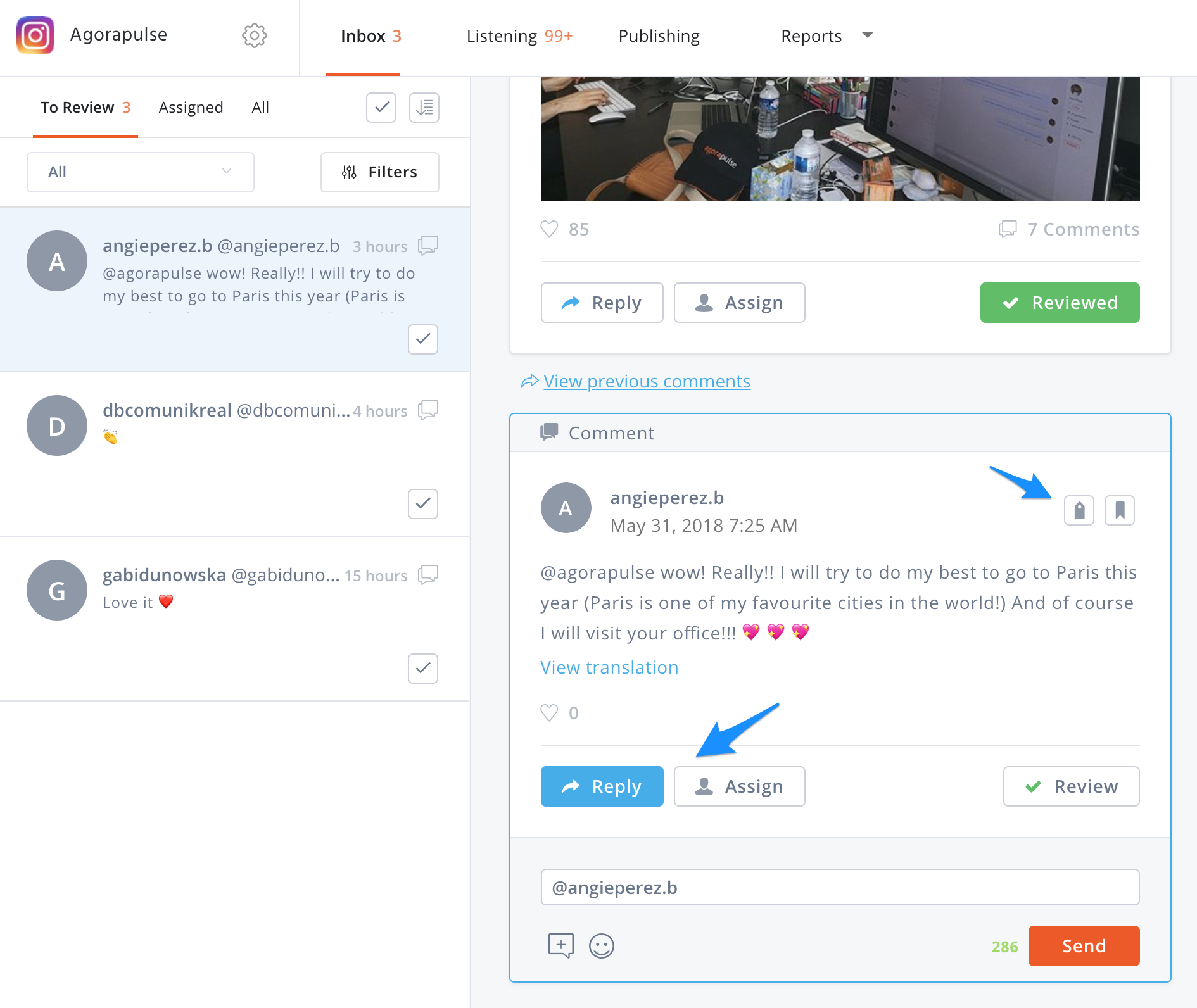
Sorting comments is another area where you can override the default setting. Here’s how to do it:
Steps to Change Comments Sorting
Here is how you can do this:
1. Open Instagram: The account has to be opened and the user has to grant access to the application.
2. Access Your Feed: Click on the Home icon, this area is made of updates that you get from the other accounts that you follow.
3. Tap the Instagram Logo: Start whenever you see a blue banner ‘Insta’ on the top left, click there. A drop-down menu will appear.
4. Choose Sorting Options: The primary options are ‘Following’ to view posts in the manner of timeline and the second is ‘Favorites’ displaying posts from only those profiles that are added as favorites.
5. Enjoy the New View: Your feed will now be a new feed that can categorise posts in a manner that is beyond the default algorithm sorting option.
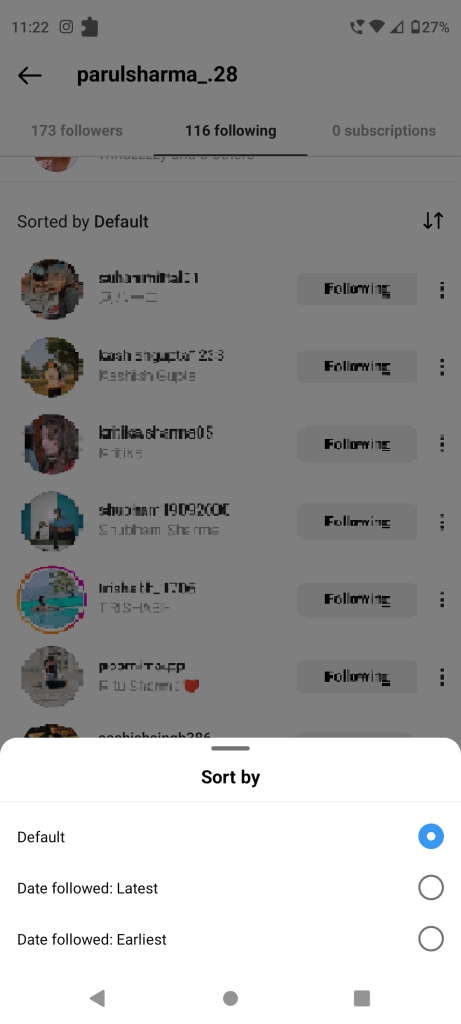
This feature is particularly useful for navigating lengthy comment threads, ensuring you can quickly find the most recent or earliest comments.
Why Instagram Uses “Sort by Default”
Instagram’s “Sort by Default” feature is rooted in its desire to provide a more engaging and personalized experience. Here’s why it exists:
- User Engagement: By showing content you’re more likely to interact with, Instagram keeps you engaged for longer.
- Content Discoverability: The algorithm helps you discover new content that matches your interests, even from accounts you don’t follow.
- Simplified Navigation: Sorting content by relevance reduces the effort required to find what you’re looking for.
While these objectives benefit most users, some may feel that the algorithm limits their control over what they see.
Advantages of “Sort by Default”
The “Sort by Default” feature offers several advantages:
1. Personalization: Most carts in use today operate to help users acquire content which is relevant to their interest hence making it easier and enjoyable to surf the Internet.
2. Efficiency: Rather than having to flip through various pages to find something of interest, it’s filtered and made available to you.
3. Enhanced Discoverability: You have a chance to dive into more interesting and fresh material, as important updates and trending entries are actively marked.
4. Improved User Experience: First, that is how Instagram brings meaningful content right to the forefront, thereby making the application more functional and easy to navigate.
Despite its benefits, there are some drawbacks to consider:
1. Reduced Control: The users have hardly any control over which post from the profiles they follow appears first in their feed or which comments appear at the top.
2. Echo Chamber Effect: It can flood the system with several similar types of content thereby limiting the user’s exposure to different concepts.
3. Overshadowing of New Content: Promoting content with less engagement might lead to its’ hiding under more engaging content even if the former was posted at the right time or is important.
Knowing these limitations will aid your proper utilisation of the application and make decisions when modifying the sort type.
Soft and Easy Tips on Sorting the “Sort by Default”
Here are some practical tips to help you make the most of Instagram’s “Sort by Default” feature:
1. Engage Regularly: Additionally, come across the post of some people whose posts you would love to see more in your feed and click on the like button, make a comment and share the post.
2. Use Favorites: This is helpful because instead of scrolling the timelines of the accounts hoping to find your favorite post, you can use the star feature to add the accounts you want to see the posts from, to the favorite list.
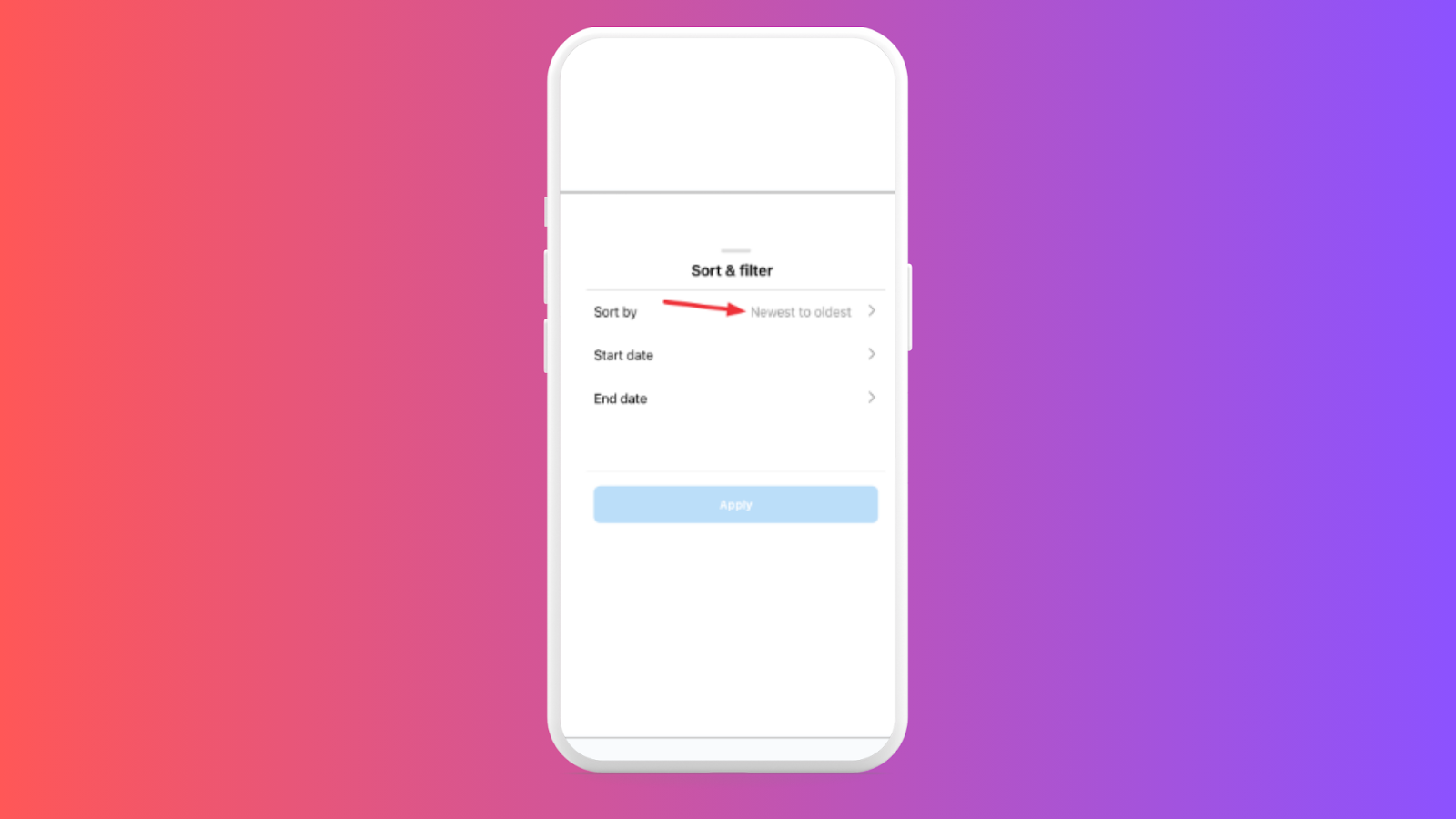
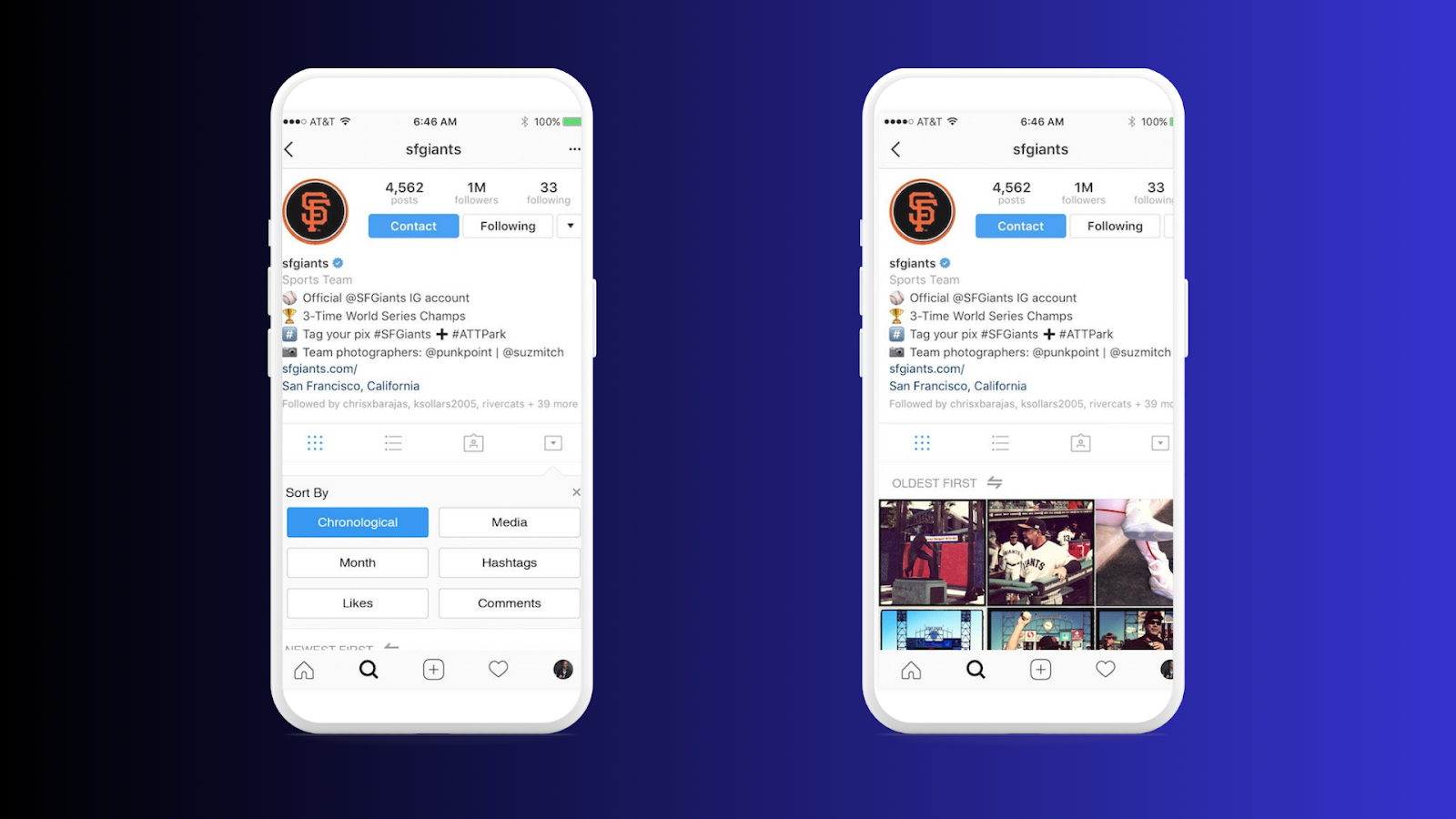
3. Explore Filters: That’s right, if you are utilizing the option of comments and search filters, you will be able to arrange the content in the descending or ascending order.
4. Review Activity: It will help you understand how exactly your activities influence the algorithm if you go through your activity log.
Therefore, these tips might be useful if you are willing to shift the content of the Instagram as close to your preferences as possible.
How “Sort by Default” Affects content creators
Pros:
- Increased Reach – The algorithm pushes content to relevant audiences based on user interests, boosting engagement.
- Prioritization of Quality – High-quality and relevant content has a better chance of being recommended.
Cons & Challenges:
- Delayed Visibility
- New posts may take time to gain traction.
- Engaging content may not immediately reach a wide audience.
- Favoring Popularity Over Experimentation
- Established content tends to get more exposure.
- New or experimental content may struggle to be recommended.
Checkout BuzzVoice to buy Instagram followers in cheap rate!
How Creators Can Adapt:
Encourage Interaction – Post polls, questions, and comments to boost engagement.
Optimize for Relevance – Ensure content aligns with audience interests.
Experiment with Different Formats – Try different types of content to see what works best.
Be Consistent – Regular posting can help maintain visibility in the algorithm.
Can You Change the Default Sorting?
If you want more control over your feed, Instagram offers some sorting options. Here’s what you can do.
- Open Instagram: Access your account to explore sorting settings.
- Go to Your Feed: Tap the home icon to view your posts.
- Tap the Instagram Logo: Located at the top left corner of your screen.
- Select a Sorting Option: Choose “Following” for a chronological feed or “Favorites” for prioritized content from selected accounts.
- Apply Your Preferred View: Your feed will now display posts in the order you selected.
Enhancing Engagement with Custom Sorting
Sorting options don’t just affect your viewing experience—they also help you engage with posts and conversations more effectively.
- Open Instagram: Log into your account.
- Go to Your Feed: Tap the home icon to start browsing posts.
- Interact with Posts: Engage with the content you want to see more of.
- Check Sorting Changes: Instagram’s algorithm adapts based on your interactions, prioritizing relevant posts.
- Enjoy a Personalized Feed: Your feed will reflect your activity, ensuring you see engaging and meaningful content.
Conclusion
The ability to “Sort by Default” in Instagram is one of the bases of it and implies the usage of algorithms to make the content personalized for each user. Of course, there are some advantages and drawbacks to using this approach such advantages include increased visibility and time-saving optimization, while disadvantages include a loss of control and an increase in the risk of the emergence of an echo chamber trap. To appear higher in feeds, some creators choose to buy real Instagram views to help boost visibility fast. Buy social media marketing can be your great partner for the marketing of your Instagram based business.
Just knowing how “Sort by Default” works and how one can change sorting can help you regain some control in your Instagram feed. You can maximize the existing sorting options that help Instagram sort content, and therefore, have a more pleasant time on this platform. For any query, please feel free to contact us.
FAQs
How does “Sort by Default” work for me for my feed?
The ‘Posts first by default’ option sorts your feed in accordance with Instagram feed and selects updates based on the frequency of visits, previous activity, interests and the number of reposts.
Is it possible that I can deselect “Sort by Default”?
Unfortunately, there is no>Action Center that you can turn off, but you can change the order in your feed and in comments, so it loads new posts first, or put certain accounts first.
Why do I not get to see any posts from all the accounts I am subscribed to?
Posts from an active top account are favored to appear more often because the algorithm sorts’ content based on the frequency of an interaction with the accounts.
Is sort by Default the same for all users?
Well actually no, the feature is designed in such a manner that each person gets a different one based on his/her activity.
How will I be able to untick a small arrow and set all the accounts equal for me to get new feeds?
The best way to reset your feed is to engage with more accounts and change feed sorting to the oldest – newest.