TikTok gives every eligible profile one clickable website link, and you add it from the Edit profile screen in the app. The catch is eligibility. The option only appears once your account has 1,000 or more followers, or once it’s a business account that TikTok has verified. If you already qualify, these four steps take less than a minute.
- Open the TikTok app and tap Profile in the bottom right corner.
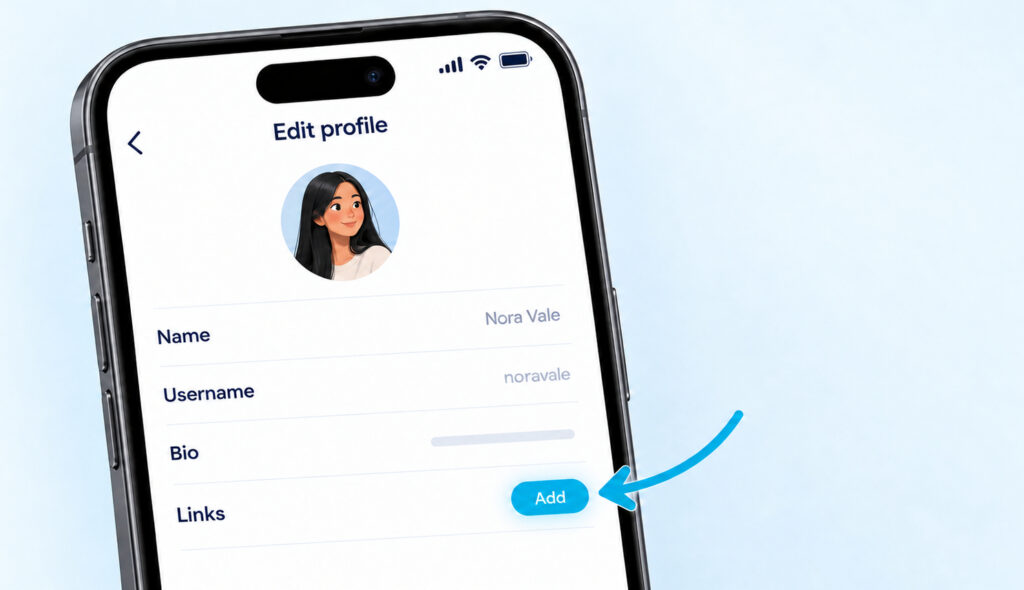
- Tap Edit profile under your name and follower count.
- Next to Links, tap Add, then choose the website option.
- Paste the full address, including https://, and tap Save.
Skyrocket Your TikTok
Supercharge your account with premium engagement. Real followers, likes, and views — fast.
Who Can Add a Link to a TikTok Bio
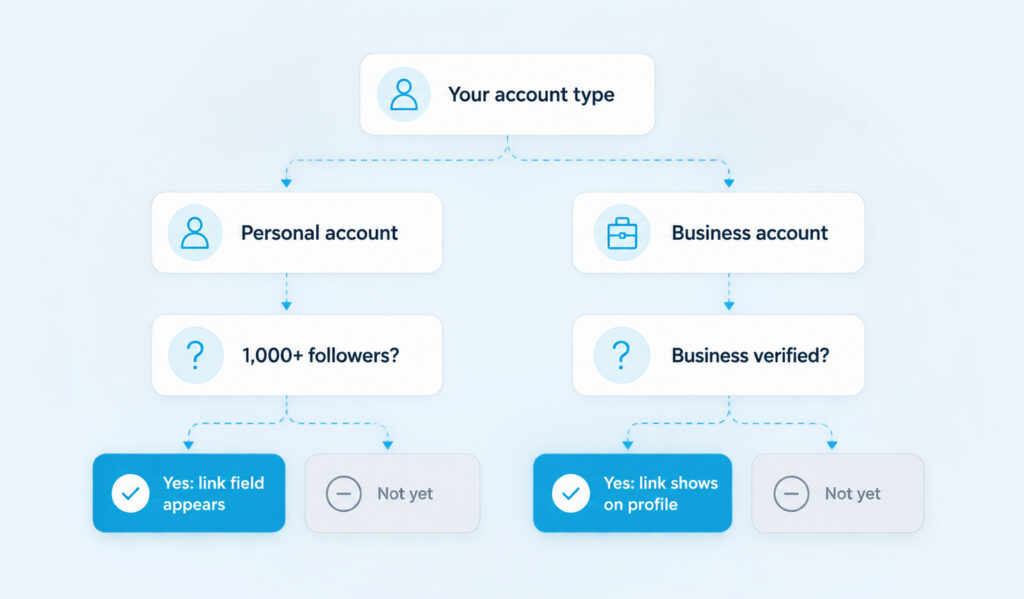
TikTok’s help page on linking another social media account puts the rule plainly: “You can add a link to your website on your TikTok profile if you have 1000 followers or more, or a Registered Business Account.” There are two routes, and most people only need to check one of them.
Your bio text is a different thing. Anyone can write a short bio and type a web address into it, but TikTok won’t turn that text into a link. Viewers would have to copy it by hand, and most won’t bother.
Personal Accounts Need 1,000 Followers
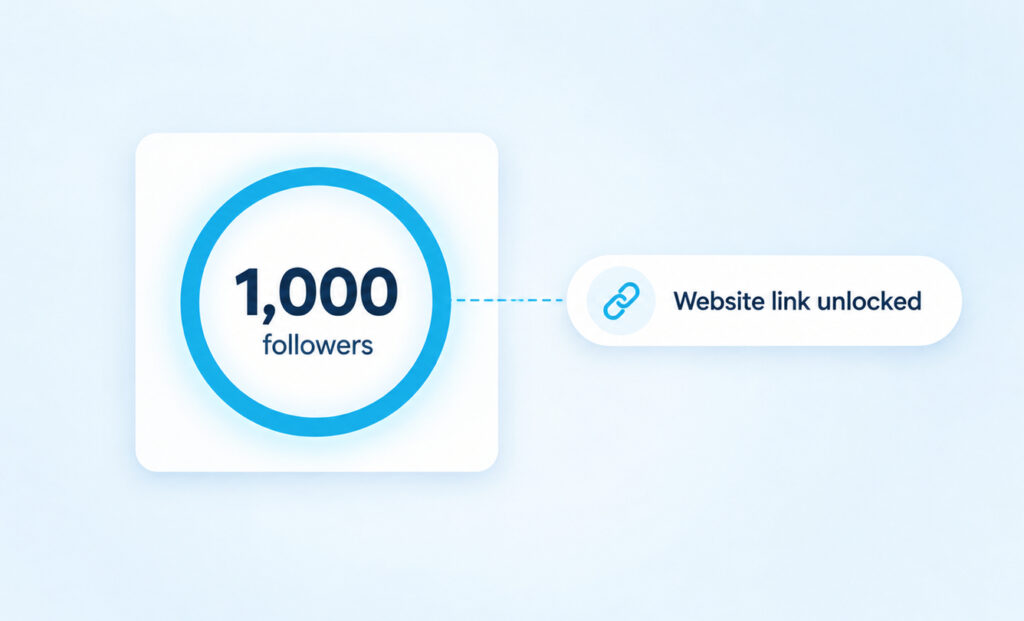
TikTok’s account types page says Personal Accounts with at least 1,000 followers can post a website link on their profile. That means exactly 1,000 counts, not 1,001. Every account below that line sees no website field at all, so reaching 1,000 TikTok followers is the first milestone that changes what your profile can do.
If you’re close, keep posting before you think about switching account types. The Links option is tied to the follower count, so there’s nothing to apply for once you reach it. If the number is right but the option is still missing, update the app and restart it before you try anything else.
Business Accounts Need to Be Verified
This is where most guides go wrong. Switching to a business account is free, but switching alone may not put a link on your profile. TikTok’s account entitlements page describes three levels. A general account can’t display a bio link. An account with Advanced Access can edit the bio link but “cannot display on profile”. Only a Verified Business Account, which TikTok says was “formerly known as Registered Business Account”, gets public display of its business profile.
Verification has its own requirements. TikTok’s business registration help says it’s only available to users aged 18 or older, and you’ll need a valid business licence that matches your region. Some countries ask for more documents on top of that. If you’re a solo creator without a registered business, the 1,000-follower route is usually the simpler one.
There’s also a trade-off to weigh before you switch. Business Accounts can’t use TikTok’s general music library and only get the Commercial Music Library, which is made up of tracks cleared for commercial use. TikTok also advises against switching back and forth between account types, so decide once.
How To Add the Link Step by Step
The whole process happens in the TikTok app on your phone. TikTok’s help centre only gives steps for the app, so start there even if you usually manage your account on a computer.
- Open TikTok and tap Profile. You’ll see your picture, your name and your follower count at the top.
- Tap Edit profile. This opens a list with your name, username, bio and, if you’re eligible, a Links row.
- Next to Links, tap Add. TikTok shows the link types available to your account. Choose the website option.
- Paste your URL. Use the full address, starting with https://, and copy it from your browser rather than typing it so there are no typos.
- Tap Save, then go back to your profile. The link now sits under your bio.
Before you share the profile anywhere, tap the link yourself to check that it opens the right page. It’s also worth opening it on another phone or asking a friend to try it, since a page that works when you’re logged in to your own site can look different to a visitor.
How To Switch to a Business Account
If you’re promoting a registered business and plan to complete verification, go to Profile, tap the menu icon in the top right, then Settings and privacy. Tap Account, then Switch to Business Account, and follow the prompts to set it up. After that, follow TikTok’s verification steps so the link can show publicly. Don’t switch just to get the link if you’re a creator who relies on trending sounds, because losing the general music library costs more than the link is worth.
Why the Link Option Isn’t Showing
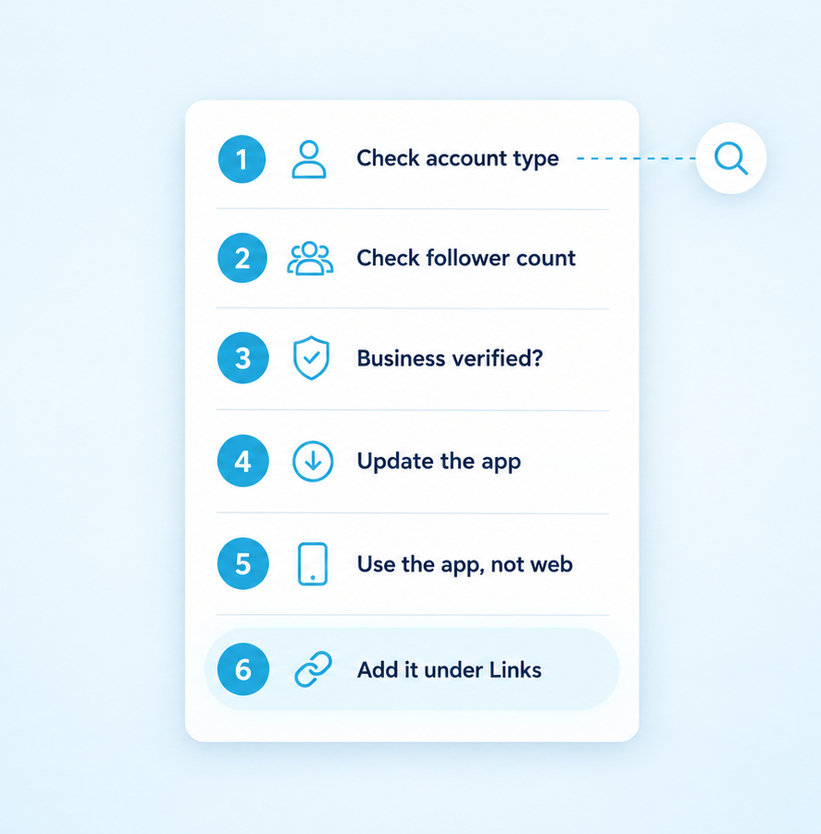
When the Links row is missing or the website choice isn’t offered, the reason is almost always one of a short list. Work through them in order.
- Your personal account is under 1,000 followers. Check the number on your profile before anything else.
- Your business account isn’t verified yet. The link can be saved but may not show on your profile until TikTok verifies the business.
- The feature isn’t offered in your region. TikTok’s help says this feature isn’t currently available everywhere.
- Your app is out of date. Update TikTok from the App Store or Google Play and restart it.
- You’re looking on the website instead of the app. Open the app on your phone and follow the steps there.
- The URL is sitting in your bio text or a caption. Those are plain text, so move it into the Links section.
What To Put Behind Your One Link
You only get one website link, so what it points to matters more than the link itself. Think about what people want after they watch your videos, then send them straight there.
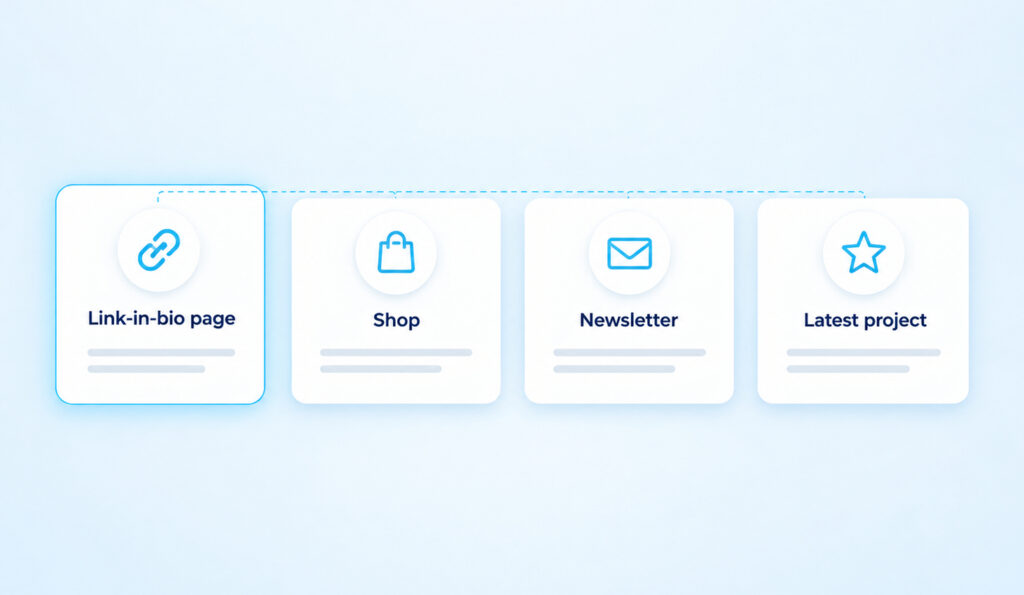
A link-in-bio page is the usual answer when you have several places to send people. It’s a simple page with a list of buttons for your shop, newsletter, latest video, booking form or anything else. You update the page whenever something changes, and the link on TikTok never has to move. If one offer matters far more than the rest, a single landing page often does better, because every extra choice gives a visitor another reason to leave without clicking.
Whichever you choose, match the link to what your recent videos are about. If a video mentions a product, the first button should be that product, not your homepage.
Social links work separately from the website field. TikTok’s help lists Lemon8, Instagram and YouTube, but notes they aren’t available everywhere, and some accounts see fewer options than others. If the Instagram option isn’t offered where you live, you can still copy your Instagram profile URL and put it on a link-in-bio page alongside everything else.
Questions About Adding a Link to TikTok
Can I add more than one link to my TikTok bio?
You can add one website link. Social links, where TikTok offers them, sit alongside it but only point to those apps. To send people to several websites, use a link-in-bio page as your one link and list every destination there.
Why isn’t the link in my bio clickable?
It was probably typed into the bio text. TikTok treats bio text as plain words, so a URL written there can’t be tapped. Delete it from the bio, then add it through Edit profile and Links so it becomes a real link.
Can I add a link to my TikTok bio from a computer?
TikTok’s help centre only gives steps for the mobile app, so that’s the reliable way to do it. Open TikTok on your phone, tap Profile and then Edit profile, and add the link from there.
Do I have to switch to a business account to add a link?
No. A personal account can add a website link once it has 1,000 or more followers. A business account only helps if TikTok verifies it, and switching removes access to the general music library. For most creators, reaching 1,000 followers is the easier route.
Want your TikTok to actually pop off?
Real accounts. Real engagement. No bots, no shadowbans, ever.
See our TikTok servicesMake the Profile Worth the Tap
A link only works if people want to tap it, and that decision happens in the second or two they spend looking at your profile. Start with the circle, because a clear face or logo is what makes people trust the link underneath it, and these TikTok profile picture ideas show what reads well at that tiny size.
Next, use the bio line above the link to say what’s behind it. A short line such as “New prints every Friday” or “Free guide below” gives visitors a reason to tap, while a bare link gives them none. Keep it specific and change it when the destination changes.
Finally, remember where the traffic comes from. The link only gets taps when people reach your profile, and that usually happens after a video earns steady TikTok views and viewers want to see more. Mention the link in videos that naturally lead to it, and check your link-in-bio page every few weeks so nothing on it is out of date.