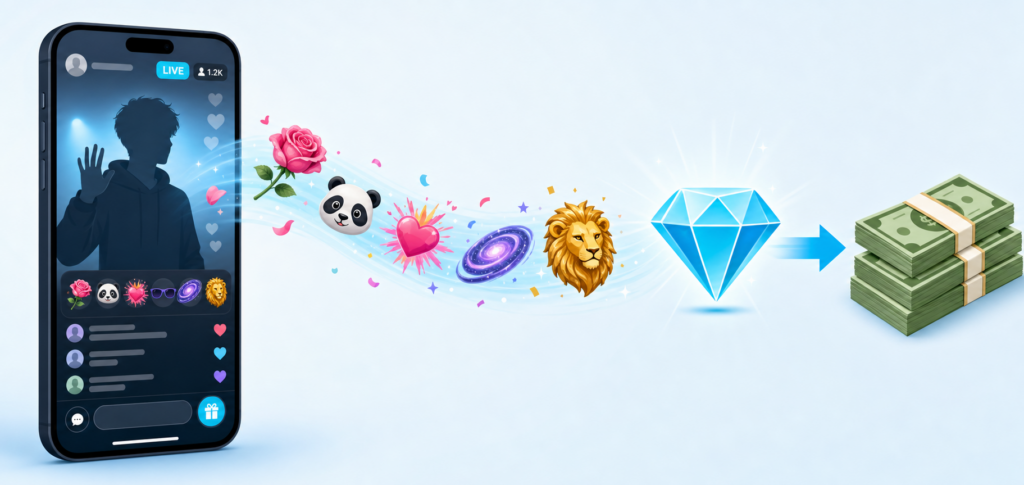
TikTok gifts look fun on screen, but for creators they are real money. Viewers buy coins, send virtual gifts during your live streams or videos, and those gifts turn into Diamonds you can cash out. The system is simple at the surface and a little messier underneath, mostly because of platform fees, app store cuts and a 50 percent commission that nobody talks about loudly.
This guide walks through exactly how TikTok gifts work, what each one is actually worth to you after fees, how to enable gifts on your account, and the realistic income you can expect. No hype, just real numbers and the latest setup steps.
Quick Answers
- How much do you actually earn from TikTok gifts?
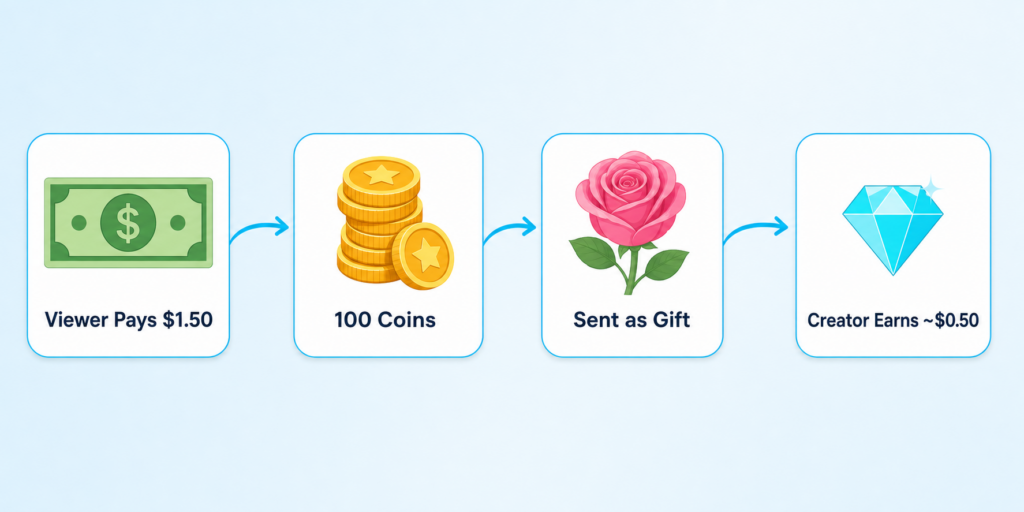
For every $1 viewers spend on coins, creators end up with roughly $0.30 to $0.50 in cash after TikTok takes its 50 percent commission and Apple or Google take their app store cut. A 100-coin gift (around $1.50 at web prices) nets a creator about $0.50. - What is the minimum to withdraw TikTok gift earnings?
You need to accumulate at least $100 worth of Diamonds before you can withdraw. Diamonds convert at roughly $0.005 each (half a cent), so the threshold sits around 20,000 Diamonds. - Do I need 1,000 followers to receive TikTok gifts?
Yes, for LIVE gifts you need 1,000 followers and must be 18 or older. For Video Gifts, the threshold is higher: 10,000 followers, account active for at least 30 days, and a recent public video. - How do I turn on gifts on TikTok?
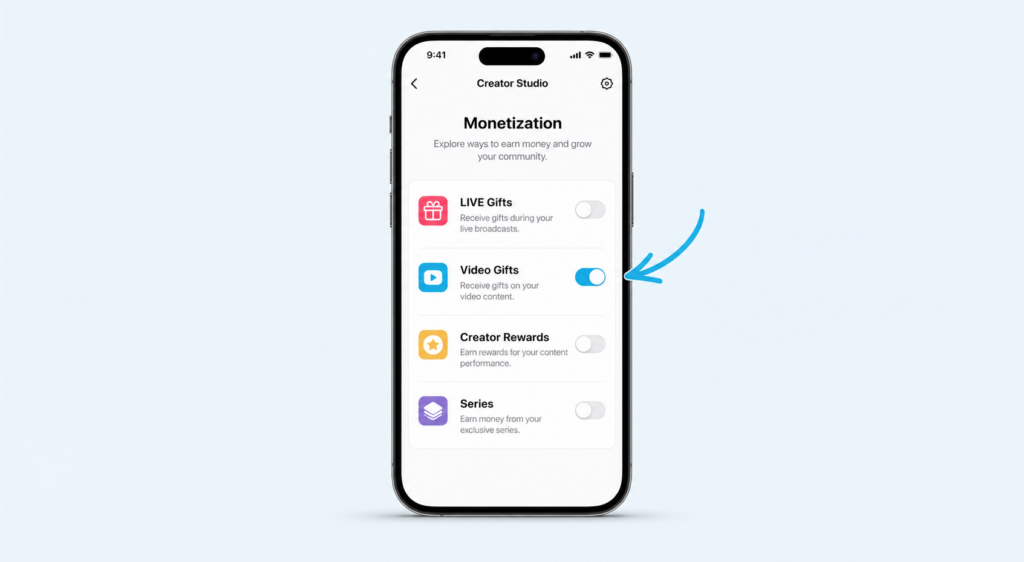
Open TikTok, tap Profile, then the three-line menu, then TikTok Studio, then Monetization. From there you can enable LIVE Gifts and, if eligible, Video Gifts.
Grow Your Instagram Faster
Boost your Reels with premium followers, likes, and comments delivered quickly.
How TikTok Gifts Work in Plain English
Before diving into earnings, here is the full cycle in three steps.
1. Viewers buy Coins with real money
A viewer goes to their TikTok Balance and purchases a coin bundle. Coins are the in-app currency. Bundle prices vary slightly by region, but in the US, 100 coins costs around $1.29 in the app and closer to $1.50 if you do the math at the web rate (roughly $0.015 per coin).
There is a meaningful pricing gap here. Buying coins through tiktok.com on a browser is 26 to 31 percent cheaper than buying inside the app, because Apple and Google take a 30 percent cut from in-app purchases. Many viewers do not realize this. Many creators do not either.
2. Viewers spend Coins on virtual Gifts
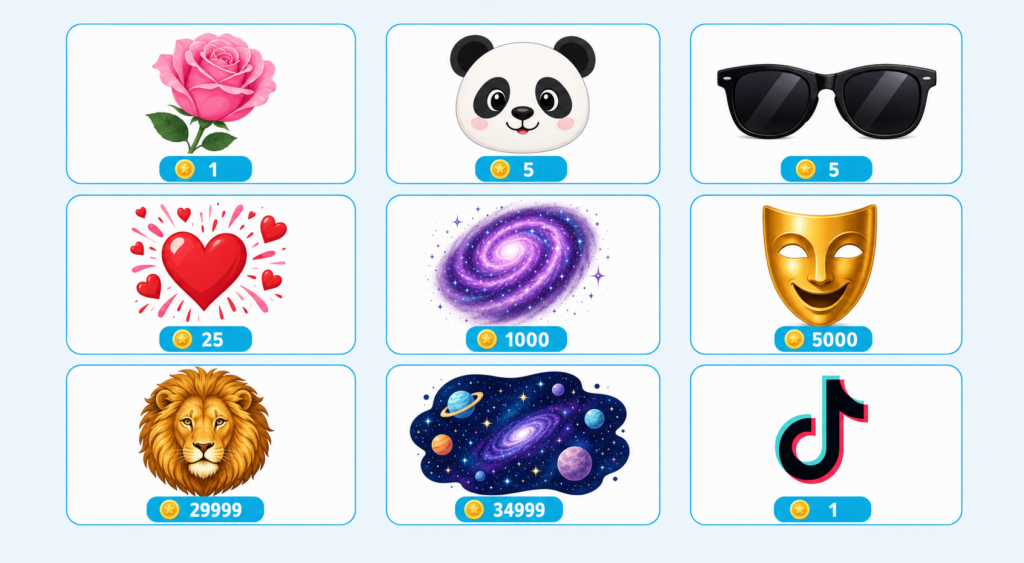
During a live stream or on an eligible video, viewers tap the gift icon and pick a gift to send. Each gift has a coin price, from 1 coin for a Rose to 29,999 coins for a Lion. The gift appears on screen with an animation. The bigger the gift, the bigger the animation and the more attention it draws.
3. Gifts turn into Diamonds for the creator
When a gift lands on your account, TikTok converts it to Diamonds at roughly a 2-to-1 ratio (2 coins gives you 1 Diamond). That is TikTok keeping its 50 percent commission baked into the conversion. Each Diamond is worth about $0.005 when you cash out, so a 100-coin gift becomes 50 Diamonds, which becomes $0.25 in your withdrawable balance.
The Real Economics: What Creators Actually Take Home
Here is the part most articles skip. The pretty number on a gift is not what hits your bank account. Let us break it down.
The 50 percent rule
TikTok takes 50 percent of every gift as a platform commission. This is the single biggest deduction and it applies to every gift, every creator, every region.
The app store cut on the viewer side
When viewers buy coins inside the iOS or Android app, Apple or Google takes their 30 percent cut. That cost is passed to the viewer through higher coin pricing in the app. So if a viewer pays $1.99 for 100 coins in-app, only about $1.39 worth of value reaches the gift pool. Then TikTok takes its 50 percent. You end up with roughly $0.50 to $0.70 per dollar a viewer spent.
The Diamond conversion
Diamonds are not exactly 50 percent of coins one-to-one. They are a creator-side credit that converts to USD at roughly $0.005 each. The math works out to about half the original coin value, but small fluctuations happen by region and account standing.
Quick rule of thumb
| The 50-30-20 rule for TikTok gifts For every $1 a viewer spends on coins in the app, expect roughly: $0.50 goes to TikTok, $0.30 goes to Apple or Google, and $0.20 to $0.35 actually reaches you. At web prices (no app store fee), creator share rises to about $0.50. |
TikTok Coin Prices: App vs Web
Coin pricing fluctuates and varies by region, but here are the rough current rates so you can see the difference between buying in the app and on tiktok.com in a browser.
| Coin bundle | In-app price (US) | Web price (US) | You save |
| 100 coins | $1.29 | $1.00 | ~22% |
| 500 coins | $6.49 | $5.00 | ~23% |
| 1,000 coins | $12.99 | $10.00 | ~23% |
| 2,500 coins | $32.99 | $25.00 | ~24% |
| 10,000 coins | $134.99 | $100.00 | ~26% |
| 16,500 coins | $199.99 | $150.00 | ~25% |
Popular TikTok Gifts: Coin Prices and Real Creator Earnings
These are the most commonly sent gifts on TikTok, what they cost viewers, and what you actually take home as the creator after the 50 percent platform commission.
| Rose 1 coins Viewer pays: ~$0.01 | Creator earns: ~$0.005 The starter gift. A thank you tap, basically. Sent in bulk by smaller viewers to show appreciation. |
| TikTok logo 1 coins Viewer pays: ~$0.01 | Creator earns: ~$0.005 The same value as a Rose. Often used as a quick reaction during a stream. |
| Panda 5 coins Viewer pays: ~$0.05 | Creator earns: ~$0.025 A small step up from a Rose. Cute, popular with casual viewers who want a visible animation. |
| Love Bang 25 coins Viewer pays: ~$0.26 | Creator earns: ~$0.13 A solid mid-tier gift. Bursts of hearts on screen, good for hype moments during a stream. |
| Sunglasses 5 coins Viewer pays: ~$0.05 | Creator earns: ~$0.025 A funny reaction gift. Often used when the streamer does something impressive or cool. |
| Galaxy 1,000 coins Viewer pays: ~$10 | Creator earns: ~$5 A big visual moment. Cosmic animation that fills the screen. One of the most popular high-tier gifts. |
| Drama Queen 5,000 coins Viewer pays: ~$50 | Creator earns: ~$25 A theatrical gift with a dramatic animation. Sent by superfans during big livestream moments. |
| Lion 29,999 coins Viewer pays: ~$315 | Creator earns: ~$157 The headline-grabbing gift. Roaring lion animation that takes over the screen. Sent rarely but unforgettable when it happens. |
| TikTok Universe 34,999 coins Viewer pays: ~$370 | Creator earns: ~$185 The most premium gift. Full-screen galaxy animation. Reserved for the biggest moments by the most generous supporters. |
Who Can Receive TikTok Gifts: Eligibility Explained
TikTok separates gifting into two products: LIVE Gifts and Video Gifts. They have different rules.
LIVE Gifts eligibility
- At least 18 years old (19 in South Korea, 20 in Japan)
- 1,000 or more followers
- Personal account (business accounts are not eligible)
- Account active for at least 30 days
- Account in good standing with Community Guidelines
- Located in a region where TikTok LIVE Gifts are available
Video Gifts eligibility (higher bar)
- At least 18 years old (19 in South Korea)
- 10,000 or more followers (note: this is the official TikTok requirement, much higher than LIVE)
- Account at least 30 days old
- Published a public video in the last 30 days
- Personal account in good standing
- Located in a region where Video Gifts are available
| Heads up: Video Gifts threshold is 10,000 followers, not 1,000 Many older guides still say 1,000 followers unlocks Video Gifts. TikTok raised the bar. If you are between 1,000 and 10,000 followers, you can still earn from LIVE Gifts but not from video gifts. |
How to Turn On TikTok Gifts: Step-by-Step
TikTok updated the menu path recently. The old Creator Tools menu is now inside TikTok Studio. Here is the current flow.
Enabling LIVE Gifts
- Open the TikTok app and tap Profile at the bottom right.
- Tap the three-line menu in the top right corner.
- Select Settings and Privacy.
- Tap Creator Tools, then LIVE Gifts.
- Follow the on-screen setup steps. Once enabled, the gift icon will appear during your LIVE streams.
Enabling Video Gifts
- Open the TikTok app and tap Profile at the bottom right.
- Tap the three-line menu in the top right corner.
- Select TikTok Studio.
- Inside TikTok Studio, tap Monetization, then Video Gifts.
- Toggle the Gifts setting on, review the eligibility requirements, and tap Turn on Gifts.
How Much Money Can You Realistically Make From TikTok Gifts?
This is the question every creator asks. The honest answer is: it varies wildly. Here are the realistic income tiers we see across active creators.
| Creator level | Avg LIVE viewers | Monthly gift revenue | Notes |
| Beginner (1k to 10k followers) | 20 to 100 | $5 to $80 | Mostly Roses, the occasional Panda or Love Bang. |
| Growing (10k to 100k followers) | 100 to 500 | $50 to $600 | Regular mid-tier gifts, occasional Galaxy from superfans. |
| Mid-tier (100k to 500k followers) | 500 to 2,000 | $300 to $3,000 | Mix of Galaxies and Drama Queens, rare Lion drops. |
| Large (500k to 2M followers) | 2,000 to 10,000 | $2,000 to $15,000 | Frequent high-tier gifts, occasional Universe from top fans. |
| Top tier (2M+ followers) | 10,000+ | $10,000 to $100,000+ | Multiple Lions and Universes per stream during peak moments. |
These ranges assume regular livestreams (3 to 5 per week) and an engaged audience. A creator with 50,000 followers who streams once a month will earn less than someone with 10,000 followers who streams daily. Consistency matters more than follower count.
How to Withdraw Your TikTok Diamonds
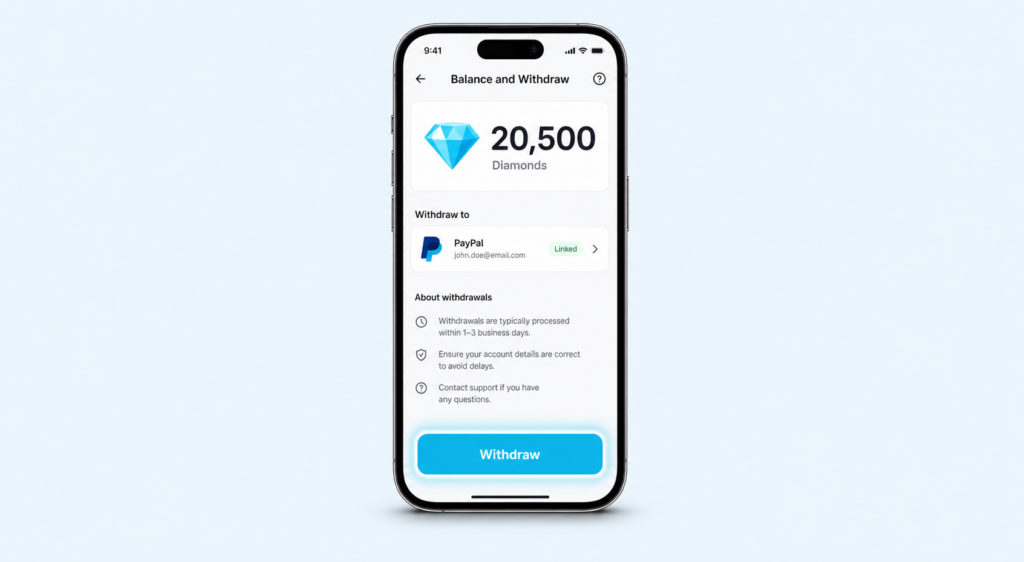
Once you hit the $100 minimum threshold (about 20,000 Diamonds), you can cash out.
Withdrawal steps
- Open TikTok and go to your profile.
- Tap the three-line menu, then Settings and Privacy.
- Tap Balance, then LIVE rewards (this shows your Diamond balance).
- Tap Withdraw.
- Link a PayPal account (the most common option for most regions).
- Confirm the withdrawal amount and follow the prompts.
Processing time and fees
PayPal withdrawals typically arrive within 1 to 3 business days. TikTok does not charge withdrawal fees, but PayPal may apply currency conversion charges if you are outside the US. There is also a daily withdrawal maximum that varies by account, so check your Balance settings for your specific limit.
How to Earn More From TikTok Gifts: 8 Tactics That Actually Work
Some creators consistently earn 5 to 10 times more in gifts than others with similar follower counts. The difference is rarely luck. Here is what they do differently.
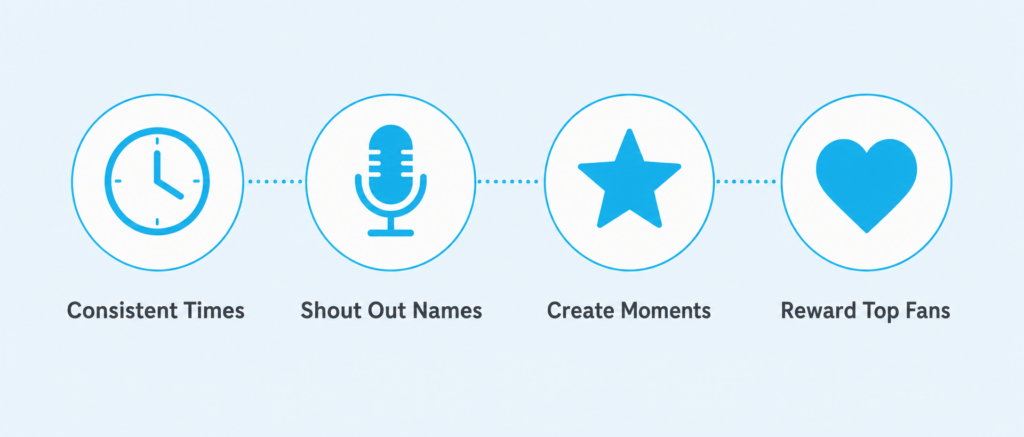
1. Go LIVE at consistent times
Your audience needs to know when to show up. Pick 2 or 3 fixed slots per week and stick to them for a month. The gift income from your repeat viewers will compound faster than chasing big one-off streams.
2. Stream for at least 30 minutes
Short streams do not give viewers time to discover you, settle in, and feel comfortable sending a gift. Aim for 45 to 90 minute streams. The middle 30 minutes is where most gifts land.
3. Acknowledge every gift by name
Shouting out the name of the person who sent a gift is the single highest-impact thing you can do. It rewards the sender publicly and quietly signals to every other viewer that sending a gift gets them attention.
4. Tell viewers about web pricing
Many viewers do not know they can buy coins on tiktok.com for 25 percent cheaper. Mention it casually during streams. Your true fans will switch, send more gifts, and you earn the same amount on a bigger gift pool.
5. Create gift moments
Set a small visible challenge: “If we hit 100 Roses I will do X.” It gives viewers a low-cost way to participate and creates a small wave of activity. Avoid begging; treat it as a fun group goal.
6. Stream content people want to support, not just watch
Tutorials, life updates, behind-the-scenes work, real conversations and skill demonstrations get more gifts than passive entertainment. People send gifts when they feel they are getting value worth paying for.
7. Engage with your top gift senders outside LIVE
Reply to their comments, like their videos, send a quick DM thank you for big gifts. The top 5 percent of senders usually drive 50 percent of your gift revenue. Treat them well.
8. Combine gifts with other monetization
Gifts alone are not a stable income for most creators. Pair them with brand partnerships, your own products, affiliate links and (for eligible accounts) the Creator Rewards Program. Gifts work best as part of a layered income mix.
TikTok Gifts vs Creator Rewards Program: Which Pays More?
TikTok offers two main ways to earn directly from the platform: gifts and the Creator Rewards Program (the program that replaced the original Creator Fund). They work very differently.
| TikTok Gifts | Creator Rewards Program | |
| Income source | Direct from viewers | From TikTok based on views |
| Eligibility | 1,000 followers (LIVE) | 10,000 followers + 100k views in 30 days |
| Content type | LIVE streams and eligible videos | Videos over 1 minute long |
| Income stability | Variable, depends on audience generosity | More predictable, based on RPM |
| Earning ceiling | Very high for top creators | Steady mid-range income |
| Best for | Engaged communities, LIVE-focused creators | Creators producing high-view long videos |
Best play for most creators: combine both. Use long-form videos for the Creator Rewards Program income, then drive your engaged followers to your LIVE streams for gift income on top.
Mistakes That Cost Creators Gift Income
Streaming without a clear purpose
“Just hanging out” streams rarely earn gifts unless you already have a loyal audience. Give your stream a theme, a task, a goal or a topic. Viewers send gifts when they feel something is happening.
Ignoring small gifts
A 1-coin Rose is worth less than a cent to you, but the person who sent it is far more likely to send a bigger gift later if you acknowledge them. Skipping the small senders trains your audience that gifts do not get attention.
Going LIVE only when you feel like it
Random schedules kill gift income. Even one fixed stream per week beats five random ones spread across two months. Predictability builds expectation, which builds attendance, which builds gifts.
Not driving real growth alongside gifts
Gifts compound with audience size. A creator with 50,000 engaged followers earns far more in gifts than someone with 200,000 passive ones. If your follower growth has stalled, gift income will stall with it. This is why many creators pair organic content with services that boost their core metrics like real TikTok followers and engagement, then turn that audience into gift revenue during streams.
Are TikTok Gifts Taxable?
Yes. In most countries, TikTok gift earnings count as self-employment income. TikTok does not withhold taxes for you, so you are responsible for tracking what you earn and reporting it.
Practical tips:
- Download your Balance and withdrawal history monthly. TikTok does not always keep historic data accessible.
- Set aside 25 to 30 percent of every withdrawal in a separate account for taxes.
- Once you cross a few thousand dollars in annual gift income, talk to an accountant. The setup costs less than a tax mistake.
- Keep receipts for any equipment you buy for streaming (ring lights, microphones, phone stabilizers). These can usually be deducted as business expenses.
FAQ About TikTok Gifts
How much is 1,000 Diamonds worth?
1,000 Diamonds equals approximately $5 USD when withdrawn. You need 20,000 Diamonds to reach the $100 minimum withdrawal threshold.
Can I send TikTok gifts to myself?
No. TikTok prohibits self-gifting and accounts caught doing it can have earnings reversed or be banned from monetization. Some creators try this with secondary accounts; the platform actively detects this pattern.
Do TikTok gifts expire?
Diamonds in your balance do not expire as long as your account remains active and in good standing. If your account is banned or violates Community Guidelines, you can lose access to undrawn Diamonds.
Why are my TikTok gifts not converting to Diamonds?
There is usually a short delay (minutes to hours) between receiving a gift and seeing the Diamond update in your balance. If a day passes with no update, check that your account is in good standing and that the gift came from an eligible source. Some gifts from new accounts or banned users get reversed.
Can I receive gifts on TikTok without going LIVE?
Yes, if you qualify for Video Gifts (10,000 followers, active account, eligible region). Viewers can send gifts on your regular video posts. The gift earnings work the same way as LIVE gifts: convert to Diamonds, cash out at $100.
Why do creators say TikTok gifts are not worth it?
The 50 percent platform commission is the main complaint. For every dollar a fan spends, only 30 to 50 cents reaches the creator. Many creators see gifts as a nice supplement to other income streams, not a primary salary. They are worth it if your community is engaged and you stream often.
Can I withdraw TikTok gift earnings to a bank account?
In most regions, PayPal is the primary withdrawal method. Some regions support direct bank transfers via TikTok partners. Check your Balance settings to see the options available in your country.
How do I see how many gifts I got after a LIVE stream?
After ending a LIVE, TikTok shows you a Live Summary with the total gifts received and Diamond value. You can also view your full Diamond balance in Profile, then Settings and Privacy, then Balance, then LIVE rewards.
Turn Your Audience Into a Real Income Stream
TikTok gifts will not make you rich on their own for most creators, but they can become a meaningful slice of a serious creator income, especially when you combine LIVE streams, video gifts, the Creator Rewards Program, brand work and your own products.
The creators earning the most from gifts are the ones who treat their LIVE schedule like a small business: consistent streams, real engagement with their top supporters, content people actually want to support, and steady audience growth feeding the gift pool over time. Start small, stay consistent, and watch the Diamond count rise.