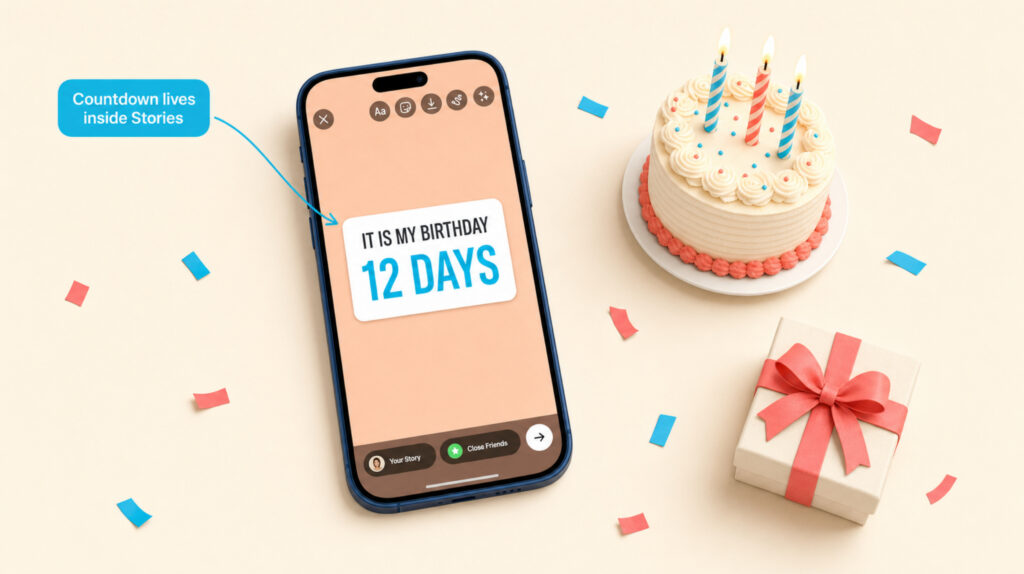
The short version: Open a Story, tap the sticker icon (square smiley), pick Countdown, give it a short name like “It’s My Birthday,” set the end date and time, choose a color, then post. Followers can tap the sticker and turn on Remind Me so they get a notification when the countdown ends. Save the Story to a Highlight if you want the countdown visible for longer than 24 hours.
What The Countdown Sticker Actually Is
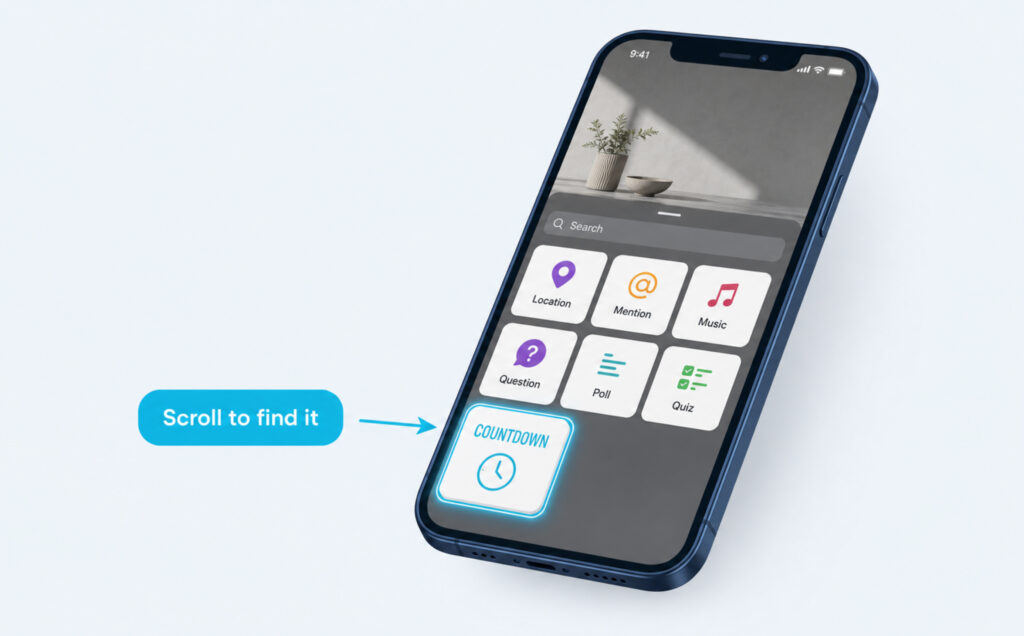
The Countdown sticker is one of Instagram’s interactive Story stickers. It sits inside the same sticker tray as Poll, Quiz, and Question, and it does one specific job: count down the days, hours, and minutes to a moment you set.
For a birthday, that means your Story doesn’t just say “it’s coming up.” It shows exactly how close it is, every time someone taps through your Stories. It also gives your followers a tiny action to take – Remind Me – which quietly turns your birthday into a real birthday moment for a wider circle, not just the people who happen to be online that day.
Two things worth knowing before you set one up: the sticker is free, and once it’s posted, followers can tap it to either set a reminder or reshare the countdown on their own Story.
Setting Up A Birthday Countdown, Step By Step
Open Instagram, swipe right (or tap the plus icon and choose Story), and take a photo, record a short video, or upload something from your gallery. Once your background is on the canvas, tap the sticker icon at the top of the screen – it’s the square with a smiley face. Scroll the tray until you find Countdown, and tap it. From here, three small choices decide how the countdown feels.
Want your Instagram to actually take off?
Real accounts. Real engagement. No bots, no shadowbans, ever.
See our Instagram servicesNaming It Well
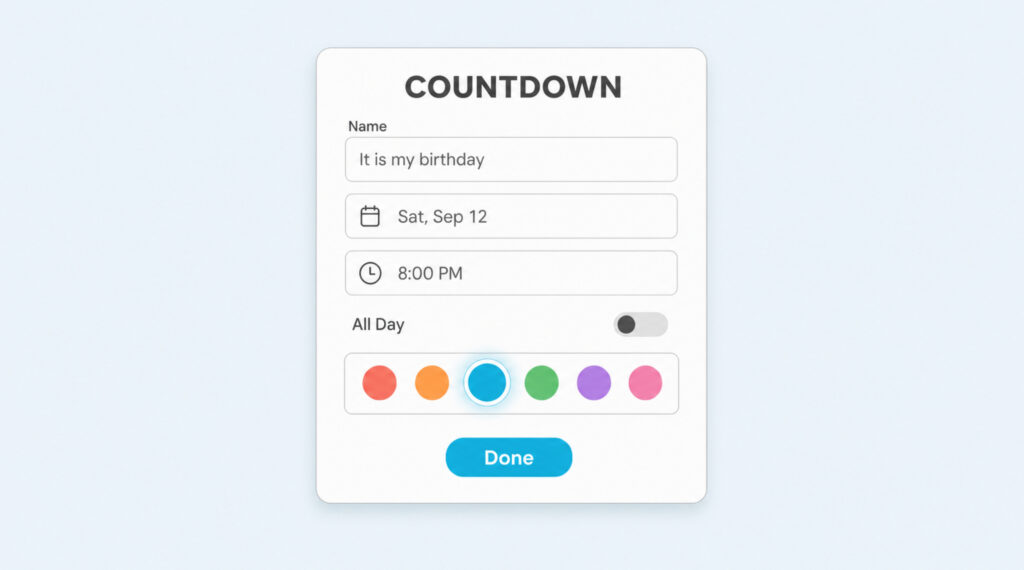
The name field is short by design. Keep it under about 16 characters so it doesn’t truncate. “It’s My Birthday,” “Barb Turns 27,” or “Cake Day” all read cleanly. Save clever phrasing for the caption or a text overlay – the sticker itself is where clarity wins.
Setting The Date And Time
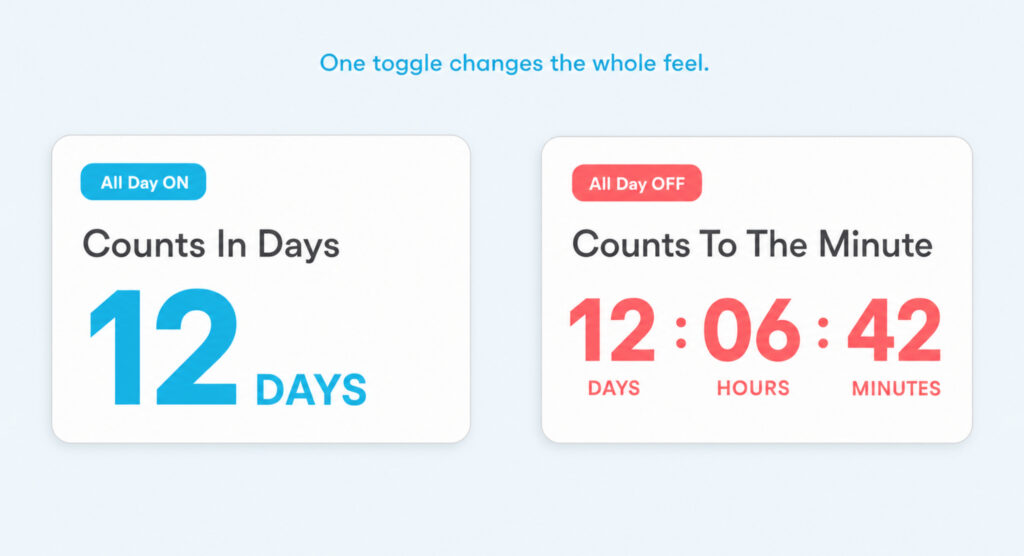
Tap the numbers to open the date picker. If you only care about the day, leave “All Day” switched on and pick your birthday. If your party actually starts at 8 p.m. and you want the counter to hit zero when the room hits full volume, switch All Day off and pick the exact time. The sticker will then count in hours and minutes near the end, which is what makes it feel alive on the final day.
Choosing A Color That Fits
Tap the color palette at the top of the screen to cycle through preset shades. The sticker looks best when the color contrasts your background photo rather than blending into it. If you’re using a bright, busy photo, a solid dark sticker keeps the numbers readable. If you’re using a plain-color background, a soft pastel keeps the whole story feeling calm.
Making It Feel Like A Birthday, Not Just A Widget
The sticker is only half the Story. What sits behind it decides whether people scroll or stop. A close-up of last year’s cake, a candid photo from the trip you’re still remembering, or even a plain color background with a big handwritten-style text overlay all work – better than a photo with too much going on behind the numbers.
If you want to match your Instagram aesthetic, pull a photo that already sits inside your feed’s color palette. That single choice does most of the visual work for you. A GIF sticker off to the side, a mention of a friend who’ll be at the party, or a music sticker with a track you actually love turn a countdown into a Story people want to tap through – and it gives the story more views the longer it stays up.
Sharing, Reminders, And Keeping It Visible
Tap Your Story to post as usual – or Close Friends if you’d rather keep the countdown to your inner circle. The moment it’s live, two follower actions come into play, and both make the sticker do more work than a regular Story.
The Remind Me Tap
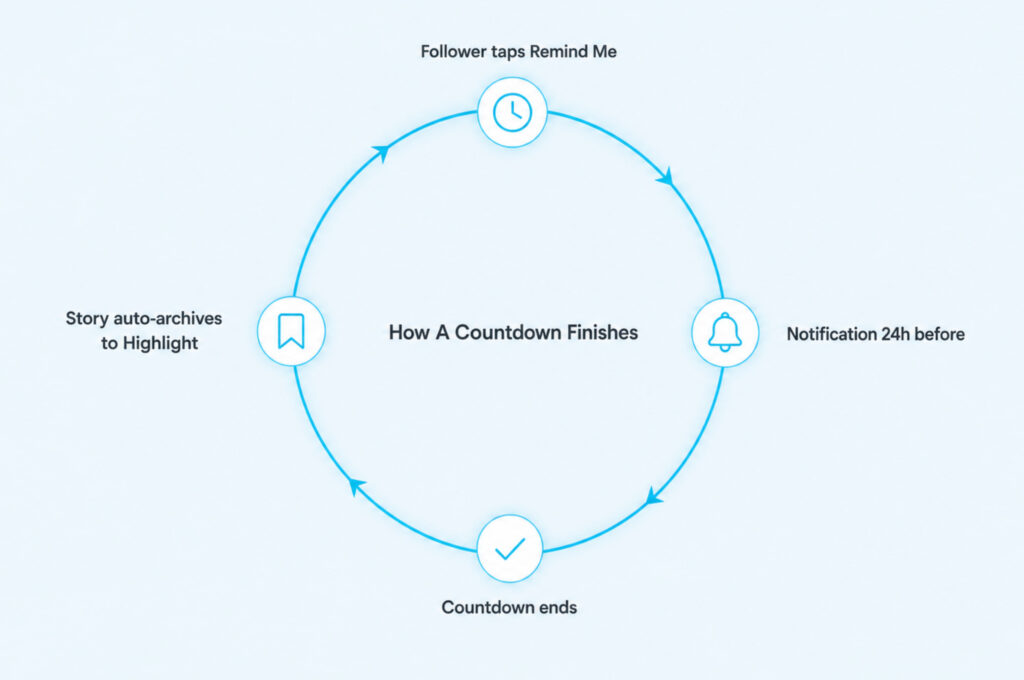
When a follower taps the sticker, they see two options: Remind Me and Share Countdown. Remind Me schedules a push notification for the moment the countdown hits zero. That’s the quiet reason the sticker is so useful for a birthday – friends who tap it will get pinged on the day, without you having to ask.
Saving It To A Highlight
Regular Stories disappear after 24 hours, but a Highlight keeps the same Story visible on your profile until you take it down. After posting, open your Story, tap Highlight in the bottom-right, and either add it to an existing Highlight or create a new one called “Birthday” or “Countdown.” The sticker keeps counting inside the Highlight, so anyone landing on your profile in the two weeks before your birthday sees exactly how close it is.
When The Countdown Isn’t Just For Birthdays
Once you’ve set up one countdown, the same sticker earns its place in a lot of other Stories. Anything with a fixed moment and an audience that cares works: a trip you’re about to take, a launch you’ve been building toward, an anniversary, a graduation, a live stream, or a product drop. The only real requirement is that the moment matters enough that a follower would tap Remind Me.
The tone shifts, but the mechanics stay the same. A launch countdown reads best with a plain, on-brand background and a clean title. A trip countdown reads best over a photo from the destination. An anniversary reads best over a real photo of the two of you. In every case, the countdown is a small addition to a Story that already had something to say – not the whole Story on its own.
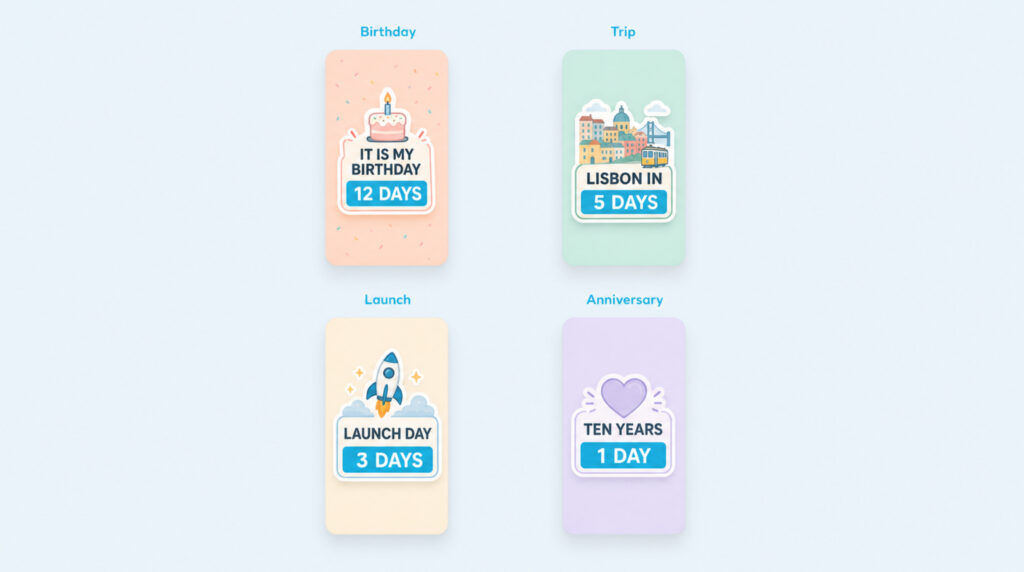
Four Directions Worth Trying
- Trip: a photo of the destination with a countdown titled “Lisbon In -” and the arrival date.
- Launch: a plain brand-color background with a short product name and the release date.
- Anniversary: a real photo of the two of you with a soft-pastel countdown on top.
- Event or party: a photo from last year’s event with the sticker set to the exact start time.
Small Things That Trip People Up
A few things quietly go wrong the first time someone sets a countdown, and all of them are easy to fix once you know they exist.
The color palette only shows preset colors – there’s no custom hex input, so if your feed has a very specific brand color, pick the closest preset rather than trying to match exactly. If the sticker looks stuck on a color you didn’t pick, tap it once on the canvas to reopen the color options.
The name field is limited to about 16 characters – if part of your title disappears, shorten it rather than resizing the sticker. And if the countdown appears at midnight when you wanted a specific evening time, the All Day toggle is on; switch it off and reset the time.
When You Want To Edit After Posting
You can’t edit a countdown once it’s live. If the date or name is wrong, delete the Story, reopen the same background, and re-add the sticker with the correct details. Because the sticker remembers previous countdowns you’ve created, you’ll see the old one in a small popup – just tap New instead of the old entry to make the font feel like yours again with a fresh setup.
Common Questions About Instagram Countdowns
Can I keep the countdown visible for longer than 24 hours?
Yes. Save the Story to a Highlight right after you post it. The countdown keeps ticking inside the Highlight until the end date, and anyone landing on your profile can tap it to set a reminder.
Can my followers set reminders?
Yes. When a follower taps the countdown sticker, they see Remind Me. Tapping it schedules a push notification for the moment the countdown ends, without pinging anyone else.
Can I edit a countdown after posting it?
No. Once the Story is live, the countdown is locked. Delete the Story and re-post with the corrected date, name, or color if you need to change it – but tap New in the countdown popup so you don’t accidentally reuse the old entry.
Does the sticker show who tapped Remind Me?
No. You can see who watched the Story in the usual viewer list, but reminders are private to the follower who set them. You’ll never see a list of who tapped Remind Me on your countdown.
Is the countdown sticker free?
Yes. Every Story sticker, including Countdown, is free to use inside Instagram. There’s no in-app purchase and no premium version.
Making Your Countdown Actually Land
The sticker itself takes about a minute to set up. What decides whether people tap Remind Me is what sits behind it – a background that actually feels like your birthday, a title short enough to read at a glance, a color that stands out against the photo, and a time set to the moment you actually care about.
And once it’s posted, the two small habits that keep it working are: save it to a Highlight the moment you post, so it’s still visible on your profile in the two weeks that matter, and share it beyond your followers by resharing the countdown to Close Friends or through direct message on the last day, when the numbers turn from days into hours and it starts to feel real.