“This story is unavailable” means Instagram can’t show you that story right now. Either the story no longer exists, because it expired, was deleted or was removed, or it still exists but isn’t shared with you, because it went to Close Friends, was hidden from you or sits on a private account you don’t follow. Once in a while the app simply fails to load it. The message looks the same in every case, so the useful question isn’t what the screen says but which of these situations you’re in.
| The quickest way to tell: If a friend can’t open the story either, it’s gone for everyone and nothing on your side will bring it back.If a friend can open it and you can’t, the story still exists but the poster’s settings don’t include you. |
Boost Your Instagram Presence
Make your Reels go viral. Get premium followers, likes, and comments in minutes.
When the Story Is Gone for Everyone
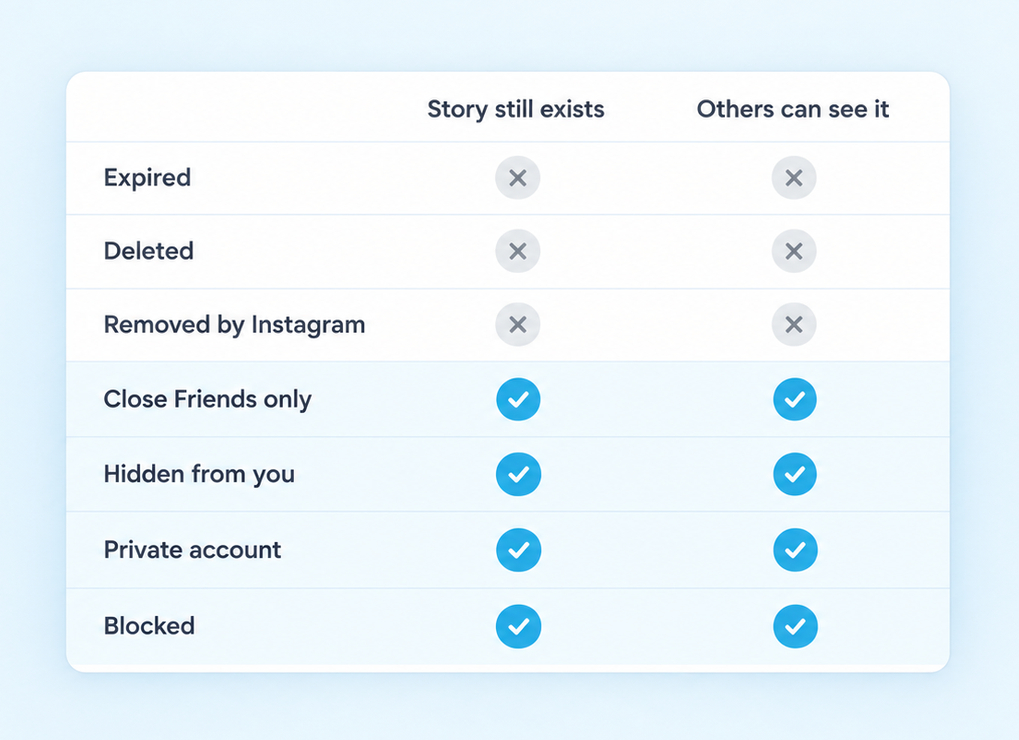
A story that has disappeared for everyone isn’t about you at all. The comparison below sorts every common cause into one of two groups: stories that no longer exist, and stories that exist but aren’t meant for you. Knowing which group you’re in tells you whether there’s anything worth doing next.
It Expired or the Poster Deleted It
Stories are short-lived by design. Instagram’s help page on how long stories stay visible says photos and videos you share to your story “disappear from Feed, your profile and Direct after 24 hours, unless you add it as a highlight”. After that, the story moves to the poster’s Stories archive, which only they can see.
The confusing part is timing. If your feed hasn’t refreshed, the coloured ring can still sit at the top of your screen after the story has ended, and tapping it gives you the message instead. The poster may also have deleted the story early or archived it before the 24 hours were up. If you posted it yourself and deleted it by mistake, Instagram keeps deleted stories that aren’t in your archive in Recently Deleted for up to 24 hours, so you can restore it from there.
Instagram Removed It or the Account Is Gone
Instagram’s content moderation page says that when it finds content, including a story, that goes against its Community Guidelines, it removes it. Viewers get no explanation and only see that the story can’t be shown.
The same thing happens when the whole account disappears. A deactivated, deleted or disabled account takes its stories with it, and a profile that suddenly won’t load for anyone is the clearest sign of this.
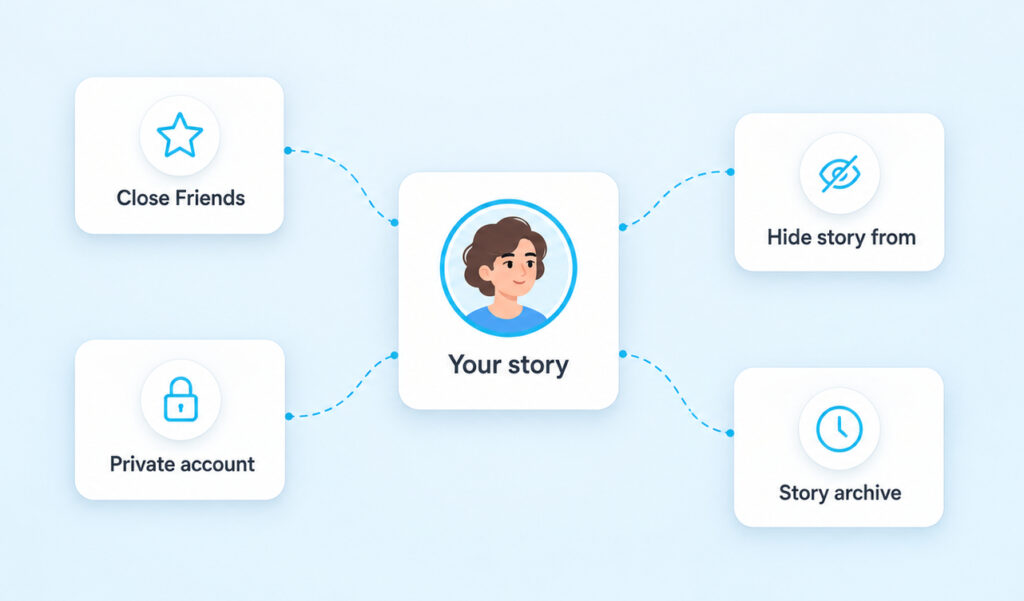
If other people can still watch the story, the poster has chosen an audience and you aren’t in it. Instagram gives them four ways to do that, and none of them sends you a notice.
- Close Friends. The poster shared the story only with their Close Friends list. Instagram’s Close Friends help says nobody can request to be added and people aren’t notified when they’re added or removed, so being left off the list isn’t always personal.
- Hide story and live from. The poster added you to a list that stops you from seeing anything they add to their story. According to Instagram’s hide story help, this is different from blocking and “doesn’t prevent them from seeing your profile and posts”. You may see the message or simply no ring at all.
- Private account. Only approved followers can watch a private account’s stories. If you unfollowed, were removed as a follower or your request is still pending, stories stop opening.
- Blocked. Instagram’s guide to restrict, mute and block says a blocked person can “no longer search for your profile, view your content, or send you messages”. So if you can still open their profile and see their posts, a block isn’t the explanation.
Two settings often get blamed that don’t belong here. Instagram describes Restrict in terms of comments, messages and online status, and stories aren’t on that list. Mute is a setting the viewer controls, not the poster, and it only moves someone’s stories out of the row at the top of your feed.
Want your Instagram to actually take off?
Real accounts. Real engagement. No bots, no shadowbans, ever.
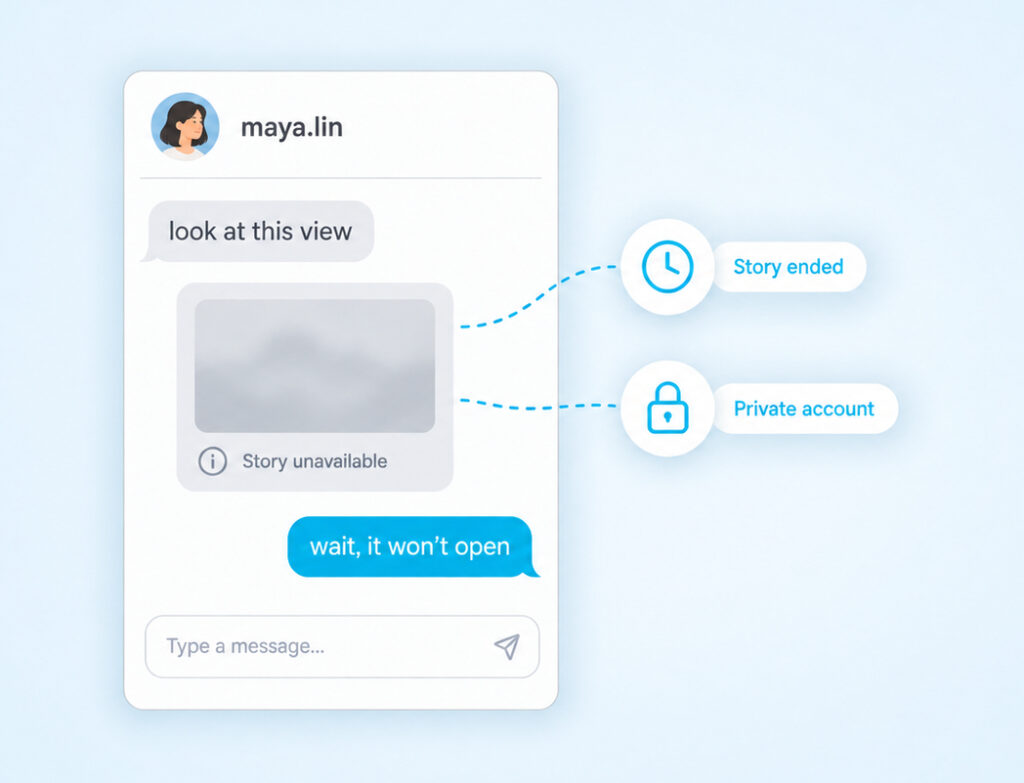
See our Instagram servicesThis is where most people meet the message. A friend sends you a story in Direct, you tap it and it won’t open. Instagram explained how this works when it launched story sharing in chats: “When the original story disappears from the app, it will no longer be available in your message thread.” The shared card in your chat is only a window onto the original, so once the original expires or is deleted, the window goes blank.
Privacy follows the story too. The same Instagram announcement says that “if you have a Private Account, only your followers can view your story in Direct.” Your friend can follow a private account and forward its story, but if you don’t follow that account, you’ll see the message the moment you tap. Hidden and Close Friends stories work the same way, because forwarding a story doesn’t change who’s allowed to watch it.
Instagram’s rule for resharing works the same way. You can only repost a story on Instagram from a public account, so a story from a private account is out of reach for resharing as well as for viewing.
How To Check Whether It’s a Glitch
Sometimes the story is fine and the app is the problem. If stories from several accounts fail, or a story won’t open even though you’re sure you’re allowed to see it, run through these checks in order and stop when it opens.
- Pull down on your feed to refresh it, then tap the ring again.
- Open the person’s profile and tap their profile picture instead of the ring at the top of your feed.
- Try a few other stories to see whether the problem is one account or all of them.
- Log in at instagram.com in a browser and try the same story there.
- Update the Instagram app from the App Store or Google Play, then restart your phone.
- Clear the cache or reinstall the app.
- Shake your phone inside the app to open Report a problem, or go to your profile, the menu, Help and then Report a problem.
If one account’s stories keep failing while everything else works, clear the Instagram cache on Android, or offload and reinstall the app on iPhone, then log back in. Instagram’s help on reporting problems also suggests updating the app first, so do that before you report.
A story that opens in the browser but not in the app points to the app on your phone, not to anything the poster did. A story that fails everywhere, while your friend can watch it, sends you back to the audience settings above.
When the message shows up on your own story, start with your settings rather than the app. In Settings, look under Who can see your content. Open Story, live and location and check the Hide story and live from list, because people sometimes add a name there by accident. Then check Close Friends, since posting to that list instead of Your story is an easy tap to get wrong, and check whether your account is set to private.
Next, check the story itself. If you archived or deleted it, or more than 24 hours have passed, nobody can see it. Adding it to a Highlight puts it back on your profile for anyone who’s allowed to view your account.
It also helps to know which tool you used. Hiding your story is quieter than choosing to remove a follower, because the person keeps following you and can still see your posts. If you only wanted a break from someone watching your stories, hiding is the gentler setting. If your account is private, removing them also ends their access to your stories and posts.
Does “This story is unavailable” mean I’m blocked?
Usually not. The message appears for expired, deleted, hidden and Close Friends stories too. A block also stops you from finding the profile and viewing its content, so if you can still see their posts, you aren’t blocked.
Can I still watch a story after it says unavailable?
Only if the poster brings it back. They can add it to a Highlight, share it again from their archive or send it to you directly. Once a story has expired or been deleted, there’s nothing on your side that restores it.
Why can I still see the story ring?
Your feed hasn’t refreshed since the story ended or was deleted. Pull down to refresh, and the ring should disappear. If it doesn’t, close and reopen the app.
Does restricting or muting someone make their story unavailable?
Not according to how Instagram describes those features. Restrict is about comments, messages and online status, and Mute is the viewer’s own setting that only moves stories out of the top row. The settings that limit who can watch are Close Friends, Hide story and live from, a private account and blocking.
Respect the Answer You Get
If you’ve worked through the checks and a friend can still see the story while you can’t, the poster made a choice about their audience. That can be an accident, like a slip into Close Friends or a name added to the wrong list, and it can also be deliberate. Either way, the simplest step is to ask them. Most people will share the story directly or fix the setting if it was a mistake.
What’s worth avoiding is trying to get around it. Making a second account, borrowing someone’s phone or pasting their username into a viewer site might show you the story, but it overrides a boundary the person set on purpose. If the story matters, a quick message will get you further than any workaround.