If you only need a straight answer
- Remove follower quietly drops a person from your followers list. They are not notified.
- Their future feed no longer shows your posts because they no longer follow you. They can still open your profile if it is public, and they can re-follow anytime.
- Old likes and comments they left on your posts stay in place. Removal is not the same as scrubbing history.
- It is different from block, restrict, and mute. Remove is the softest of the four and does not carry over to Stories, DMs, or search results.
- Instagram still has no bulk-remove tool in 2026. Every removal is one tap at a time.
The remove follower option is Instagram’s quietest audience tool. It exists so you can trim your followers list without the drama of a block or the awkwardness of a public unfollow. Most people know the button is there but not what it actually does behind the scenes, and that gap leads to hesitation, over-blocking, or the wrong move entirely.
This guide answers that in plain terms. It covers what the button does, how it compares to block, restrict, and mute, what stays visible after removal, the exact taps on both mobile and desktop, and the cases where Remove is the wrong tool and you should reach for a stronger option.
Want your Instagram to actually take off?
Real accounts. Real engagement. No bots, no shadowbans, ever.
See our Instagram servicesWhat Remove Follower Actually Does
Removing a follower is a one-sided action taken from your side of the relationship. You are the account being followed. The other person is the follower. When you tap Remove, Instagram takes them off your followers list and off the list of accounts you appear in on their side. That is the entire mechanical change.
Concretely, here is what shifts the moment you confirm:
- The removed person’s follower and following counts adjust by one on both profiles.
- Your posts, Reels, and Stories stop appearing in their home feed and their Stories tray because they no longer follow you.
- They receive no notification. Instagram sends no email, push, or in-app alert.
- Their old likes, comments, and tags on your existing posts remain untouched. Nothing gets scrubbed retroactively.
- If your account is public, they can still visit your profile in a browser or the app and see everything a stranger would see.
- If your account is private, they lose the private-account access they had before and see the request-to-follow wall like any other outside visitor.
The subtle part is that removal is a state change, not an announcement. Instagram treats it the same as if the person had unfollowed you on their own. There is no red flag on their profile, no timestamp, and no shared record of what happened.
Remove Versus Block Versus Restrict Versus Mute
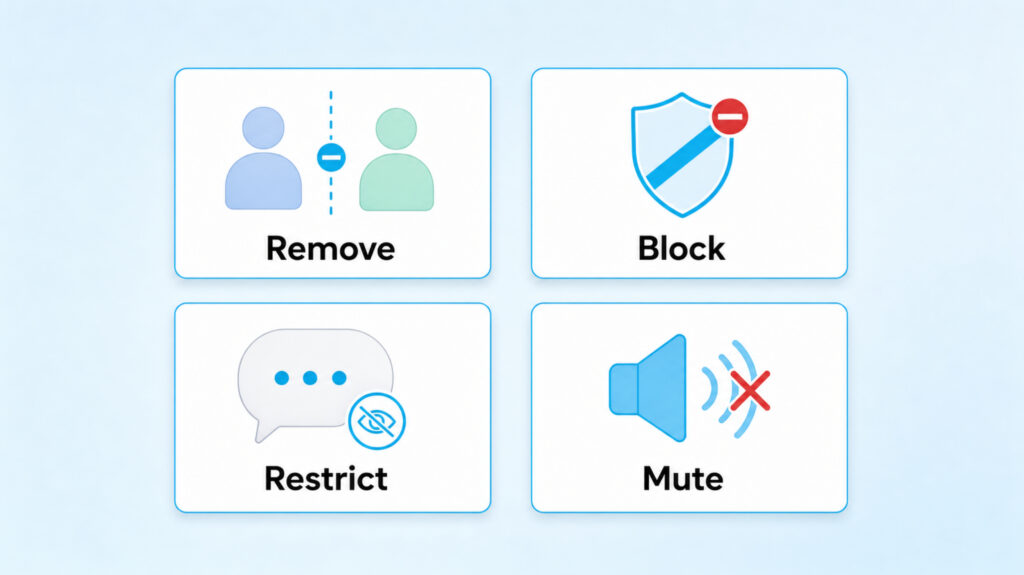
Instagram gives you four different tools for shaping who sees what and who can reach you. They look similar in a settings menu but behave very differently in practice. The table below shows how each one handles the four questions people usually care about.
| Action | Do they know? | Can they see your posts? | Can they DM you? | Can they re-follow? |
| Remove | No alert | Yes if you are public, no if private | Yes | Yes, freely |
| Block | No alert, but obvious from empty profile | No, profile hidden entirely | No | No, until you unblock |
| Restrict | No alert | Yes, unchanged | Yes but hidden until you approve | Not applicable, they still follow |
| Mute | No alert | Yes, unchanged | Yes, unchanged | Not applicable, they still follow |
Mute is the smallest change. It only hides their content from your feed while leaving everything else identical. Restrict hides their comments and interactions from other people until you decide. Remove trims your audience without a fight. Block is the nuclear option.
How To Remove A Follower Step By Step
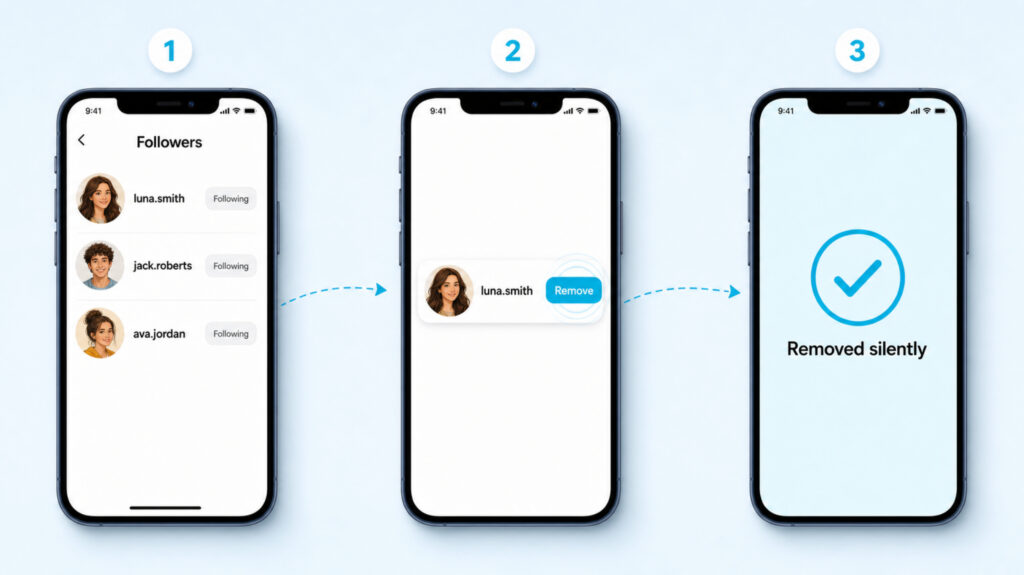
The steps below are the same on iPhone and Android inside the Instagram app. Instagram’s desktop site added the same option in 2024 and it is now the fastest path on a laptop.
Inside the mobile app
- Open Instagram and tap your profile photo at the bottom right.
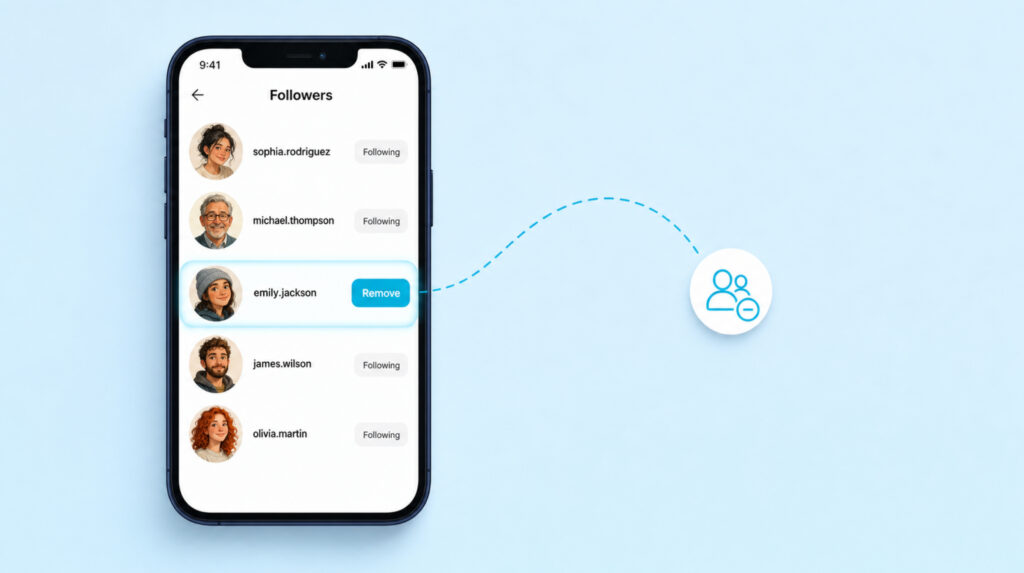
- Tap Followers at the top of your profile.
- Find the account you want to remove. Use the search bar inside the followers list if the account is not near the top.
- Tap Remove next to their name. Instagram asks you to confirm once, then removes them silently.
On the desktop web
- Open instagram.com in a browser and log in.
- Click your profile photo at the top right, then Profile.
- Click Followers to open the list.
- Click the three-dot menu next to any follower and choose Remove.
When you cannot find the person
If a specific follower does not appear when you scroll or search your followers list, the account was likely deactivated or renamed. In that case the follower slot still counts against your total but you cannot act on it directly. Wait for Instagram to prune deactivated accounts on its own, which usually happens within a week or two.
What Stays Visible After You Remove Someone
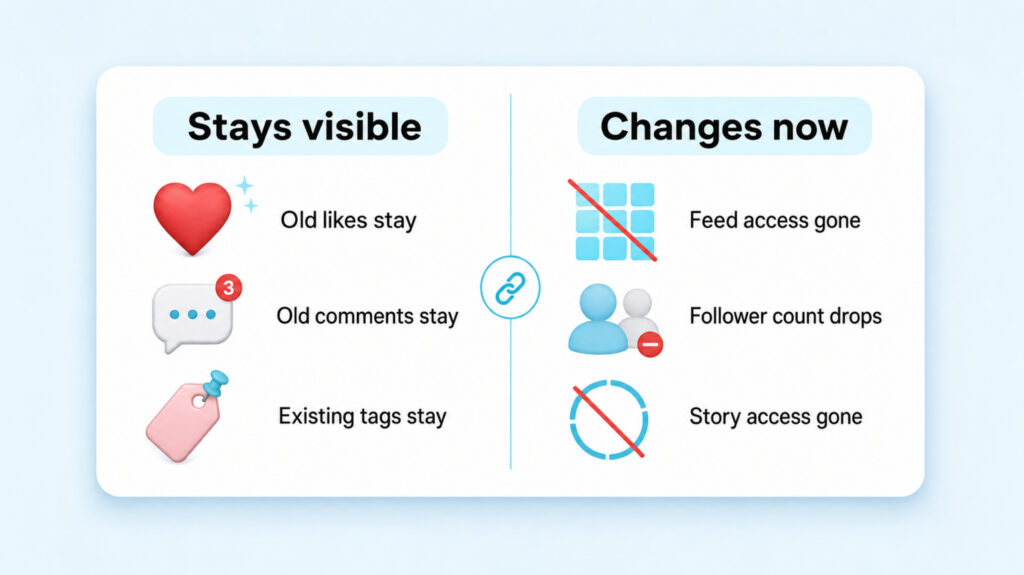
The most confusing part of removal is what does not change. Removal only affects the follow relationship. Everything the person did on your account before the removal is still there.
- Every like they left on your old posts still shows in your like count and their name still appears in the likes list on those posts.
- Every comment they left is still under the post and still visible to everyone who visits it. You can delete individual comments manually if you want them gone.
- Any post you tagged them in, or any post they tagged you in, still contains the tag. Removal does not touch tags either way.
- DMs between the two of you stay in your inbox and their inbox. Removal is not a message wipe.
- If they were part of a close-friends list, they stay on that list unless you also remove them from it separately.
Public Versus Private Changes Everything
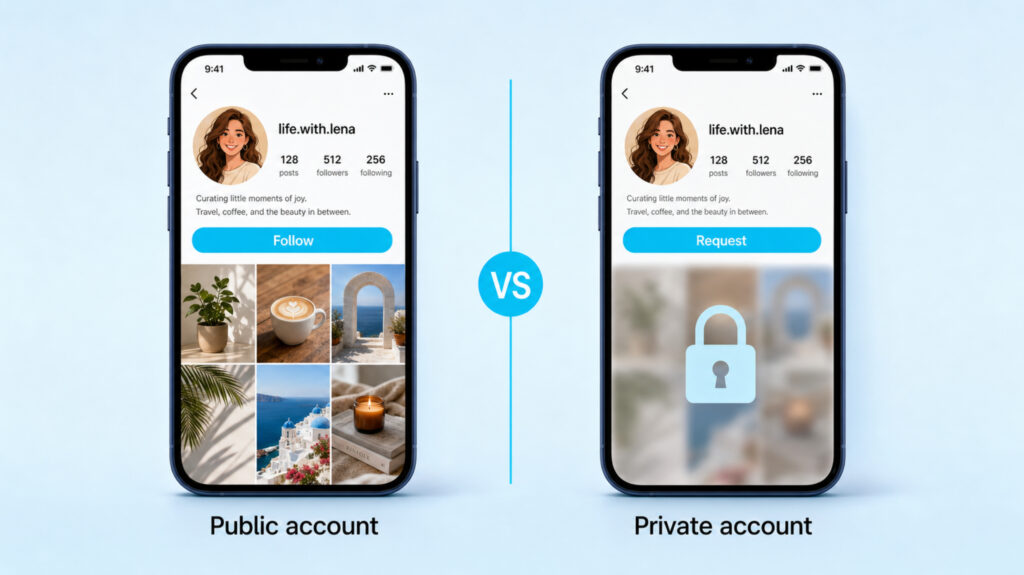
The single variable that decides how much of a wall removal actually builds is your account’s privacy setting.
On a public account, removing someone is a low-friction filter. They lose the feed nudge that reminds them your posts exist, but they can still type your handle into the search bar, land on your profile, and re-follow with a single tap. That is why follow-back etiquette gets murky the moment removal enters the picture, and it is worth thinking through before you tap Remove on someone you actually still want in your circle.
On a private account, removing someone is a real gate. They lose feed access and they hit the request-to-follow wall the next time they open your profile. They can send a new request, but you get to approve or ignore it. If you also enabled the message-request filter, their next DM sits in Requests until you accept it. That combination is what makes Remove genuinely useful for private accounts.
When Remove Is The Wrong Tool
Removal is the right move when the goal is a quiet trim: a stranger who followed you by mistake, an ex who never left, a bot account that liked one photo and stopped. It is the wrong move in three cases.
When you need them to stop reaching you
If someone stalks your Instagram, sends unwanted DMs, tags you in posts, or leaves comments that cross a line, removal does nothing to any of those channels. They can still DM you, still tag you, still comment. In those situations the correct tool is block for full cut-off, or restrict if you want their comments and DMs quietly hidden without escalating.
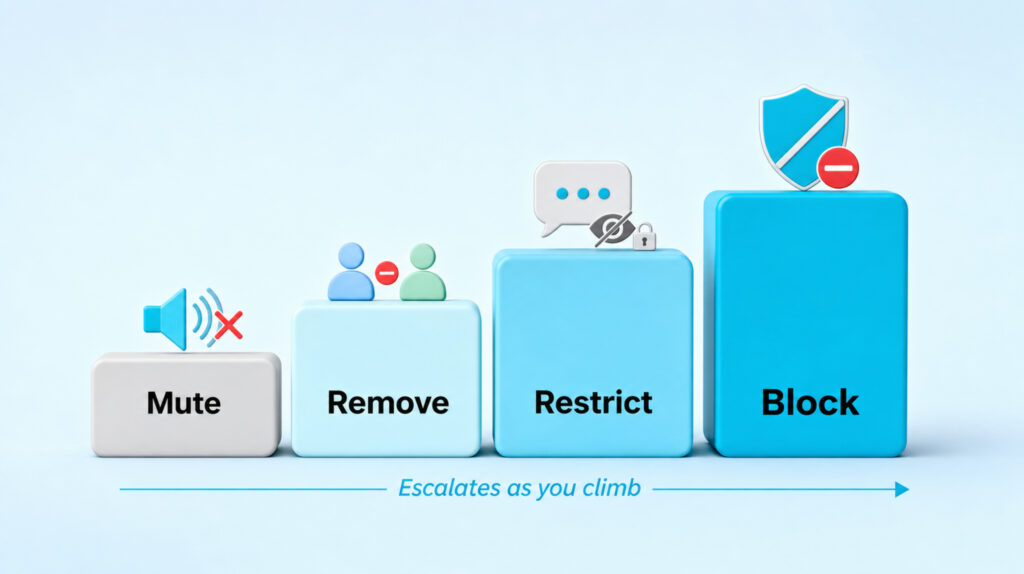
The rough decision ladder looks like this. Start with Mute if the only friction is that their posts clutter your feed. Move to Remove if you also want them out of your audience. Move to Restrict if their comments or DMs feel off. Move to Block if any of the above escalates or if safety comes into play. Never skip straight to Block over a mild annoyance because it is visible and permanent-feeling in a way the softer tools are not.
Three Questions People Always Ask
- Does the person know I removed them as a follower?
No. Instagram sends no notification and no email. The only way they can figure it out is by manually checking whether they still follow you, and even then Instagram treats the change the same as if they had unfollowed you themselves. - Can I remove multiple followers at once?
No. Instagram still has no bulk-remove option in 2026. Every removal is a single tap on a single account. Third-party apps that promise bulk removal require your Instagram password and are unsafe. - If I remove someone and later change my mind, can I add them back?
You cannot add someone back to your followers list directly. They have to choose to follow you again. On a public account they can do that in a second, on a private account they need to send a request and wait for your approval.
Choosing Between Quiet And Loud
Remove follower is the quiet lane. It thins your audience without the finality of a block and without the message a public unfollow can send. On a public account it works like a soft reset, useful for cleaning up bot accounts or trimming strangers who followed for one post. On a private account it doubles as a real gate that puts a request wall back between you and the person you removed.
The stronger tools sit next to Remove in the same menu for a reason. If you are unsure which one to reach for, walk through the ladder above. Start at the softest option that solves your problem and only escalate if the situation actually calls for it. That habit keeps your audience curated without turning every awkward follower into a permanent block.