Instagram is one of the most widely used social media platforms today, allowing millions of users to share photos, videos, and stories with their friends, family, and followers. Naturally, curiosity often arises about the activity of others on Instagram. Whether you’re wondering how your friends, favorite celebrities, or other accounts engage on Instagram, understanding how to see someone’s activity on Instagram can help you stay informed about social interactions, likes, comments, and posts.
However, Instagram’s privacy policies and the removal of certain features have made it a bit trickier to track someone’s Instagram activity. In this article, we will discuss exactly what you can and cannot see, practical methods to monitor activity, and tools that can help.
Strengthen social proof with followers, likes, and story views to appear more trusted, authentic, and influential within your community.
Can You See Someone’s Activity from Instagram Notifications?
Many users assume that Instagram notifications are a direct way to check someone’s activity on Instagram, but the reality is more nuanced. Notifications primarily inform you about interactions that directly involve your own account. This includes:
- Likes and comments on your posts
- Direct messages sent to you
- Mentions in posts or stories
- New followers
While notifications can give a hint about someone’s interactions with you, they cannot provide a full overview of a person’s activity on Instagram, especially their interactions with other accounts or private browsing behavior. For example, if a friend likes a post on someone else’s profile or interacts with a story without tagging you, you will likely never see that notification.
Instagram’s activity tab, which once allowed users to track recent likes, follows, and comments of others, has been removed, making it more difficult to monitor activity through notifications alone.
Related: What Does W4W Mean on Instagram?
What Activity of Others Can You See on Instagram?
Understanding what is visible is essential if you want to peek at someone’s activity on Instagram without violating privacy. Instagram splits visibility based on account type (public or private) and interaction type.
What You Can See:
- Posts and stories on public accounts
- Likes and comments on public posts
- Followers and following list for public accounts
- Online status for users who share their activity status
What You Cannot See:
- Likes, comments, or follows on private accounts that you do not follow
- Detailed direct messages between other users
- Full interaction history beyond what Instagram allows publicly
- Actions on posts or stories where you are not tagged or involved
Essentially, Instagram respects user privacy. Your ability to see someone’s activity on Instagram is heavily influenced by Instagram’s policies and the privacy settings of the account you are trying to monitor.
How to See Someone’s Activity on Instagram?
Despite privacy limitations, there are several methods to track Instagram activity. These methods rely on public data, direct interactions, and insights from your own account.
1. See Someone’s Recent Posts
The simplest way to monitor someone’s Instagram activity is by checking their latest posts. Whether the account is public or one you follow, you can:
- Visit the person’s profile
- Browse their photos, videos, and carousel posts
- Check timestamps to see how recently they posted
This method is safe and complies with Instagram’s privacy rules, allowing you to stay a step ahead without the need for third-party tools.
2. See Someone’s Online Status
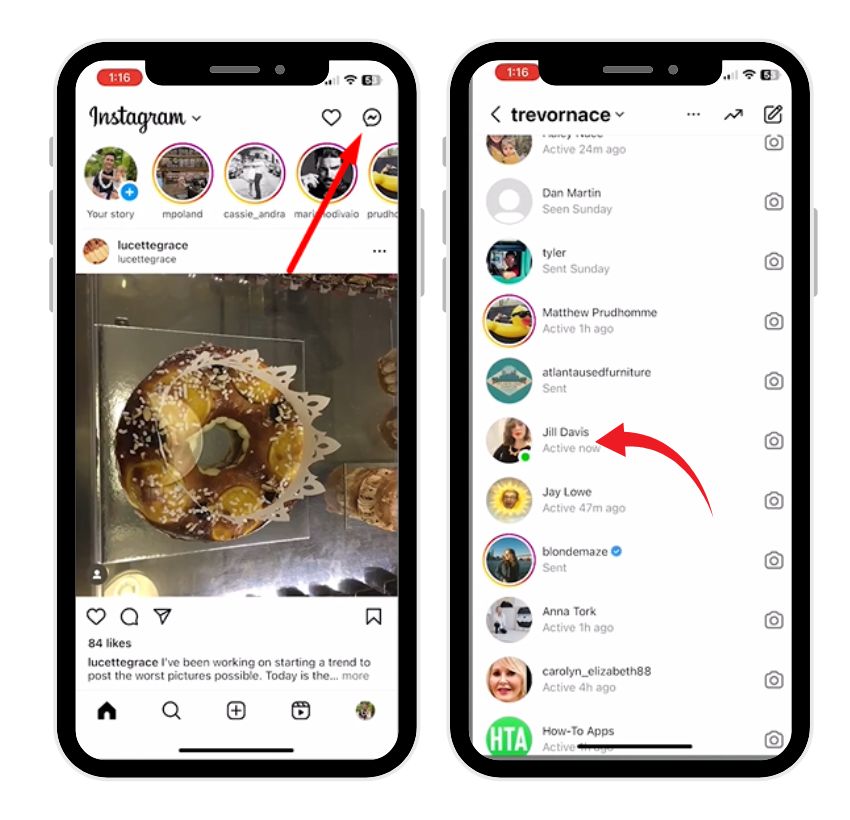
Instagram has an activity status feature that shows when someone was last active or if they are currently active. To check this:
- Open direct messages on Instagram.
- Look for the green dot next to the user’s profile photo.
- Hover over or tap the profile to see when they were last active.
Keep in mind that this is only visible if both users have enabled activity status in their settings. Some users disable this for privacy reasons.
3. See Someone’s Followers/Following
Another indirect way to track someone’s interactions on Instagram is by monitoring changes in their followers or following list:
- Visit the user’s profile
- Check their followers and following list
- Look for new followers, unfollows, or mutual follows
This can give insights into their recent interactions, especially if they are interacting with accounts that you both know. For instance, if a favorite celebrity is following a new account, you might notice that change in their following list.
4. See Someone’s Interactions with an Account
You can also monitor someone’s likes and comments on posts where you are involved. Instagram allows users to see shared interactions to some extent.
Interactions with Your Account:
- Likes on your posts
- Comments under your photos or videos
- Responses to your stories
- Direct messages
Interactions with Other Accounts (Mutual Follow):
- Likes and comments on posts where both of you follow the account
- Shared story views in close friend groups
These methods rely on public interactions or mutual connections, giving you a curious peek without breaking privacy norms.
💡 Pro Tip: Followers act as strong social proof. Increase your audience to gain trust, build authority, and attract collaborations easily.
What Instagram No Longer Lets You See
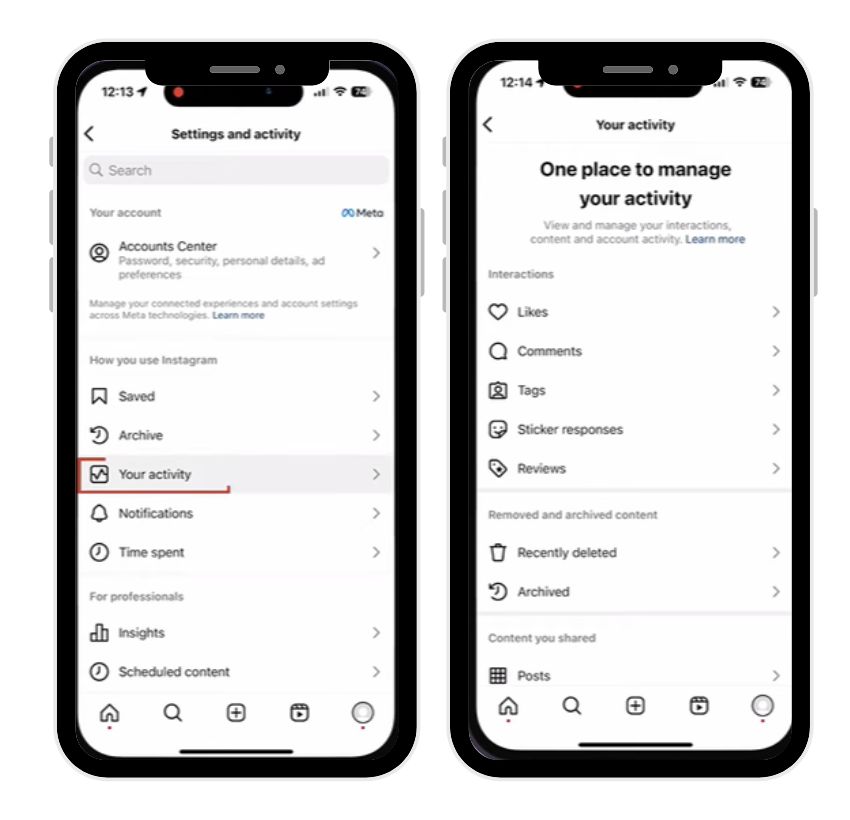
Instagram has removed the “Following” activity tab, which previously allowed users to monitor someone’s likes, follows, and comments on other accounts. This was a widely used feature for activity tracking, but Instagram removed it due to privacy concerns and trust issues between users.
Currently, Instagram only allows you to see activity on your own account (likes, comments, follows, shares) and limited interactions visible publicly.
How to See Activity on Instagram
Here’s a step-by-step guide for monitoring activity on Instagram while respecting privacy:
1. See Someone’s Recent Posts
- Visit the profile of the person
- Look at their latest photos and videos
- Note timestamps to track frequency of posting
- Check captions, tags, and locations for interests
This method works for both public accounts and private accounts that you follow. You can even track shared activity such as posts with mutual friends.
2. View Someone’s Online Status
To peek at someone’s activity, check their active status in direct messages:
- Open Instagram app on your mobile device
- Go to messages (DMs)
- Look for a green dot or text indicating “Active now” or “Active x hours ago”
Keep in mind that users can disable activity status, and logging in via multiple devices will show updates based on the most recent session.
3. See Someone’s Followers/Following
- Go to the user’s profile
- Tap followers or following
- Compare over time to notice new followers or unfollows
This approach can hint at recent interactions, popular accounts, or even trending topics the user is engaging with.
4. Check Likes and Comments
While Instagram removed the activity tab, you can still track someone’s likes and comments:
- Visit posts on public accounts
- Check the likes list (visible under the heart icon)
- Look for comments under photos or videos
If the user is active, this can provide insights into their interests, favorite accounts, and interactions.
How to See Someone’s Instagram Activity Using Tools?
For users still curious and looking for activity tracking beyond manual observation, some third-party apps offer monitoring options. Be cautious as Instagram strictly regulates access to user data, and using unauthorized apps may result in account restrictions.
Use Third-Party Apps to Monitor Instagram Activity
There are several tools and apps that claim to track someone’s activity on Instagram:
- Activity tracking apps that monitor likes, comments, and new followers
- Dashboard tools for analyzing Instagram account engagement
- Insights apps for public accounts, showing engagement trends
⚠️ Important: Always use apps that respect Instagram’s policies. Avoid apps that require login credentials, as this could compromise your own account.
Check Their Recent Posts and Stories
Stories are a dynamic feature on Instagram. You can monitor:
- Who posts frequently
- The type of content shared (photos, videos, reels)
- Views on stories if you are part of close friends or shared lists
Stories disappear after 24 hours, so logging activity regularly is necessary if you want to track someone over time.
Check Their Likes and Comments
If the account is public:
- Browse recent posts from mutual friends
- Look at who liked or commented
- Track trends in someone’s interactions
This allows a step ahead view into what the person engages with most and which posts they prioritize.
View Who They Follow and Who Follows Them
Monitoring followers and following lists can provide insights into:
- New accounts they interact with
- Interests or communities they are engaging in
- Activity around social circles and friends
For example, seeing a favorite celebrity follow a new brand or account can indicate new interests or trends.
Related: What Does Instagram Direct Mean?
Additional Tips for Monitoring Instagram Activity
- Use Mobile Device Notifications: Enable push notifications for accounts you want to track. This gives a quick view of likes, comments, and posts.
- Follow Private Accounts: If someone has a private account, sending a follow request can give access to recent posts and stories.
- Track Activity Trends: Note how often they post, comment, or like. Keeping a log or dashboard helps in activity analysis.
- Respect Privacy: Avoid invasive methods that violate Instagram’s policies. Trust is important for social media interactions.
- Analyze Public Data: Use hashtags, tagged posts, and public interactions to understand interests and activity patterns.
Instagram Privacy and Limitations
Instagram limits visibility for privacy reasons:
- Private accounts hide their activity from non-followers
- Users can turn off activity status
- The platform removed activity tabs to reduce monitoring between friends
- Accessing private direct messages or hidden interactions without consent is impossible
Instagram’s privacy features are designed to balance user curiosity with protection of personal data.
Conclusion
Tracking someone’s activity on Instagram is possible, but only to the extent Instagram allows. By using methods like checking recent posts, stories, followers, and interactions, combined with curated tools, you can get a clear picture of social media activity while respecting privacy.
Understanding Instagram’s policies, privacy reasons, and limits on shared activity ensures you remain compliant while satisfying curiosity. Whether it’s a friend, favorite celebrity, or another user, using ethical methods and insights can help you peek into activity without violating trust.
Always remember: social media activity is a reflection of personal interactions. Respect boundaries, use official tools, and focus on public data for safe monitoring.
💡 Pro Tip: More likes mean stronger visibility. Boost your profile performance and make your posts more discoverable consistently.
FAQs
How to see someone’s activity on Instagram with a private account?
You cannot directly see activity on a private Instagram account unless you follow them. Once accepted, you can view their posts, stories, likes, and comments. Without following, all activity remains hidden for privacy reasons.
How to see someone’s activity on Instagram app?
Open the Instagram app, visit their profile, and check for recent posts, stories, and interactions if they are public or you follow them. You can also monitor online status through direct messages, provided they have activity status enabled.
Why can’t I see someone’s shared activity on Instagram?
Instagram removed the activity tab, limiting visibility of interactions with other accounts. You cannot see likes, follows, or comments on posts where you are not involved due to privacy restrictions and the user’s account settings.
Can I see someone’s activity without following them?
Only public accounts allow viewing activity without following. Private accounts hide posts, stories, likes, and comments from non-followers. You must send a follow request and get accepted to monitor someone’s activity on Instagram.
Can I see likes and comments on other accounts?
You can only see likes and comments on public accounts or accounts you follow. Instagram no longer provides the “Following” activity tab, so tracking others’ interactions on unrelated accounts is restricted.
Can I track stories or posts anonymously?
You can view public posts without being noticed. However, if you view someone’s story, Instagram will display your username in the viewers’ list, so truly anonymous tracking is not possible.
Are third-party apps safe for activity tracking?
Some third-party apps provide insights into public activity or engagement trends. Avoid apps that require your login credentials, as they may violate Instagram’s policies or compromise your account’s security. Stick to trusted monitoring tools only.
Why can’t I see someone’s activity status?
A user may have disabled their activity status in Instagram settings, or you may not follow them. Activity status is only visible to mutual connections with the feature enabled, ensuring privacy for users.