Instagram doesn’t have one place that shows everything someone does on the app. You can still see pieces of it: their posts, reels and reposts on their profile, public reels they liked or commented on in the Friends tab, and when they were last active if you both have activity status turned on. Some things stay private, like their messages and a full list of what they’ve liked.
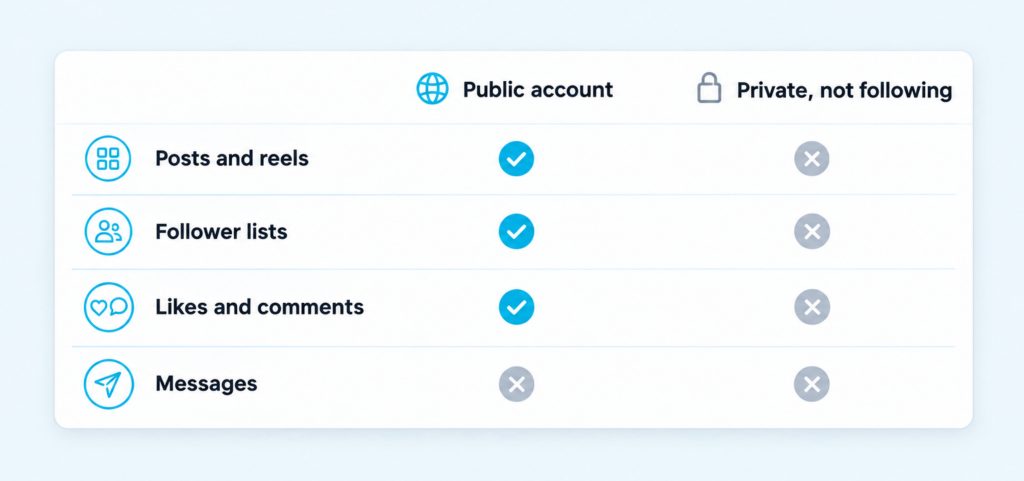
| What You Can and Can’t See – You can see: their posts, reels, reposts and tags (if the account is public or you follow it), their likes and comments on posts you can see, the likes, comments and tags you share with them, and their activity status if you both have it on. – You can’t see: a full history of what they’ve liked, their messages, who views their profile, or a private account’s posts and follower lists unless they accept your follow request. |
Boost Your Instagram Presence
Make your Reels go viral. Get premium followers, likes, and comments in minutes.
Start With Their Profile
The quickest way to see what someone has been doing is to open their profile. Tap the search icon, type their username and tap their name. What you see next depends on whether the account is public or private.
On a public account, anyone can see the posts, reels and the lists of followers and following. On a private account, only approved followers see those. Everyone can still see the basics, which are the name, username, profile picture, bio, links and the follower and following counts. If you want more than that, you’ll need to send a follow request and wait for them to accept it.
Look at the row of tabs under the bio as well. When someone reposts a public post or reel, it appears in a separate Reposts tab on their profile, so you can see what they’ve chosen to share from other people. The tagged tab shows posts other people have tagged them in. Together, these tabs often tell you more about someone’s recent activity than their own posts do.
See What Someone Likes and Comments On
There’s no single list of everything a person has liked or commented on. Instagram shows this activity in three places instead, and each one shows only part of the picture.
Under a Single Post
Open any post and tap the likes under it to see the list of people who liked it. Tap the comment icon to read the comments. Once a post has a few likes, Instagram also shows the usernames of some people you follow who liked it, right under the photo. So if a friend liked a post you’re looking at, you’ll often see their name there.
Keep in mind that the person who shared a post can always see who liked it. They can also hide the like count from everyone else, so you may see names without a total.
In the Reels Friends Tab
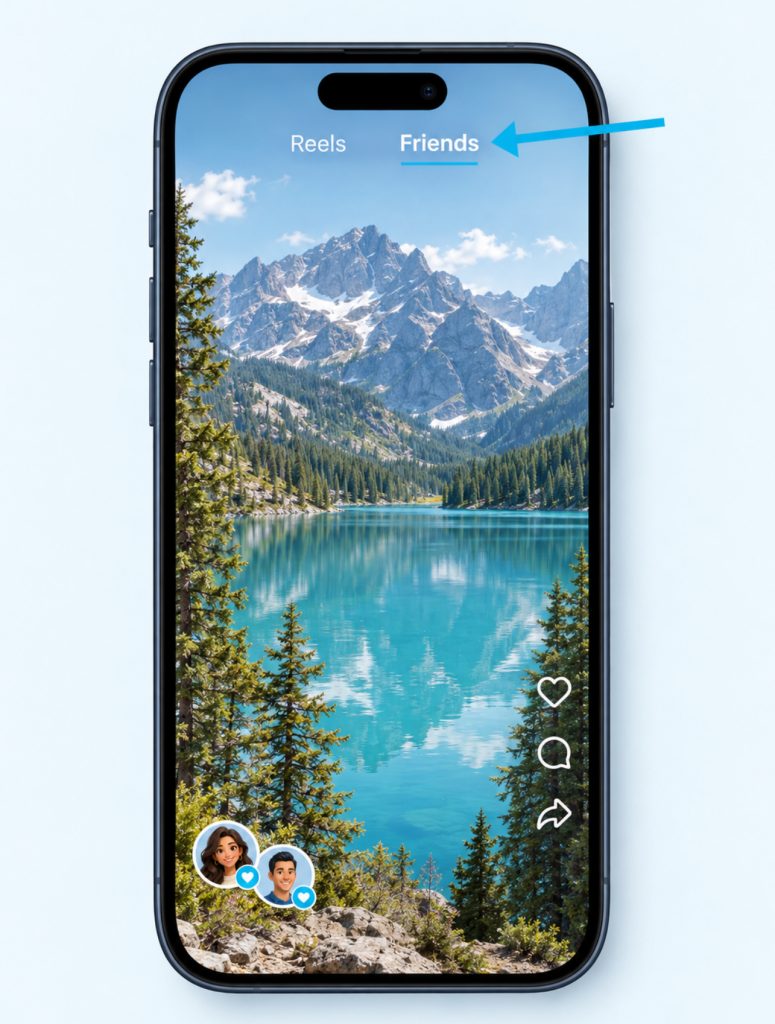
Open Reels and tap Friends at the top of the screen. This tab shows public reels your friends have liked, commented on, reposted or created. Small round bubbles with their profile pictures show who did what, so you can see their activity while you scroll.
Friends here means followers you follow back, so you won’t see activity from accounts that don’t follow you. People can also choose to hide their own likes and comments from this tab, so an empty tab doesn’t mean someone isn’t active. If one person’s activity keeps filling the tab, you can mute their bubbles, and our guide on what it means when you mute someone on Instagram covers the other mute options.
In Shared Activity
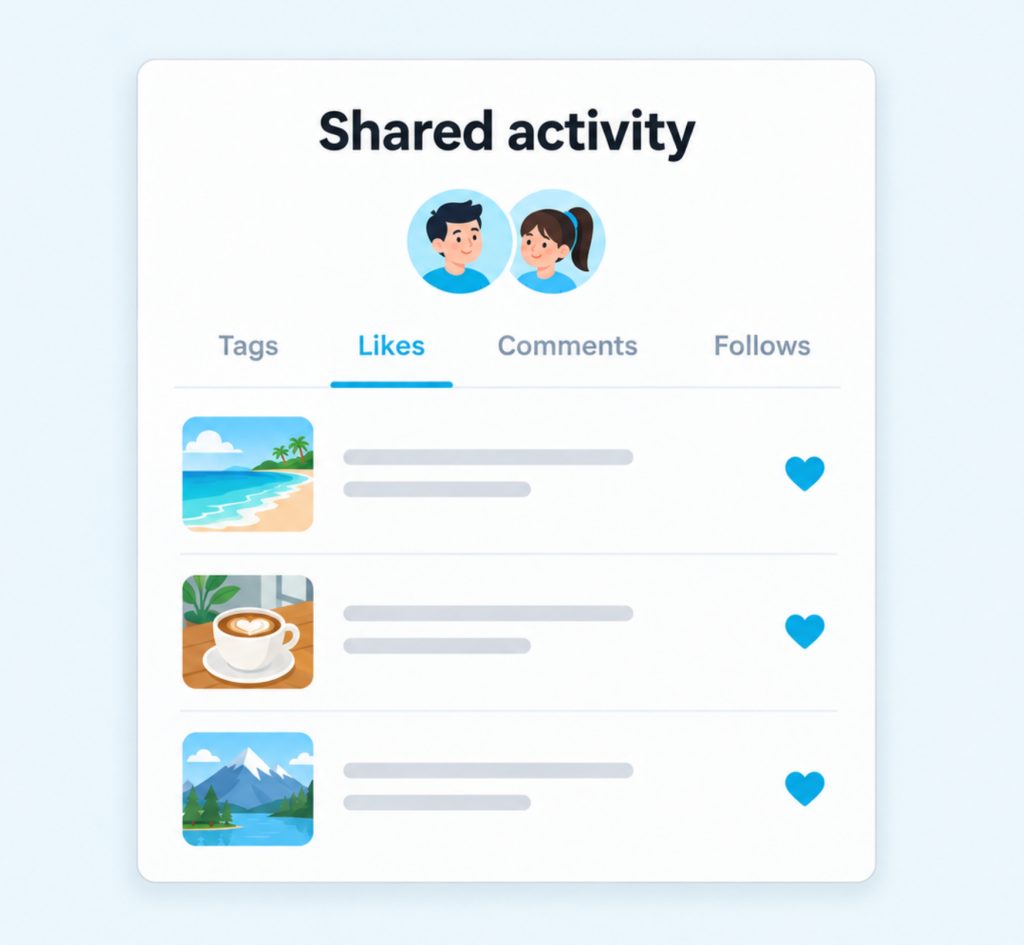
Shared activity shows what you and one other account have done with each other. Go to their profile, tap the three-dot Options menu and tap See shared activity. You can also go to your own profile, tap Following and tap the three dots next to the account.
The screen has four tabs: Tags, Likes, Comments and Follows. It shows the posts where you’ve tagged each other, the likes and comments you’ve left on each other’s posts, and how long you’ve followed each other. It only works in the app on a phone or iPad, and at least one of you has to follow the other. You can also remove a tag, like or comment from here if you change your mind.
See When Someone Was Last Active
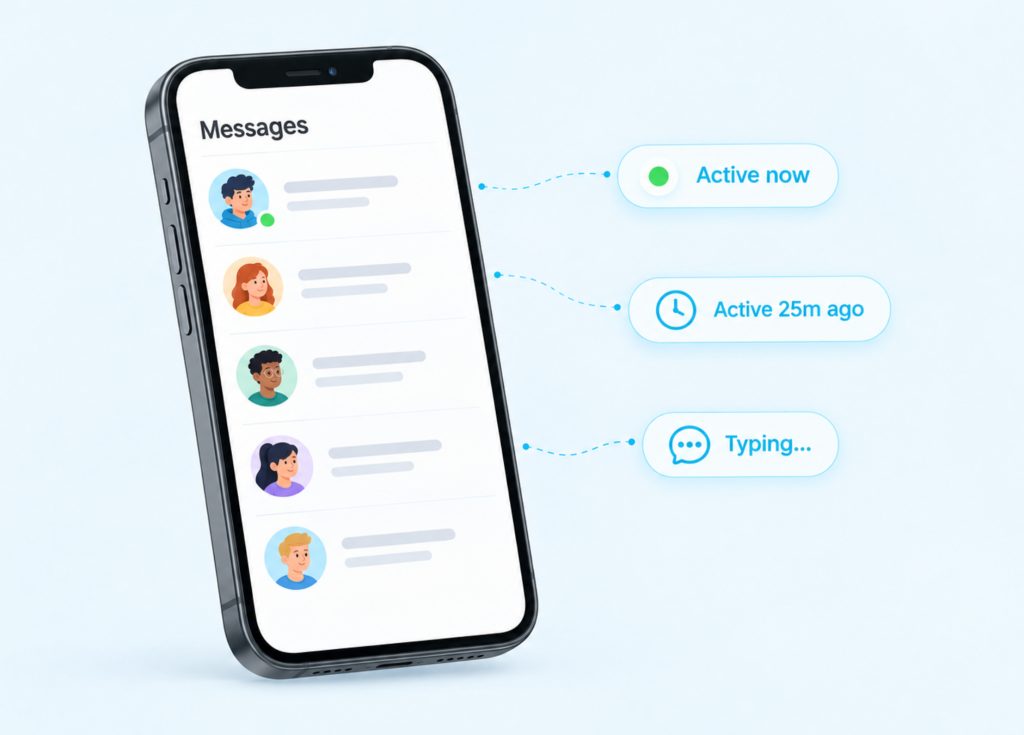
Activity status tells you when someone was last on Instagram. You’ll see a green dot or a short note like “Active 25m ago” or “Active yesterday” next to their profile picture, mostly in your inbox. Inside a chat, you might also see “In the chat” or “Typing…” while they’re there.
Instagram shows your status to people you follow and anyone you message. The catch is that it works both ways. You can only see someone’s status if you both have it turned on, and if you turn yours off, you won’t see anyone else’s either.
If you can’t see someone’s status, there are three usual reasons. They may have turned it off, you may have turned yours off, or they may not follow you and you’ve never chatted. It doesn’t have to mean you’ve been blocked.
See Who They Follow and When They Post
Followers and Following Lists
Tap Followers or Following on their profile to open the lists. You can scroll through them or search for a name. On a private account, both lists stay hidden until they accept your follow request. The same lists work for your own account too, and our guide on how to see who doesn’t follow you back on Instagram shows how to compare them.
Post Notifications
If you don’t want to miss someone’s new posts, you can turn on notifications for that one account. Go to their profile, tap the bell icon and choose Posts, Stories, Reels or Live videos. This only works in the app, not on a computer. The person isn’t told when you turn notifications on, so it’s a quiet way to keep up with a friend or creator you like.
Stories work differently. When you watch someone’s story, your name goes on their viewer list. Only the person who posted it can see that list, and it stays there for up to 48 hours. So a story view is never anonymous, even if you only watch for a second.
What Instagram Keeps Private
Instagram used to have a Following tab that showed a feed of what people you follow liked and commented on. That tab is gone, and nothing has replaced it with a full view. Any page or video that tells you to look for it is out of date.
Some activity is never shown to anyone else. That includes direct messages, saved posts and search history. Profile visits aren’t shared either. Instagram’s notifications cover likes, comments, mentions, follows and tags, and a visit to someone’s profile isn’t on that list.
Likes can be hidden too. A setting called Likes you’ve made lets people choose who can see the posts they like. So even the likes you can find may only show part of what someone does.
Want your Instagram to actually take off?
Real accounts. Real engagement. No bots, no shadowbans, ever.
See our Instagram servicesWhy Tracker Apps Aren’t Worth the Risk
Lots of apps and websites promise a full report of someone’s likes, comments and follows. Many of them ask you to log in with your Instagram username and password first. That’s the part that should worry you.
Instagram warns that if you share your login with an app you don’t trust, it can get complete access to your account. It also says that sharing your password with outside apps can get your account restricted for collecting data. Instagram’s terms don’t allow anyone to collect information from the app in unauthorized ways. Our guide to the best apps to see who stalks your Instagram explains why these tools can’t deliver what they promise.
Instagram Activity Questions
Can I see everything someone liked on Instagram?
No, there’s no full list. You can see their likes under posts you’re able to view, in the Friends tab in Reels and in your Shared activity with them. They can also hide their likes with the Likes you’ve made setting.
Will someone know I looked at their activity?
It depends on what you look at. Watching their story puts your name on their viewer list. Turning on post notifications doesn’t alert them, and Instagram doesn’t send alerts for profile visits.
Can I see a private account’s activity without following it?
You can only see the basics, which are the name, profile picture, bio and the follower and following counts. Posts, reels and the lists need an accepted follow request. Sending one is the only official way in.
Why can’t I see someone’s activity status?
One of you probably has it turned off. They may also not follow you, and you may never have chatted. Check your own setting first, because turning yours off hides everyone else’s too.
Control What Others See About You
The same features that show you other people’s activity also show your activity to them. A few settings let you decide how much they see.
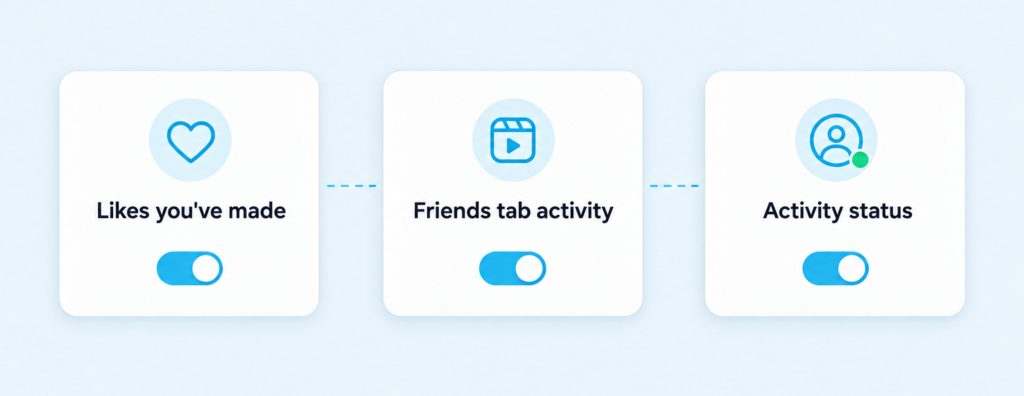
- Likes you’ve made: go to your profile, tap the menu and tap Likes you’ve made. You can let everyone see your likes, or only people you follow, only close friends or no one. The person who posted always sees that you liked it.
- Friends tab activity: you can hide your likes and comments on reels from the Friends tab, so friends won’t see bubbles for what you interact with.
- Activity status: go to Settings, then How others can interact with you, then Messages and story replies, and turn off Show Activity Status.
- Your own history: go to the menu, tap Your activity, then Interactions to review and delete your likes, comments and sticker responses.
These settings take a minute to check, and they’re worth a look if lots of people follow you. If you run a public account and want more people to find your posts, Instagram followers can help it get started.