If you only have a minute, here is the state of play
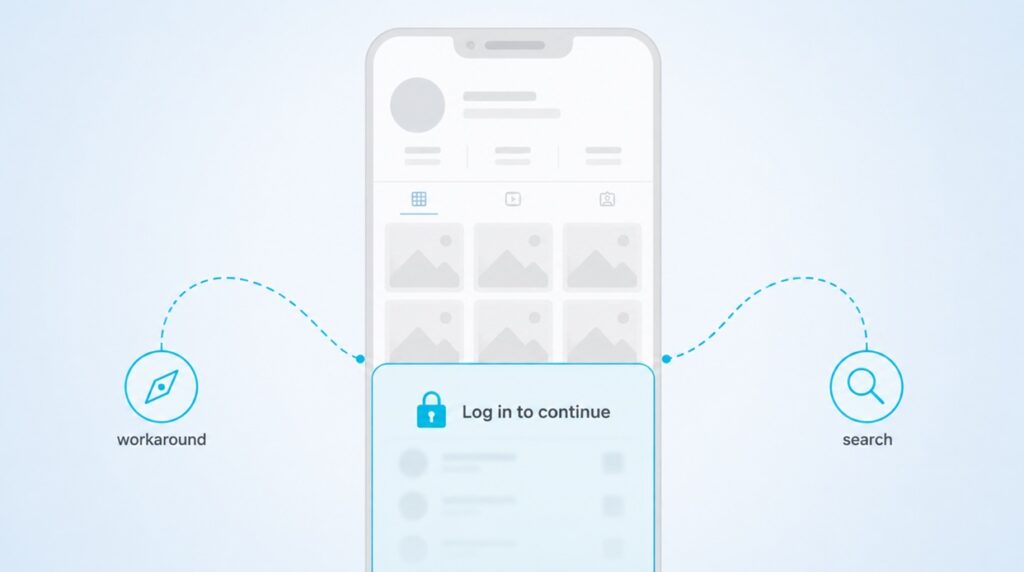
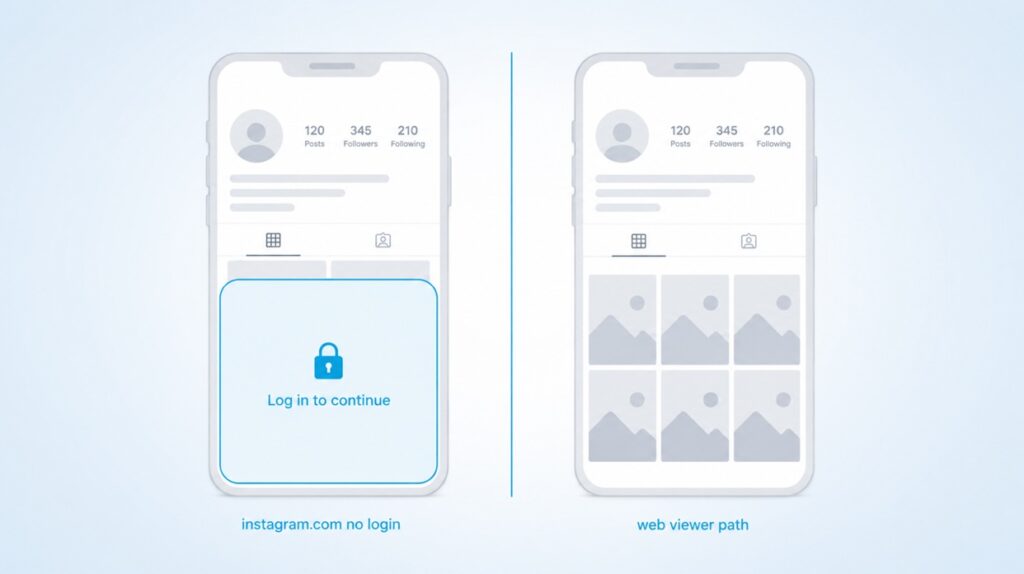
- Instagram tightened its web login wall in 2026. On instagram.com you now see the bio and roughly six to twelve grid thumbnails before a login pop-up locks the rest of the profile.
- Stories, Reels, and Highlights are hidden from logged-out visitors on the app and on the site. The mobile app blocks everything without a login.
- You can still see quite a lot through direct URLs, Google search, Google Images, embedded posts, and a small number of third-party viewers that fetch content server side.
- Private accounts are private. No legitimate tool can show you a private profile, tell you who viewed your posts, or recover deleted stories after 24 hours.
- Never enter your Instagram password on a viewer site. Any tool that asks for it is trying to steal the account.
Two years ago you could open Instagram in any browser, type a username into the search bar, and scroll a profile like you were reading a magazine. That era is over. In 2026 Meta rebuilt the login wall to protect content from AI scraping and to nudge every visitor into a logged-in session. The good news is that public accounts are still technically public and the workarounds are real. You just need to know which paths still hold and which ones are traps.
This guide covers what actually changed, what you can still see on instagram.com without a login, four Google methods that skip the wall, the third-party viewers that were tested and confirmed working in 2026, and a short list of things that are simply not possible no matter what a website claims.
What Actually Changed On Instagram In 2026
Instagram used to treat a public profile like an open storefront. Anyone with the link could walk in, look around, and walk out. Between 2019 and 2022 Meta started chipping away at that access with a login pop-up that appeared after a dozen or so posts. In 2026 they cranked it up. The login wall now triggers based on scrolling behavior rather than session cookies, so clearing your history or opening an incognito tab does not reset the meter reliably.
The reason is business. Every logged-in view feeds the ad targeting system and every logged-in session generates data that trains Meta’s recommendation models. An anonymous viewer is a viewer that Meta cannot monetize, so the platform has slowly closed the door on them.
Practically, this is what changed on the surface:
- Public profiles show the bio and about six to twelve grid thumbnails before the pop-up.
- Individual post links sometimes load once, then show a wall on the second click.
- Stories, Reels, and Highlights are hidden from logged-out sessions on the website.
- The Instagram search bar on instagram.com asks for a login before any query runs.
- Hashtag and location pages return only the top nine posts before locking.
- The mobile Instagram apps for iPhone and Android now require a login on first launch. There is no anonymous browsing at all inside the app.
Want your Instagram to actually take off?
Real accounts. Real engagement. No bots, no shadowbans, ever.
See our Instagram servicesWhat You Can Still See On Instagram.com Without Logging In
Even with the tighter wall, a public profile is not completely walled off. If you know the exact username and go directly to their URL, you can pull a surprising amount of information before the pop-up appears.
The direct URL trick
Open any browser, type instagram.com followed by a slash and the username, and press enter. If the account is public the profile header loads and you see the bio, the profile photo, the follower and following counts, the post count, and a grid of the most recent six to twelve posts. You can also see the total number of posts, which is often enough for basic research.
This works best in a fresh browser session. If instagram.com has been open in another tab that day, the wall usually appears faster.
The right-click bypass for individual posts
If a thumbnail interests you, do not left-click. That triggers the pop-up. Right-click the thumbnail, choose Open Link in New Tab, and the individual post often loads on its own with the caption, the image or short video, and the top comments visible. The trick fails on Reels most of the time, but it is reliable for photo posts and multi-image carousels.
If you know the direct URL of a specific post already, the format is instagram.com/p/POSTCODE for photos and instagram.com/reels/REELCODE for reels. Type either format directly into the address bar rather than clicking through the profile.
What the wall completely blocks
Stories, Highlights, the full comment thread on any post, DMs, the following list of any account, and every private account are locked behind the login wall. No amount of clicking or refreshing on instagram.com will show them to a logged-out visitor. If you need any of these, the direct URL method will not save you and you need to move to the Google or third-party viewer paths below.
Four Google Tricks That Skip The Login Wall
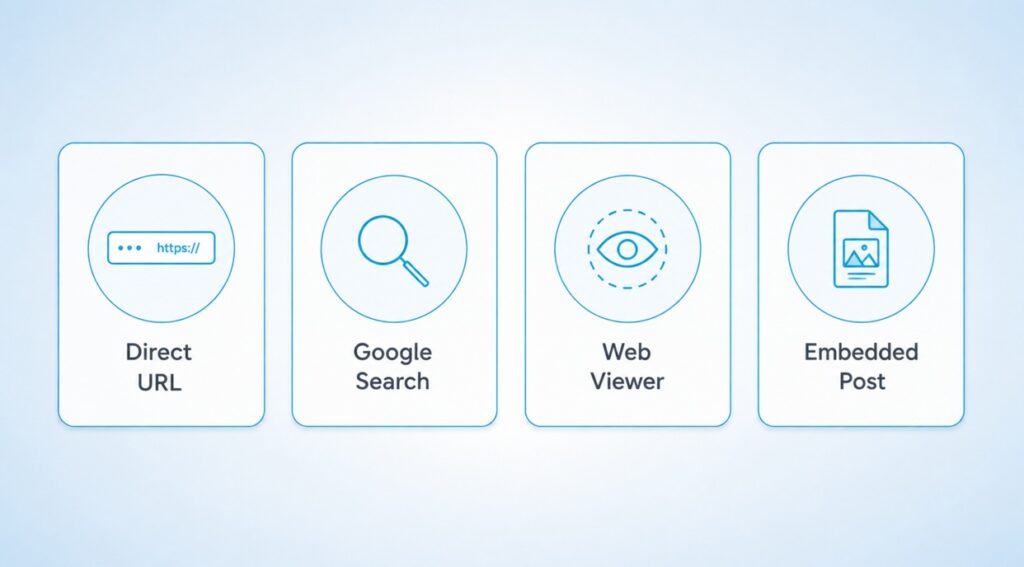
Google indexes a large amount of public Instagram content because Instagram deliberately allows it. The pages Google shows in search results do not enforce the same wall the site itself does. That gives you four separate paths to see profile content without ever loading instagram.com in a way that triggers the pop-up.
Site search on Google
Open Google and type site:instagram.com followed by the username you want to see. Google returns indexed profile pages, individual post links, and reels linked to that handle. Each result includes the post caption in the snippet, which for many posts is all the context you need. Add a keyword after the username to narrow the results, for example site:instagram.com natgeo whales.
Google Images
The same site query on the Images tab returns the visual grid of that user’s posts, at Google’s thumbnail resolution. You can scroll a long way down and see hundreds of images without ever hitting a wall because you are looking at Google’s cached thumbnails, not instagram.com.
Cached previews
Some Instagram pages still show a Cached option under the three-dot menu next to a Google search result. That opens a text-and-image snapshot of the profile as Google last saw it, without any login enforcement. The trade-off is that the content is a few days old and Stories are never cached.
Embed hunt
Instagram posts embedded on other websites render without a login. A quick Google query like username embed instagram or the post caption plus the word instagram often surfaces news articles or blog posts that embedded the same content. Clicking through gets you the image, the caption, and the like count with no wall in the way.
| When to reach for Google: If the goal is scanning old content or getting a general sense of what someone posts about, Google is faster and quieter than any viewer tool. |
Third-Party Viewers That Still Work In 2026
When you need Stories, Highlights, or a full grid instead of a Google snapshot, a legit third-party viewer is the tool. These services fetch data from Instagram’s public endpoints on their own servers, then render it in your browser. Because the request never comes from your account, the target does not know you looked and Instagram does not track the view against you.
An independent June 2026 test retested nine popular viewers with a clean browser and no Instagram cookies. Three loaded public stories reliably without a login. The rest were either paywalled after a couple of views, hit with malware-grade redirect ads, or simply broken.
PeekStories
The best all-around option in the 2026 tests. Fully free, no view cap, no signup, no email. Loads stories and highlights within five seconds on mobile and desktop, and the mobile layout is clean. Standard banner ads only, no redirect chains. It does not view private accounts, cannot show who looked at your profile, and cannot recover a story after the 24-hour window closes.
Imginn
Older and heavier on ads than PeekStories, but still works about four out of five times on public accounts. Newest stories can take about two hours to appear on Imginn, so it is not the tool for real-time story checking. Mobile layout shifts noticeably. Anonymity itself is intact when a load succeeds.
Inflact
Formerly known as Ingramer. Loaded three out of five test accounts cleanly in the 2026 batch. When it works it is fast and anonymous. When it does not, it drops into a “verify I am human” CAPTCHA loop that never ends. Worth a try as a backup when PeekStories or Imginn glitch, not as a first choice.
How to pick between them
For most reads use PeekStories first. If it returns an empty result on a specific account, try Imginn. If Imginn also fails, try Inflact once and stop there. Cycling further usually means the account is private, the username is misspelled, or the account has fewer than the required follower count that some viewers use as a filter.
What Is Not Possible And Never Will Be
Some claims sound plausible but they are not. If any site or app promises the following, close the tab.
- Viewing a private Instagram account without following it. Private profiles are enforced server side by Instagram. No third-party tool can bypass that check. Any site that says it can is either lying or asking for your credentials.
- Seeing who viewed your profile. Instagram does not store or share a viewer list for profiles. Apps that claim to do this either serve fake data or scrape your own followers into a list, which is a different thing entirely.
- Recovering a deleted story past the 24-hour window. If the account owner did not save it, the story is gone. Anything else is a bait to install an app or hand over an account.
- Removing your own view from someone’s story list after you already watched it while logged in. Instagram registers the view instantly and does not remove it if you delete your account, block them, or clear your cache.
- Fully browsing the platform anonymously the way you could before 2022. The direct URL and viewer methods above are the modern equivalent, but the classic anonymous scroll experience is not coming back.
Safety Rules When Using Any Instagram Viewer
The viewer space is full of bait sites and outright scams. A few rules keep the risk close to zero.
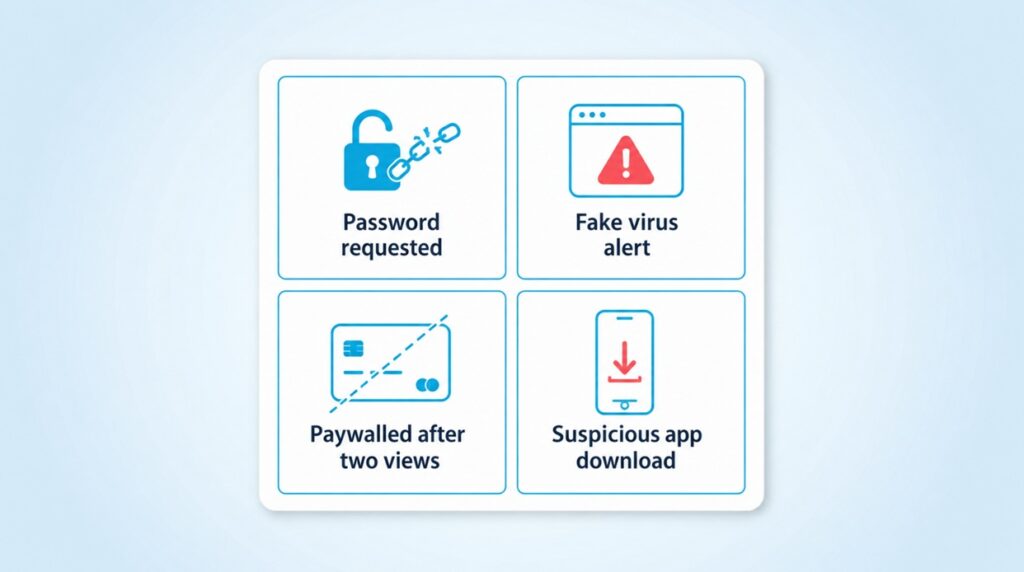
- Never enter your Instagram password on a viewer site. The legit tools only ask for a username. If a site pushes you to log in with your account, close it. This is the single most reliable signal that a viewer is a credential-harvesting scam.
- Ignore any pop-up that says your device is infected. It is a fake virus warning designed to funnel you into installing rogue software. Close the tab immediately.
- Skip any tool that paywalls after one or two views. If it costs money to view a public account, the tool is monetizing scarcity, not access. Free viewers exist and work better.
- Avoid downloadable apps that promise anonymous viewing. Web viewers are enough. Mobile apps in this category have a long history of harvesting contacts, photos, and location data.
- Assume the viewer keeps a log of every username you look up. Do not use a viewer for anything sensitive. If privacy matters, use a browser with tracking protection and clear cookies afterward.
Six Quick Questions People Ask
Is it legal to view Instagram without an account?
Yes for public content, on all four paths above. Public means the account owner published it without restriction. Private profiles are a different story and you cannot legally or technically view them without approval.
Can Instagram detect when a third-party viewer looks at my profile?
Not in the same way it tracks a logged-in visit. The viewer’s server sends the request, so Instagram sees the viewer’s IP not yours. That is why the target account cannot see who watched their story.
Do these methods still work if the account is set to private?
No. Private is enforced server side by Instagram. Any viewer, Google trick, or browser method that claims to open a private profile is either lying or trying to phish credentials.
Will Instagram ban me for using a viewer?
You do not have an account for them to ban if you are using these methods. Even if you also have a personal Instagram account, viewing via a third-party server does not tie back to your account.
What happens if I already accidentally viewed a story while logged in?
Your view is recorded permanently. Blocking the account, deleting your view, or clearing your cache does not remove you from the story viewer list. Only a fresh account can look at a story anonymously going forward.
Can I download the posts I view without an account?
Yes on most third-party viewers. PeekStories and Imginn both support saving public photos and videos. The download is legal for personal use only, and reposting the media publicly requires the original creator’s permission.
Choosing The Right Path For Your Reason
The right path depends on why you are looking. If you want a quick check of what a friend or a brand posted, the direct profile URL and the right-click trick get you the first six thumbnails without any fuss. If you are researching a creator or a business, Google’s site search and image tab are cleaner and quieter than any tool. If you need Stories, Highlights, or the full grid, a viewer like PeekStories does the job with minimal ads and no signup.
The methods that stopped working in 2026 mostly stopped for the same reason: they were fighting Instagram’s wall head on instead of routing around it. Google, embed pages, and server-side viewers all work because they read what Instagram published, not what Instagram is trying to protect. That distinction is why the four paths in this guide still hold, and it is also why the shady app in the app store promising you a private profile view will keep failing forever.