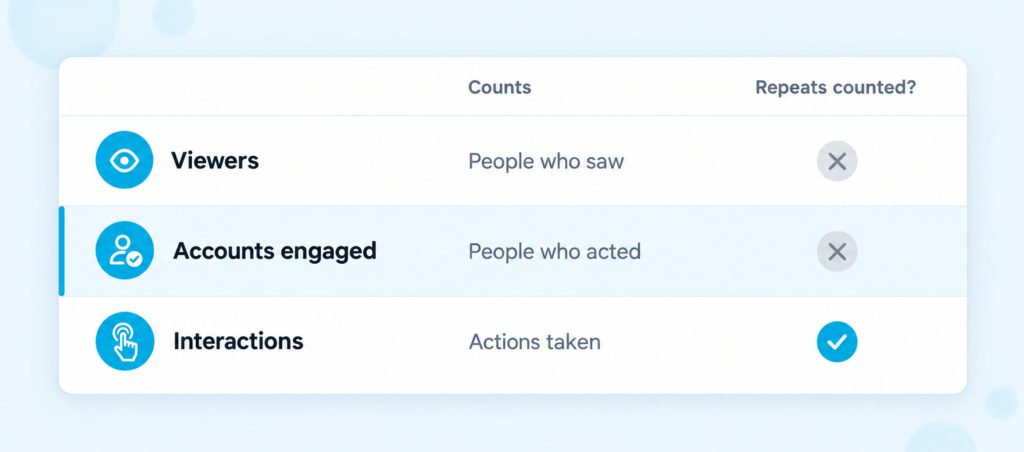
Accounts engaged is the number of unique accounts that interacted with your Instagram content during the time period you picked. A like, comment, save, share or story reply all count, but each person is counted once, no matter how many times they act. You’ll find it in Insights next to Interactions, which counts the actions themselves, and Viewers, which counts the people who saw your content.
| One Person, Counted Once – Someone likes your post: 1 account engaged and 1 interaction. – A second person likes it, saves it and leaves a comment: 2 accounts engaged and 4 interactions. – The first person comes back and shares it: still 2 accounts engaged, but now 5 interactions. |
Boost Your Instagram Presence
Make your Reels go viral. Get premium followers, likes, and comments in minutes.
What Counts as Engaged
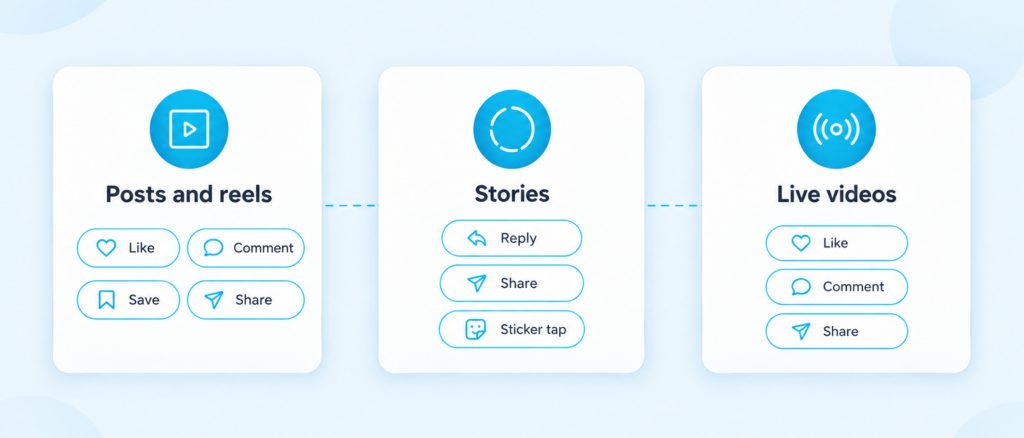
Instagram counts an account as engaged when it interacts with your content. Instagram’s own definition of interactions is the actions people take when they engage with your content, such as likes, comments, saves and shares. What counts depends on the kind of content you posted.
- Posts and reels: likes, comments, saves and shares.
- Stories: Instagram’s examples are replies, shares and sticker taps, like voting in a poll.
- Live videos: likes, comments and shares while the video is live.
Seeing your content isn’t enough on its own. Someone who scrolls past your post without acting is counted in Viewers, not in Accounts engaged. Story insights also list profile activity on its own, such as profile visits, follows and website clicks from your story, so don’t expect to find those inside accounts engaged.
Replies to a story are private, so they don’t appear under it like comments do. Story replies arrive as messages, and our guide on what a DM on Instagram is explains where to find them.
Accounts Engaged vs Interactions vs Viewers
These three numbers sit side by side, and they answer three different questions. Viewers tells you how many people saw your content, accounts engaged tells you how many of them did something, and interactions tells you how many things they did in total. Instagram describes Viewers as the unique accounts that saw your content on screen at least once.
Interactions should always be at least as high as accounts engaged, because every engaged account took at least one action and one person can like, save and comment on the same post. Accounts engaged counts each of those people only once in the period you chose. If the two numbers are close, most people did just one thing.
You may also see Views, which is different again. It counts the number of times your content was played or shown, so one person who watches a reel three times adds three views. Some older help pages and screens still say Accounts reached where newer ones say Viewers, and both mean the people who saw your content.
Where To Find Accounts Engaged
You need a public account to see insights. Instagram now gives insights to public personal accounts as well as professional ones, so you don’t have to switch to a business account first.
In the App
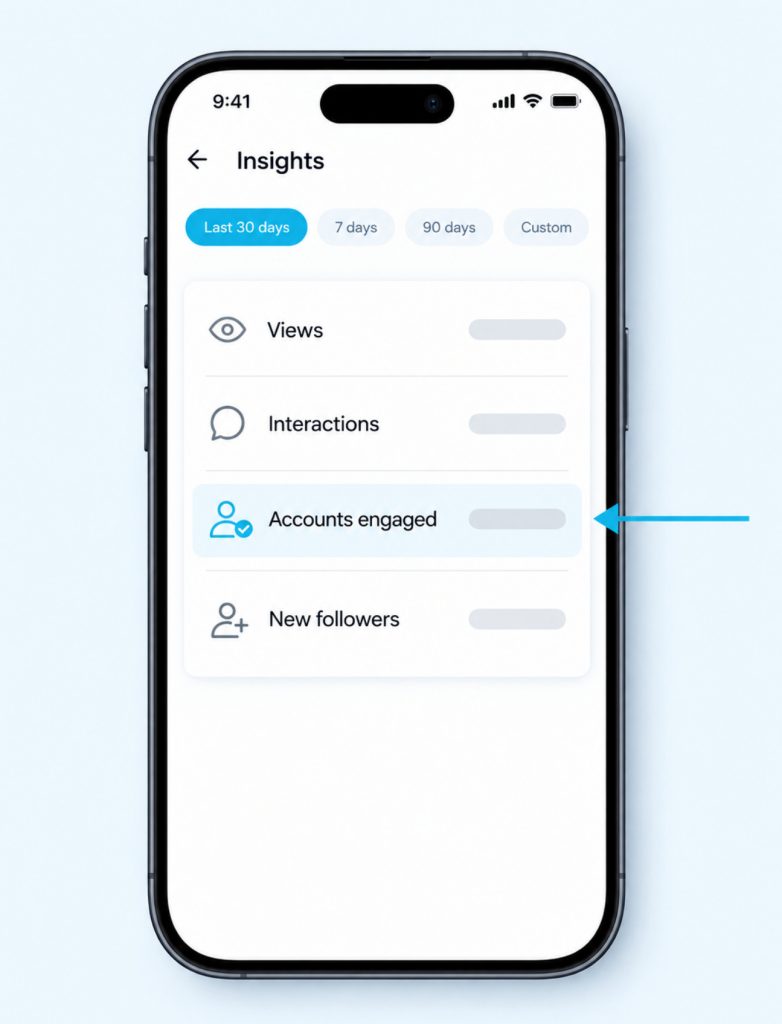
Go to your profile and tap Professional dashboard, or Your dashboard on a personal account. You can also tap the Insights button on your profile if you see one. Pick a timeframe at the top, and you can choose any range within the past 90 days, then tap Accounts engaged to open the details. Tap the small (i) icon next to a metric to read Instagram’s own definition of it.
For One Post, Reel or Story
To check a single post or reel, go to your profile, tap it and tap View insights below it. For a story, open the story, tap the three-dot menu and tap View insights. Story insights stay available for up to two years, even after the story itself has expired, and the same goes for reels.
On a Computer
Open instagram.com and log in. Click Dashboard, then Insights under For professionals, or Your dashboard on a personal account. Choose Account or Content, then pick 7, 14, 30 or 90 days, or set your own dates.
Followers and Non-Followers
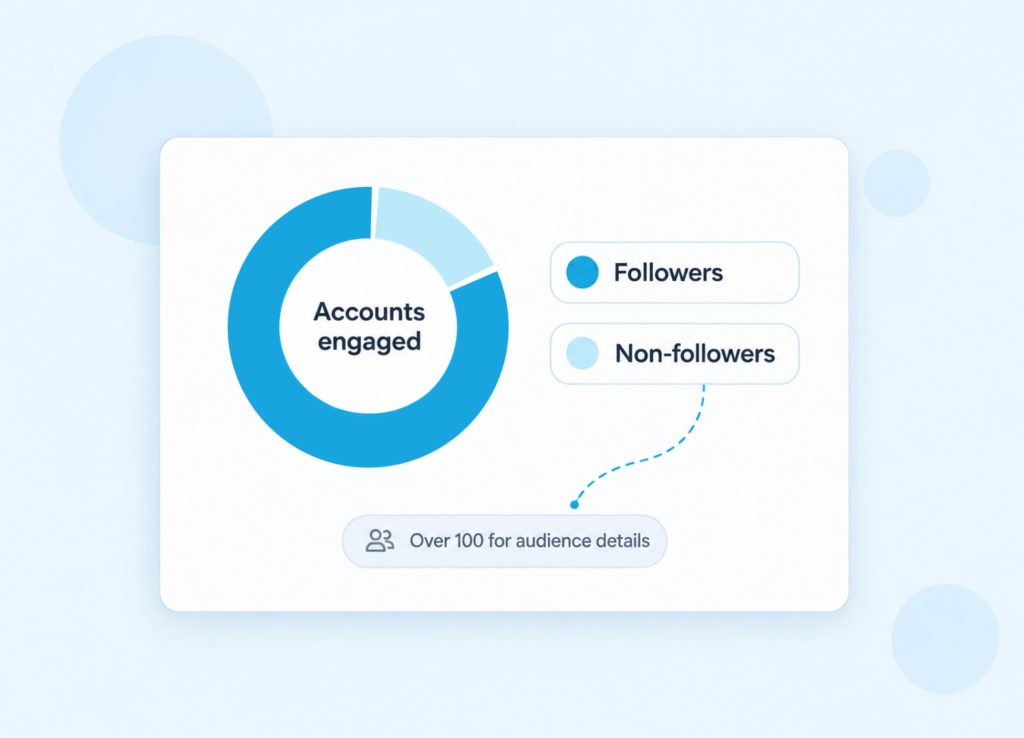
For posts, stories and Live videos, Instagram splits accounts engaged into followers and non-followers. This split tells you who is acting on what you post. A large follower share means your regular audience is responding.
A larger non-follower share means your content is getting a reaction from people who don’t follow you yet. That often happens when a post or reel is shown to new people outside your followers’ feeds. If a post brings in lots of non-follower engagement, check New followers for the same period to see if any of those people stayed.
Instagram also shows details about the people who engaged, such as their top countries, cities, age ranges and gender. These details only appear with the preset timeframes and when more than 100 accounts engaged. If you can’t see them for the last 7 days, try the last 30 days, the previous month or the last 90 days.
Why the Number Can Look Off
Instagram says these metrics are estimated and still in development. Read the number as a guide rather than an exact count.
Each count is unique within the period you choose. Someone who engages in week one and again in week two counts once in a monthly view, so adding up four weekly numbers will usually give you more than the monthly figure. Compare periods of the same length instead.
Your account settings matter too. If you switch to a private account, you lose access to insights. If you make it public again within 90 days, you can see your past data again. If your account only recently became public, you may not see insights from before the switch.
Want your Instagram to actually take off?
Real accounts. Real engagement. No bots, no shadowbans, ever.
See our Instagram servicesAccounts Engaged Questions
Can I see which accounts engaged with my content?
Insights shows numbers and audience details, not a list of names. You can still open a post and see who liked it or commented, and story replies arrive in your messages. If an app promises the names, our guide to the best apps to see who stalks your Instagram explains why none of them can deliver.
Why can’t I see accounts engaged?
The most common reason is that your account is private, because insights need a public account. If you only just made it public, older content may not show insights yet. If the number shows but audience details don’t, fewer than 100 accounts engaged, so try a longer preset timeframe.
What is a good number of accounts engaged?
Instagram doesn’t publish a target for this number. The useful check is your own trend. Compare the same length of time, month to month, and compare accounts engaged with Viewers to see how many of the people who saw your content did something.
Do boosted posts count towards accounts engaged?
Boosting is only for professional accounts, and a boosted post gets its own ad insights as well. Meta’s reference for developers says the account-level count includes accounts that engaged through ads. So paid engagement can raise your overall number, and the ad insights show how much came from the boost.
Can personal accounts see accounts engaged?
Yes, as long as the account is public. Personal accounts find it under Your dashboard instead of Professional dashboard. Private accounts don’t get insights.
Grow the Number That Matters
Instagram says its recommendations look at engagement per viewer, using actions such as watch time, sharing, following, liking, commenting and profile visits. So it helps to get more of the people who see your content to act. These habits help.
- Ask a real question in your caption. A specific question is easier to answer than a general one.
- Use story stickers. Polls, questions and quizzes give people an easy way to tap and take part.
- Reply to comments. Replies keep the conversation going.
- Make posts worth saving or sharing. Steps, lists and useful tips are the kind of posts people save, and funny or relatable posts are the kind they share.
When people share your post or reel to their own story, that share counts too, and our guide on how to repost a story on Instagram shows each way it works. If you’d like a new post to start with more conversation under it, Instagram comments can give it a head start.